


Ajay Kumar (talk | contribs) Created a new article Tags: self-published-blog nowiki added |
mNo edit summary |
||
| Line 1: | Line 1: | ||
{{Short description| | {{Short description|none}}<!-- "none" is preferred when the title is sufficiently descriptive; see [[WP: SDNONE]] --> | ||
{{For|a list of the company's April Fools' Day jokes and hoaxes|List of Google April Fools' Day jokes}} | {{For|a list of the company's April Fools' Day jokes and hoaxes|List of Google April Fools' Day jokes}} | ||
{{Use mdy dates|date=December 2025}} | |||
{{Use American English|date=January 2026}} | |||
{{More citations needed|date=April 2022}} | {{More citations needed|date=April 2022}} | ||
{{List missing criteria|date=April 2023}} | {{List missing criteria|date=April 2023}} | ||
The American technology company [[Google]] has added Easter eggs into many of [[List of Google products| | [[File:Pacman10-hp.png|thumb|upright=1.4|A ''[[Pac-Man]]'' related interactive [[Google Doodle]] [[Pac-Man Google Doodle|from 2010]] will be shown to users searching for "Google Pacman" or "play Pacman".]] | ||
The American technology company [[Google]] has added [[Easter egg (media)|Easter eggs]] into many of its [[List of Google products|products and services]], such as [[Google Search]], [[YouTube]], and [[Android (operating system)|Android]] since the 2000s.<ref name=":0">{{Cite book |title=Being A Teen Hacker.: A Beginners Guide To Ethical Hacking & Computer Security Awareness. VOL-I |page=95 |author=Hariom Choudhary |date=April 3, 2014}}</ref><ref name="superb owl">{{cite web |last1=Schoon |first1=Ben |title=Google Search has a 'Superb Owl' Easter Egg for the Big Game |url=https://9to5google.com/2019/01/31/google-search-superb-owl-easter-egg/ |website=[[9to5Google]] |access-date=February 5, 2019 |date=January 31, 2019}}</ref> Google avoids adding Easter eggs to popular search pages, as they do not want to negatively impact usability.<ref name="read-write">{{cite web |last1=Mitchell |first1=Jon |title=How A Google Engineer Built A Universe In An Easter Egg - ReadWrite |url=https://readwrite.com/2012/10/05/how-a-google-engineer-built-a-universe-in-an-easter-egg/ |archive-url=https://web.archive.org/web/20121116030911/http://readwrite.com/2012/10/05/how-a-google-engineer-built-a-universe-in-an-easter-egg |url-status=usurped |archive-date=November 16, 2012 |website=ReadWrite |access-date=December 22, 2017 |date=October 5, 2012}}</ref><ref name="hidden meaning">{{cite web |last1=Wiley |first1=Jon |title=Hidden Meaning |url=https://www.thinkwithgoogle.com/intl/en-gb/articles/hidden-meaning.html |website=Think with life |access-date=March 25, 2017 |language=en-gb |date=July 2012 |archive-date=May 17, 2017 |archive-url=https://web.archive.org/web/20170517185607/https://www.thinkwithgoogle.com/intl/en-gb/articles/hidden-meaning.html |url-status=dead }}</ref> | |||
While unofficial and not maintained by Google itself, [[elgooG]] is a website that contains all Google Easter eggs, whether or not Google has discontinued them. | |||
== Google Search == | ==Google Search== | ||
{{Further|Google Search}} | {{Further|Google Search}} | ||
As Google searches are [[case insensitive]],<ref>{{Cite web|url=https://www.labnol.org/internet/search/case-sensitive-google-search/6279/|website=labnol.org|title=Perform Case Sensitive Search with Google|first=Amit|last=Agarwal|date=July 15, 2012|access-date=October 21, 2018}}</ref> search terms are | As Google searches are [[case insensitive]],<ref>{{Cite web|url=https://www.labnol.org/internet/search/case-sensitive-google-search/6279/|website=labnol.org|title=Perform Case Sensitive Search with Google|first=Amit|last=Agarwal|date=July 15, 2012|access-date=October 21, 2018}}</ref> search terms listed are referred to in [[lower case]]. | ||
===General=== | ===General=== | ||
* "[[2025 PN7]]{{see it|term=2025 PN7}}" shows two moons moving across the screen. | |||
* | * "[[6-7 meme|6-7]]{{see it|term=6-7}}", "67", "6 7", "six seven", "67 meme" and similar searches makes the screen wiggle for a few seconds, similar to the up-and-down hand gesture from the 6-7 internet meme. | ||
* {{see it| | * "[[United States Semiquincentennial|america 250]]" will show a display of red and blue fireworks across the screen (only in the United States). | ||
* "{{see it|askew}}" causes the results page to be slightly tilted to the right.<ref name="bi 2018">{{Cite web |url=https://www.businessinsider.com/google-search-easter-eggs-2018-1?r=US&IR=T#6-searching-askew-will-turn-the-page-slightlyaskew-6 |title=Searching "askew" will turn the page slightly...askew. |first=Avery |last=Hartman |date=June 19, 2019 |website=Business Insider |access-date=August 24, 2019}}</ref><ref name="sel 2018">{{Cite web |url=https://searchengineland.com/the-big-list-of-google-easter-eggs-153768 |title=Updated: The big list of Google Easter eggs |first=Chris |last=Sherman |website=Search Engine Land |date=October 9, 2018 |access-date=August 24, 2019}}</ref> This effect once worked when searching "tilt".<ref>{{Cite magazine |title=Hidden Google: 10 Fun Search Tricks |url=https://time.com/3033959/hidden-google-10-fun-search-tricks/ |access-date=2022-05-02 |magazine=Time |language=en}}</ref> | |||
* "[[Aurora Borealis]]{{see it|term=aurora borealis}}" or "Northern Lights{{see it|term=northern lights}}" will show a button with the symbol of the Northern Lights. When clicked, it will superimpose a show of the Northern Lights. If clicked again while the Northern Lights are being shown, a shooting star will appear on the screen. | |||
* "[[ | * "[[baguette]]" shows a baguette icon which, when pressed, leads to a baguette catching game. {{See it|term=baguette}} | ||
* "{{see it|<blink>}}", "blink tag", or "blink html" includes samples of the [[blink element]] in the results.<ref>{{cite news |url=https://www.networkworld.com/article/748128/software-google-easter-egg-leads-to-story-behind-blink-tag.html |title=Google Easter Egg Leads to Story Behind 'Blink' Tag |last=McNamara |first=Paul |newspaper=Network World |date=February 24, 2014 |access-date=January 20, 2015}}</ref> | |||
* "[[boids]]" (and similar terms such as "starlings") causes the search results to flock together, similar to the '''[[artificial life]]''' program developed in 1986.{{See it|term=boids}} | |||
* "[[Cha Cha Slide]]{{see it|term=cha cha slide}}" adds a glittering microphone next to the link to the song's music video. Click on it a few times, and it will recreate the main chorus in the browser.<ref>{{Cite web |date=August 12, 2020 |title=Everybody clap your hands for the 'Cha Cha Slide' Google Easter Egg |url=https://ftw.usatoday.com/2020/08/google-cha-cha-slide-easter-egg-dance |website=USA Today}}</ref> This was discontinued temporarily in 2023 due to [[DJ Casper]]'s death on August 7, but has since been restored.{{citation needed|date=August 2023}} | |||
* " | * "Chalamet", "Timmy Chalamet", "[[Timothée Chalamet]]{{see it|term=timothée chalamet}}" or "marty supreme{{see it|term=marty supreme}}" makes an orange doodle of a blimp fly across the screen horizontally, referencing his role in the 2025 film ''[[Marty Supreme]]''. | ||
*"[[chicxulub]]{{See it|term=chicxulub}}", "chicxulub asteroid", "meteorite{{see it|term=meteorite}}", and similar terms will show an asteroid falling on the results page. The whole page will then shake slightly.<ref>{{cite web|url=https://www.thefocus.news/tech/what-happens-if-you-google-chicxulub-crater-we-did-it-so-you-dont-have-to/|title=What happens if you Google 'Chicxulub Crater'? We did it so you don't have to|website=The Focus|last=Munro|first=Danny|date=December 29, 2022|access-date=January 8, 2022}}</ref> | |||
* "{{see it| | * "[[christmas]]{{See it|term=christmas}}", "[[hanukkah]]{{See it|term=hanukkah}}", and "[[kwanzaa]]{{See it|term=kwanzaa}}" will show decorations next to the search bar for each respective holiday. The feature used to be active only during December.<ref>{{cite web |url=https://www.seroundtable.com/google-christmas-decorations-32629.html|title=Google Christmas Decorations with Special Pagination Bar Now Update for Holidays |date=December 21, 2021 }}</ref> Each year, new decorations are shown.<ref>{{cite web |last1=Feinn |first1=Lily |title=These Google Search Holiday Easter Eggs Are Making The Internet Super Festive |url=https://www.bustle.com/articles/198665-these-google-search-holiday-easter-eggs-are-making-the-internet-super-festive |website=Bustle |date=December 6, 2016 |access-date=December 15, 2017}}</ref><ref>{{cite web |last1=Gesenhues |first1=Amy |title=Google wraps Hanukkah, Festivus, Christmas & Kwanzaa searches in festive holiday decor |url=https://searchengineland.com/google-wraps-hanukkah-kwanzaa-christmas-festivus-search-page-banners-usual-holiday-decor-287765 |website=Search Engine Land |access-date=December 16, 2017 |date=December 5, 2017}}</ref> | ||
* "{{see it|cicada}}" and similar terms will add a cicada that, when pressed, shows some cicadas flying over the screen. | |||
*" | * "[[Cricket World Cup]]{{See it|term=cricket world cup}}" or "[[2023 Cricket World Cup]]{{See it|term=2023 cricket world cup}}" shows a [[minigame]] titled ''Mini Cup'' which allows selections from the various teams participating in the 13th-edition of the [[Cricket World Cup]]. The game features [[batting (cricket)|batting]] with a tally of the teams having the highest scores.<ref>{{Cite web |last= |first= |title=Will you bat for India or Pakistan? Play Google's cricket game on your phone ahead of World Cup clash; here's how |url=https://www.khaleejtimes.com/sports/cricket/will-you-bat-for-india-or-pakistan-play-googles-cricket-game-on-your-phone-ahead-of-world-cup-clas |access-date=2023-10-28 |website=[[Khaleej Times]] |language=en}}</ref> | ||
* " | * "{{see it|conway's game of life}}" on a desktop browser generates a running configuration of [[Conway's Game of Life|the game]] to the right of the search results. The process may also be stopped or altered by the user.<ref>{{Cite web |url=https://searchenginewatch.com/sew/news/2191362/google-easter-egg-search-conway-s-game-of-life |title=Google Easter Egg: Search "Conway's Game of Life" |website=searchenginewatch.com |date=July 13, 2012 }}</ref><ref name="read-write" /> | ||
* "[[Comic Sans]]", "[[Geocities]]", "Design fails", "Bad UX", "best font ever{{see it|term=best font ever}}", "best typeface ever", "[[Vincent Connare]]" and "90s websites" will change the search results to the [[Comic Sans]] font, except on iOS devices where it will change to the Chalkduster font. | |||
** "Times New Roman font{{see it|term=Times New Roman}}", "Stanley Morison", "Victor Lardent", or "Times New Roman" will change the search results to the [[Times New Roman]] font. | |||
* "{{see it| | ** "Georgia font{{see it|term=Georgia font}}" will change the search results to the [[Georgia (typeface)|Georgia]] font. | ||
* "[[ | ** "Verdana font{{see it|term=Verdana font}}", or "Matthew Carter" will change the search results to the [[Verdana]] font. | ||
** "Tahoma font{{see it|term=Tahoma font}}" will change the search results to the [[Tahoma (typeface)|Tahoma]] font. | |||
** "Arial font{{see it|term=Arial font}}" will change the search results to the [[Arial]] font. | |||
** "Trebuchet MS{{see it|term=Trebuchet MS}}" will change the search results to the [[Trebuchet MS]] font. | |||
** "Impact font{{see it|term=Impact font}}" will change the search results to the [[Impact (typeface)|Impact]] font. | |||
** "Calibri{{see it|term=Calibri}}" or "Luc de Groot" will change the search results to the [[Calibri]] font. | |||
** "Cambria font{{see it|term=Cambria font}}" will change the search results to the [[Cambria (typeface)|Cambria]] font. | |||
** "Courier font{{see it|term=Courier font}}" will change the search results to the [[Courier (typeface)|Courier]] font. | |||
** "Roboto{{see it|term=Roboto}}" will change the search results to the [[Roboto]] font. | |||
** "Garamond{{see it|term=Garamond}}" will change the search results to the [[Garamond]] font. | |||
** "Open Sans{{see it|term=Open Sans}}" or "Steve Matteson" will change the search results to the [[Open Sans]] font. | |||
** "Proxima Nova font{{see it|term=Proxima Nova font}}" or "Mark Simonson" will change the search results to the [[Mark Simonson|Proxima Nova]] font. | |||
** "Merriweather font{{see it|term=Merriweather font}}" will change the search results to the [[Merriweather]] font. | |||
** "Amatic SC font{{see it|term=Amatic SC font}}" will change the search results to the Amatic SC font. This was one of the fonts created by Vernon Adams before his death in 2016.<ref>{{Cite web |title=Amatic SC |url=https://fonts.google.com/specimen/Amatic+SC |access-date=2024-07-18 |website=Google Fonts |language=en}}</ref> It also works with "Vernon Adams font designer{{see it|term=Vernon Adams font designer}}". | |||
** "Permanent Marker font" will change the search results to the Permanent Marker font.{{see it|term=Permanent Marker font}} | |||
* "DART asteroid{{see it|term=DART asteroid}}" will show the probe hitting an asteroid, tilting the screen. | |||
* "[[diwali]]{{see it|term=diwali}}" will show a lamp which when clicked starts a lamp lighting game.<ref>{{cite web |url=https://opoyi.com/diwali-2021-googles-new-diya-feature-is-here-to-brighten-up-the-internet |title=Diwali 2021: Googles new diya feature is here to brighten up the internet |date=August 6, 2023 |access-date=February 16, 2022 |archive-date=February 18, 2022 |archive-url=https://web.archive.org/web/20220218071749/https://opoyi.com/diwali-2021-googles-new-diya-feature-is-here-to-brighten-up-the-internet |url-status=dead }}</ref> | |||
* "{{see it|do a barrel roll}}" or "z or r twice" causes the result page to do a ''[[Star Fox]]''-style [[barrel roll]].<ref name="Easter Eggs CBSNews">{{cite news |title=17 amazing Google Easter eggs (1) |url=https://www.cbsnews.com/pictures/17-amazing-google-easter-eggs/ |access-date=July 20, 2015}}</ref><ref name=":1">{{Cite news |url=https://www.pcmag.com/article2/0,2817,2486825,00.asp |title=The Definitive List of Google Search Easter Eggs |newspaper=PCMAG |access-date=December 19, 2016}}</ref><ref name="feedsyouneed">{{Cite web |url=http://feedsyouneed.com/google-easter-eggs-google-tricks/ |title=15+ Best Google Easter Eggs & Google Tricks 2016 |website=feedsyouneed.com |author=Azar Roshan |access-date=March 11, 2017 |archive-url=https://web.archive.org/web/20170805055813/http://feedsyouneed.com/google-easter-eggs-google-tricks |archive-date=August 5, 2017 |url-status=dead}}</ref> | |||
* "[[drag queen]]", "[[gay pride]]{{see it|term=gay pride}}", "[[homosexuality]]", "[[Stonewall riots|stonewall]]" and other [[LGBTQ+]]-related searches, at times of [[gay pride festival]] activity, cause the results page to have a rainbow themed header.<ref>{{cite web |archive-url=https://web.archive.org/web/20170907034259/https://www.lifewire.com/secret-google-easter-eggs-1616312 |archive-date=September 7, 2017 |url=https://www.lifewire.com/secret-google-easter-eggs-1616312 |title=Secret Google Easter Eggs |website=lifewire.com |author=Marziah Karch |date=September 22, 2016 |access-date=October 23, 2018}}</ref><ref>{{Cite web |url=https://nationalpost.com/news/google-celebrates-gay-pride-with-rainbow-coloured-easter-egg |website=nationalpost.com |title=Google celebrates gay pride with rainbow-coloured Easter egg |date=June 24, 2013 |access-date=June 14, 2016}}</ref> | |||
* "{{see it|drop bear}}" will show a sign that when clicked will cause a drop bear to fall.<ref>{{Cite web |date=2023-03-06 |title=The 16 Best Google Animations Unlocked with a Simple Search |url=https://gizmodo.com/google-the-last-of-us-the-mandalorian-baby-yoda-1850193184 |access-date=2023-09-16 |website=Gizmodo |language=en}}</ref> | |||
* "[[dutch angle]]{{see it|term=dutch angle}}" shows the results page in a slightly tilted angle. | |||
* "[[DVD screensaver]]{{see it|term=dvd screensaver}}" causes the [[Google logo]] in the top left corner of the screen to bounce around the screen, shifting colors between blue, red, yellow, and green every time it hits the page boundaries.<ref>{{Cite web |last=Li |first=Abne r|date=May 12, 2021 |title=Google Search adds 'DVD screensaver' easter egg |url=https://9to5google.com/2021/05/12/google-search-dvd-screensaver/ |access-date=May 13, 2021 |website=[[9to5Google]] |language=en-US}}</ref> | |||
** Every time the tab currently engaged in the Easter egg is returned to after being clicked out of, the bouncing logo will always be in a position where it hits perfectly into a corner. | ** Every time the tab currently engaged in the Easter egg is returned to after being clicked out of, the bouncing logo will always be in a position where it hits perfectly into a corner. | ||
** | ** However, this feature is disabled if a major Google Doodle is occurring instead of the normal logo. | ||
* "{{see it|easter}}" changes the " | * "{{see it|easter}}" changes the "Gooo...gle" page indicator at the bottom of every result page to show [[Easter egg]]s instead of o's.<ref>[https://www.google.com/search?q=easter&safe=active&ei=hRIjY8CMH5GnptQP9fOOkAM Search results for "easter"]</ref>{{Better source needed|date=October 2022}} | ||
* "{{see it|festivus}}" shows an image of the [[Festivus]] pole beside the search results and the message "A festivus miracle!" next to the number of search results.<ref>{{Cite web |url=https://www.ew.com/article/2012/12/11/google-festivus |title=Google celebrates Festivus with 'Seinfeld'-inspired Easter Egg |website=ew.com}}</ref><ref name=":1" /><ref name="feedsyouneed" /> | * "{{see it|festivus}}" shows an image of the [[Festivus]] pole beside the search results and the message "A festivus miracle!" next to the number of search results.<ref>{{Cite web |url=https://www.ew.com/article/2012/12/11/google-festivus |title=Google celebrates Festivus with 'Seinfeld'-inspired Easter Egg |website=ew.com}}</ref><ref name=":1" /><ref name="feedsyouneed" /> | ||
* "{{see it|fireworks}}", "[[fourth of july]]" and other search terms containing "fireworks" on [[Independence Day (United States)|US Independence Day – July 4th]], will display simulated multi-colored fireworks for several seconds.<ref>{{Cite web |date=July 2, 2019 |title=Fireworks Easter Egg Takes over Google.com for July 4th |url=https://9to5google.com/2019/07/02/google-fireworks-easter-egg/ |website=[[9to5Google]]}}</ref> | |||
* "{{see it|fireworks}}", "[[fourth of july]]" and other search terms containing " | * "[[Five Nights at Freddy's]]" and similar terms causes Toy Freddy's eyes to appear on the screen, look left and right, {{See it|term=Five Nights At Freddy's}} and then disappear. Searching for Mangle or Toy Bonnie will result in the eyes instead having yellow or green [[Iris (anatomy)|irides]], respectively. This was to promote the release of the [[Five Nights at Freddy's 2 (film)|''Five Nights at Freddy's 2'']] film in December 2025. | ||
* "Forrest Gump" | * "[[Forrest Gump]]{{see it|term=forrest gump}}" makes a male runner emoji appear at the top of the screen with more runners following him as he runs. | ||
* " | * "[[Flyana Boss]]{{see it|term=flyana boss}}" and similar searches have two female runner emojis glide across above the search.{{Citation needed||date=November 2023}} | ||
* "Friends | * "Friends glossary" will show definitions for various quotes from the show.{{see it|term=friends glossary}} | ||
* "[[Georges Seurat]]"{{see it|term=Georges Seurat}} adds a painting icon next to his name in the Knowledge Graph that, when clicked, makes the result appear in his signature pointillism style. | |||
*"[[Ghostbusters]]{{see it|term=ghostbusters}}" around October will have three ghost emojis, followed by a van emoji, glide across the search.{{Citation needed||date=October 2023}} | |||
* "{{see it|google in 1998}}" on a desktop browser will generate a layout similar to the one Google used for its search engine in 1998.<ref>{{Cite web |url=https://www.theverge.com/2013/9/26/4775032/google-in-1998-search-engine-easter-egg |title='Google in 1998' Easter egg takes you to Google.com as it looked 15 years ago |website=theverge.com}}</ref><ref name="feedsyouneed" /> | * "{{see it|google in 1998}}" on a desktop browser will generate a layout similar to the one Google used for its search engine in 1998.<ref>{{Cite web |url=https://www.theverge.com/2013/9/26/4775032/google-in-1998-search-engine-easter-egg |title='Google in 1998' Easter egg takes you to Google.com as it looked 15 years ago |website=theverge.com}}</ref><ref name="feedsyouneed" /> | ||
* "{{see it|googly eyes}}" will cause a pair of googly eyes to slide from the top of the page to cover each letter "O" in the top Google logo. The eyes will slowly follow the location of the | * "{{see it|googly eyes}}" will cause a pair of googly eyes to slide from the top of the page to cover each letter "O" in the top Google logo. The eyes will slowly follow the location of the cursor. {{citation needed|date=October 2021}} | ||
** The same googly eyes appear when actors from ''[[Everything Everywhere All at Once]]'' are Googled (e.g. "michelle yeoh", "ke huy quan", "stephanie hsu"), in reference to the movie.{{Citation needed|date=April 2023}} | ** The same googly eyes appear when actors from ''[[Everything Everywhere All at Once]]'' are Googled (e.g. "michelle yeoh", "ke huy quan", "stephanie hsu"), in reference to the movie.{{Citation needed||date=April 2023}} | ||
* " | * "[[Halloween]]{{see it|term=halloween}}" formerly resulted in a ghost appearing in the Knowledge Graph and when clicked, plays the [[Magic Cat Academy|2016 Halloween Google Doodle]]. The search now shows the green team ghosts of the 2018 and 2022 Halloween doodles appearing over the screen. | ||
* "[[ | ** "Halloween" from October 28-31, 2025 brought up a marquee of [[Pac-Man (character)|Pac-Man]] being chased by [[Ghosts (Pac-Man)|Blinky, Pinky, Inky, and Clyde]] in different costumes each time they reappeared after reaching the end, as part of the 2025 ''Pac-Man'' Halloween doodle. | ||
* " | * "{{see it|haunted house}}" will bring up emojis of houses and spider webs above the results section.{{Citation needed||date=October 2023}} | ||
* "[[Hollow Knight]]", "Silksong", or "[[Hollow Knight: Silksong]]" will bring up a button that, when pressed, will cause Hornet's Needle with the Reaper Crest to slash and destroy the search results, likely to commemorate the release of ''Silksong'' after being in development for 8 years. | |||
* "{{see it| | * "[[Men's T20 World Cup|ICC Men's T20 World Cup]]" and other terms will bring up a cricket game.{{See it|url=www.google.com/search?q=hollow+knight+silksong|hide=yes}} | ||
* "[[Inside Out (2015 movie)|Inside Out]]", "[[Inside Out 2]]{{see it|term=inside out 2}}" and other similar searches will display a button in the bottom of the screen which will show a machine dispensing a memory orb every time the button is clicked; this was to promote the release of ''[[Inside Out 2]]'' in June 2024. | |||
* {{See it|term=Infinite Craft}}"[[Infinite Craft|infinite craft]]" will bring up the words "lake + satellite" at the top of Search. In the game, combining the two will create "Google". | |||
*"[[Isaac Newton]]{{See it|term=isaac newton}}" an icon of a tree appears, which when clicked, drops an apple onto the page. | |||
* "{{see it|it}}" has a scared emoji being chased left and right near the search bar by a clown emoji with 3 balloons behind the clown. This is a reference to the [[It (novel)|It]] novel by [[Stephen King]] and films by [[Andy Muschietti]] as "[[Pennywise]]"/"It"'s victims are usually kids who have fears that the clown can exploit. The red balloons are the most common tactic that "Pennywise"/"It" uses to make their victims scared. Famously, it is used in the opening scene in the book, in the [[It (2017 film)|first of the reboot films]] and in the [[It (miniseries)|miniseries]] where "Pennywise"/"It" uses a red balloon to lure Georgie into the sewer. | |||
*"[[It Follows]]{{see it|term=it follows}}" will cause an animation of a walking person emoji chasing a running person emoji to glide across the page. | |||
*"[[It's the Great Pumpkin, Charlie Brown]]{{see it|term=it's the great pumpkin, charlie brown}}" around October will have a pumpkin and football emoji appear over the search.{{Citation needed|date=October 2023}} | |||
* "{{see it|is google down}}" returns with "No".<ref name="SEO Nerd">{{cite web |title=The 42 best Google Easter Eggs and more... |url=https://www.seo-nerd.com/en/news-en/the-best-google-easter-eggs |website=seo-nerd |date=August 3, 2015 |access-date=February 5, 2017 |last1=Schmeißer |first1=Matthias |archive-date=February 5, 2017 |archive-url=https://web.archive.org/web/20170205104103/https://www.seo-nerd.com/en/news-en/the-best-google-easter-eggs |url-status=dead }}</ref> | |||
* "[[Flat Earth|Is the earth flat]]{{see it|term=is the earth flat}}" returns with "No, the Earth is roughly a sphere." Similar queries include "{{see it|is the earth round}}" and "{{see it|is the earth flat or round}}". | |||
* "[[Ive (group)|Ive]]{{see it|term=ive}}" will display a star button at the bottom of the page that allows users to paste [[sparkler]] stickers over the search, to celebrate the release of the group's singles "[[Bang Bang (Ive song)|Bang Bang]]" and "[[Blackhole (song)|Blackhole]]" and album ''[[Revive+]]'' in February 2026. | |||
* "{{see it|jack o lantern}}" will have a [[jack-o'-lantern]] emoji appear over the search. | |||
* "[[John Cena]]{{see it|term=John Cena}}" or just "cena" will cause a button with a waving hand to appear at the bottom of the screen. Clicking on the button will cause a large hand to appear in the middle of the screen doing the "you can't see me" waving gesture as the page vanishes; this was added in the wake of the WWE wrestler's retirement from in-ring competition in 2025.<ref>{{cite web|url=https://www.yahoo.com/entertainment/celebrity/articles/google-releases-clever-easter-egg-015309774.html|title=Google Releases Clever Easter Egg For John Cena|website=Yahoo|last=Nash|first=Anthony|date=December 13, 2025|access-date=December 14, 2025}}</ref> | |||
* "{{see it|kerning}}" will add spaces between the letters of the word "kerning" in the search results. [[Kerning]] refers to the process of adjusting the space between letters in a word.<ref name="kerning">{{Cite news |url=https://www.dailydot.com/unclick/google-easter-eggs-tilt-kerning-binary/ |title=A basketful of our favorite Google Easter eggs |date=March 29, 2013 |work=The Daily Dot |access-date=November 1, 2017 |language=en-US}}</ref> | * "{{see it|kerning}}" will add spaces between the letters of the word "kerning" in the search results. [[Kerning]] refers to the process of adjusting the space between letters in a word.<ref name="kerning">{{Cite news |url=https://www.dailydot.com/unclick/google-easter-eggs-tilt-kerning-binary/ |title=A basketful of our favorite Google Easter eggs |date=March 29, 2013 |work=The Daily Dot |access-date=November 1, 2017 |language=en-US}}</ref> | ||
** "{{see it|keming}}" will remove spaces between the letters of the word "keming".<ref name="kerning" /> This refers to improper kerning,<ref>{{cite web |url=http://wstyler.ucsd.edu/posts/flick_bad_kerning.html |title=FLICK BAD KERNING |website=ucsd.edu |first=Will |last=Styler |date=2012 |access-date=November 9, 2018}}</ref> particularly when not enough space is used between letters, which can cause mistakes like "kerning" to be read as "keming".<ref>{{cite web |url=http://theconversation.com/kerning-spacing-leading-the-invisible-art-of-typography-19699 |title=Kerning, spacing, leading: the invisible art of typography |website=theconversation.com |date=November 28, 2013 |access-date=November 9, 2018}}</ref> | ** "{{see it|keming}}" will remove spaces between the letters of the word "keming".<ref name="kerning" /> This refers to improper kerning,<ref>{{cite web |url=http://wstyler.ucsd.edu/posts/flick_bad_kerning.html |title=FLICK BAD KERNING |website=ucsd.edu |first=Will |last=Styler |date=2012 |access-date=November 9, 2018}}</ref> particularly when not enough space is used between letters, which can cause mistakes like "kerning" to be read as "keming".<ref>{{cite web |url=http://theconversation.com/kerning-spacing-leading-the-invisible-art-of-typography-19699 |title=Kerning, spacing, leading: the invisible art of typography |website=theconversation.com |date=November 28, 2013 |access-date=November 9, 2018}}</ref> | ||
* " | * "[[KPop Demon Hunters]]" will show the phrase "Couch! Couch! Couch!" repeatedly on top of the search queries, in reference to the animated film of the same name. There is also a button that can be clicked which will show a bouquet of flowers being thrown. {{see it|term=kpop demon hunters}} | ||
* "{{see it| | * "{{see it|lady gaga}}" will show a [[Lady Gaga]] face button which when clicked, will show Lady Gaga singing her hit song "[[Bad Romance]]". | ||
* "{{see it|la tomatina}}" will add an animation of a jumping tomato next to the summary of [[Tomatina]]. When clicked, one can now throw tomatoes onto the website by clicking anywhere, referencing the festival. At the bottom, a button also appears to wash the thrown tomatoes off. | |||
* "{{see it|lewis capaldi}}" will show a message at the top of the search results saying "❤️ Welcome back Lewis – Someone we love ❤️", referencing his return to the stage after a two-year hiatus due to his [[Tourette's]], and his hit song "[[Someone You Loved]]". | |||
* "marquee", "marquee tag", or "marquee html" will apply the [[marquee element]] to the results count at the top of the results.{{see it|term=<marquee>}}<ref>{{cite web |last1=Schwartz |first1=Barry |title=The Marquee HTML Google Easter Egg |url=http://searchengineland.com/marquee-html-google-easter-egg-185153 |website=Search Engine Land |access-date=March 20, 2017 |date=February 25, 2014}}</ref><ref name="gd">{{cite web |last1=Memishaj |first1=Bledi |title=Google Tricks: The definitive list of Google Easter Eggs |url=https://www.gadgetdetected.com/2017/09/google-easter-eggs/ |website=Gadget Detected - Tech & Startup news |access-date=November 3, 2017 |date=September 19, 2017}}</ref> | |||
* "memorial day" on [[Memorial Day]] will start a sequence saying "For all who sacrificed" and "Thank you" with poppies at the bottom.{{Citation needed||date=August 2022}} | |||
* Nearing the 2024 theatrical release, searching "Mean Girls" (either the [[Mean Girls|2004]] {{See it|term=mean girls 2004}}film or the [[Mean Girls (2024 film)|2024 musical film]]{{See it|term=mean girls 2024}}) will show a lipstick which when clicked, will turn the screen pink and allow one to click and place icons from the "Burn Book". The [[Mean Girls 2|2011 sequel]] apparently is not affected. | |||
* {{see it|"meteor shower"}} and "asteroid shower" will dim the screen and have a group of three meteors pass through it diagonally before returning to normal. | |||
* "{{see it| | * "[[minecraft]]{{see it|term=minecraft}}" and similar terms adds a grass block button that, when pressed, shows [[Steve (Minecraft)|Steve]]'s hand in the corner. Clicking on parts of the screen has the hand mine away that section, revealing a small ''Minecraft'' area. Steve can continue mining blocks to upgrade his pickaxe. The [[Creeper (Minecraft)|creeper]] appears when the pop-up is closed. It was created to celebrate the 15th anniversary of the game.<ref>{{Cite web|url=https://www.polygon.com/24158379/minecraft-google-doodle-anniversary-easter-egg|title=You can now play Minecraft in Google — kind of|publisher=[[Polygon (website)|Polygon]]|last=Carpenter|first=Nicole|date=May 16, 2024|access-date=May 18, 2024}}</ref><ref>{{cite web|url=https://eu.usatoday.com/story/tech/gaming/2024/05/16/minecraft-anniversary-google-easter-eggs/73705686007/|title=Google rolls out Easter eggs for Minecraft's 15th anniversary: Use these keywords to find them|newspaper=[[USA Today]]|last=Limehouse|first=Jonathan|date=May 16, 2024|access-date=May 18, 2024}}</ref> | ||
** A similar result appears if | * "[[monarch butterfly]]" on September 4, 2025 would cause a button to appear at the bottom of the screen, which, when pressed, would cause images of monarch butterflies to fly over the screen. | ||
* "{{see it|mustache}}" will cause several different types of mustaches to appear under the two "O"s in the top Google logo. {{citation needed|date=October 2025}} | |||
* "[[Naruto]]{{see it|term=Naruto}}" makes a Leaf Village symbol appear. When clicked, it shows shadow clones appearing on the screen.<ref>{{Cite web |title=Naruto Joins Google's Hidden Commands! Use the Search Bar for a Special Surprise! {{!}} NARUTO OFFICIAL SITE (NARUTO & BORUTO) |url=https://naruto-official.com/en/news/01_2230 |access-date=2025-02-28 |website=Naruto Joins Google's Hidden Commands! Use the Search Bar for a Special Surprise! {{!}} NARUTO OFFICIAL SITE (NARUTO & BORUTO) |language=en}}</ref> | |||
* "nasa dart" would show the [[Double Asteroid Redirection Test]] satellite crashing and making the screen tilted.<ref>{{Cite web |last=Musil |first=Steven |title=Google Celebrates NASA's Asteroid Collision With DART Easter Egg |url=https://www.cnet.com/culture/internet/google-crashes-nasas-asteroid-collision-party-with-search-easter-egg/ |access-date=2022-09-27 |website=CNET |language=en}}</ref> Similar terms such as "{{see it|dart mission}}" and "{{see it|double asteroid redirection test}}" also show the animation. | |||
* "{{see it|new year's eve 2022}}" will show a party popper near the top of the search page. Clicking it will cause confetti to appear. This also works with other years replacing 2022 but it is for only 2000 and above (i.e. "new year's eve 2019"). {{Citation needed|date=January 2023}} | |||
* "Oscar winners" results in an [[Academy Awards|Oscar]] icon popping up and flowers being thrown out of it. | |||
* "[[Ozzy Osbourne]]" brings up scrolling text reading: " ..🤘 Thanks to the Mayhem, Prince of Darkness 🤘..🚃" due to the rockstar's death on July 22, 2025. | |||
* "[[Paddington (film)|Paddington]]{{see it|term=paddington}}", "[[Paddington 2]]{{see it|term=paddington 2}}", or "[[Paddington in Peru]]{{see it|term=paddington in peru}}" makes a sandwich button pop up which when clicked coats the edges of the search results with marmalade and makes a marmalade sandwich pop up, Paddington's favorite food. | |||
* "{{see it|Perseverance rover}}" causes a small animated drone, which represents the flying probe ingenuity. Clicking it will transform the screen into the landscape of Mars. | |||
* "{{see it|pele}}", or "[[Pelé]]" causes the Goooo...gle page indicator at the bottom of the page to read Gooo..al instead, with the last "o" replaced by a soccer ball. If one clicks on the ball, or the #10 under it, then it will play an animation where the a is kicking the soccer ball, and the 'g' kicks it into the 'l', which has been turned into a soccer goal. This was made to honor the 80th birthday of the late soccer player Pelé.{{Citation needed||date=May 2022}} | |||
* "{{see it|pi}}" (or "{{see it|calculator}}" and pressing P on the keyboard) and clicking the "π" symbol will start a memory game similar to [[Simon (game)|Simon]], in which the calculator highlights the digits of pi and prompts one to repeat the sequence. The sequence gets longer every turn. High-scores can be stored but will reset after reloading the page. The highest score possible is 314 digits.<ref>{{cite web |last1=Lyons |first1=Kim |title=Pi Day is here and Google's calculator will test how well you know the mathematical constant |url=https://www.theverge.com/2021/3/14/22330036/pi-day-google-calculator-math |website=The Verge |access-date=30 March 2022 |language=en |date=14 March 2021}}</ref> | |||
* "[[Planet of the Bass]]{{see it|term=planet of the bass}}" will display a bouncing set of emojis above the search results: "🎶 ✋👓🤚 🎶 ✋🕶️🤚 🎶", as a nod to [[Kyle Gordon]]'s hit 2024 song. | |||
* "[[Pluribus (TV series)|Pluribus]]" will show the message "What are you searching for, Carol?" scrolling across the top of the page, written in the style of a{{See it|url=www.google.com/search?q=Pluribus%22&sourceid=chrome&ie=UTF-8|hide=https://www.google.com/search?q=Pluribus%22&sourceid=chrome&ie=UTF-8}} message from the show's fictional hive-mind to the protagonist, Carol. | |||
* "{{see it|Pokémon}}" or anything similar will bring up a mini Pokéball at the bottom right of the screen which, when clicked, will allow one to catch all of the 151 original Pokémon. | |||
* "[[Punch (monkey)|Punch Monkey]]" will result in little hearts themed after the viral [[Japanese macaque]] and a button to spawn more of them. | |||
* "{{see it|puppy}}", "puppies", "dog", "dog breeds" or "canine" will result in a button appearing in the panel that, when clicked, will cause any following clicks to bring a dog leg out and place a paw print at the mouse position, with a bark sound played.<ref name="2022dog">{{Cite web |last=Bradshaw |first=Kyle |title= Google easter egg celebrates the 2022 Westminster Dog Show | url=https://9to5google.com/2022/06/15/google-dog-show-easter-egg/|website =[[9to5Google]] | date=June 15, 2022| access-date=2022-12-21 |language=en}}</ref> | |||
** A similar result appears if one types "kitten" or "cat"{{See it|term=cat}} (but not "feline" or "kitty") where a near identical button appears, and instead of dog paw prints, and dog arms, it shows cat paw prints with a cat's arm. It also makes a cat meow to match. | |||
* "[[qibla]]{{See it|term=qibla}}" and "[[Eid al-Fitr|eid al fitr]]"(or "eid'l fitr" and "eid al-fitr") will cause the "Goooo...gle" page indicator at the bottom of every result page to show nine cups and a pitcher instead.<ref>{{Cite web |url=https://www.google.com/search?q=qibla |title=qibla - Google Search |access-date=2022-11-26 |website=[[Google Search]] |archive-url=https://web.archive.org/web/20221126184614/https://www.google.com/search?q=qibla |archive-date=2022-11-26 |url-status=live}}</ref><ref>{{Cite web |url=https://www.google.com/search?q=eid+al+fitr |title=eid al fitr - Google Search |access-date=2022-11-26 |website=[[Google Search]] |archive-url=https://web.archive.org/web/20221126185131/https://www.google.com/search?q=eid+al+fitr |archive-date=2022-11-26 |url-status=live}}</ref><ref>{{Cite web |url=https://www.google.com/search?q=eid%27l+fitr |title=eid'l fitr - Google Search |access-date=2022-11-26 |website=[[Google Search]] |archive-url=https://web.archive.org/web/20221126185636/https://www.google.com/search?q=eid%27l+fitr&gws_rd=ssl |archive-date=2022-11-26 |url-status=live}}</ref><ref>{{Cite web |url=https://www.google.com/search?q=eid+al-fitr |title=eid al-fitr - Google Search |access-date=2022-11-26 |website=[[Google Search]] |archive-url=https://web.archive.org/web/20221126185647/https://www.google.com/search?q=eid+al-fitr&gws_rd=ssl |archive-date=2022-11-26 |url-status=live}}</ref> | * "[[qibla]]{{See it|term=qibla}}" and "[[Eid al-Fitr|eid al fitr]]"(or "eid'l fitr" and "eid al-fitr") will cause the "Goooo...gle" page indicator at the bottom of every result page to show nine cups and a pitcher instead.<ref>{{Cite web |url=https://www.google.com/search?q=qibla |title=qibla - Google Search |access-date=2022-11-26 |website=[[Google Search]] |archive-url=https://web.archive.org/web/20221126184614/https://www.google.com/search?q=qibla |archive-date=2022-11-26 |url-status=live}}</ref><ref>{{Cite web |url=https://www.google.com/search?q=eid+al+fitr |title=eid al fitr - Google Search |access-date=2022-11-26 |website=[[Google Search]] |archive-url=https://web.archive.org/web/20221126185131/https://www.google.com/search?q=eid+al+fitr |archive-date=2022-11-26 |url-status=live}}</ref><ref>{{Cite web |url=https://www.google.com/search?q=eid%27l+fitr |title=eid'l fitr - Google Search |access-date=2022-11-26 |website=[[Google Search]] |archive-url=https://web.archive.org/web/20221126185636/https://www.google.com/search?q=eid%27l+fitr&gws_rd=ssl |archive-date=2022-11-26 |url-status=live}}</ref><ref>{{Cite web |url=https://www.google.com/search?q=eid+al-fitr |title=eid al-fitr - Google Search |access-date=2022-11-26 |website=[[Google Search]] |archive-url=https://web.archive.org/web/20221126185647/https://www.google.com/search?q=eid+al-fitr&gws_rd=ssl |archive-date=2022-11-26 |url-status=live}}</ref> | ||
* "{{see it|ramadan}}" during the month of [[Ramadan]] will allow the initiation of a search of an image of a night sky for a crescent | * "{{see it|ramadan}}" during the month of [[Ramadan]] will allow the initiation of a search of an image of a night sky for a crescent moon by clicking an image of a crescent moon in the Knowledge Panel. Upon finding the crescent moon, one is congratulated with the message "You found it! Ramadan Kareem to you and your loved ones!" as lanterns drop into view.{{citation needed|date=April 2021}} This also worked during [[Eid al-Fitr]] month, but the message at the end was changed to "You found it! Eid Mubarak to you and your loved ones!"{{citation needed|date=June 2021}} | ||
* "{{see it|rabbit rabbit rabbit}}" shows three emojis of rabbits moving up and down at the top of the screen. | * "{{see it|rabbit rabbit rabbit}}" shows three emojis of rabbits moving up and down at the top of the screen. | ||
* "{{ | * "[[Roblox]]" makes a button with a Noob face appear, clicking it allows one to put stickers related to ''Roblox'' over the screen. {{See it|term=Roblox}} | ||
* {{Anchor|rrr}}"[[RRR (film)|''RRR'']]" ("{{see it|rrr}}") shows an emoji of a horse rider and a person biking emoji, referencing the characters of [[Alluri Sitarama Raju]] and [[Komaram Bheem]] from the 2022 Indian film.<ref>{{Cite web |last=Pandey |first=Devasheesh |date=2022-08-13 |title=Google introduces RRR animation for SS Rajamouli's period epic, fans surprised with search results |url=https://www.indiatvnews.com/trending/news/google-introduces-rrr-animation-ss-rajamouli-jr-ntr-ram-charan-film-rrr-google-search-results-2022-08-13-799729 |access-date=2022-09-25 |website=[[India TV]] |language=en}}</ref> | |||
* " | * "[[Snoopy]]" or "[[Peanuts]]" will show a red button with a doghouse on the bottom right of the screen. Clicking it will show an animation of Snoopy flying behind different backgrounds as The Flying Ace, accompanied by [[Woodstock (Peanuts)|Woodstock]]. | ||
* "snowball" shows a snowball icon, clicking it will place a snowball wherever the user hits, similarly to the dog/cat easter egg. Snowflakes will also fall from the top of the screen.{{See it|url=www.google.com/search?q=snowball&sourceid=chrome&ie=UTF-8|hide=https://www.google.com/search?q=snowball&sourceid=chrome&ie=UTF-8}} | |||
* "[[Solar eclipse of April 8, 2024|Solar Eclipse 2024]]{{see it|term=Solar Eclipse 2024 | |||
}}" makes an eclipse appear (also works with "solar eclipse"). | |||
* " | * "[[SpongeBob SquarePants]]{{see it|term=spongebob}}" or "spongebob movie{{see it|term=spongebob movie}}" shows a flower cloud button which, when pressed, allows one to put stickers related to ''SpongeBob'' over the screen; as promotion for ''[[The SpongeBob Movie: Search for SquarePants]]''. | ||
* "[[Squid Game]]" will have a brown button with a circle, square, and triangle on it which, when clicked, will start an interactive game of green light/red light; this was to celebrate the release of the show's second season in December 2024. | |||
* " | * "Star Wars" and other ''Star Wars'' related search terms on May 4 ([[Star Wars Day]]) summons a splash of confetti, some confetti being characters/items from the ''Star Wars'' series.<ref>{{cite web |url=https://www.piratesandprincesses.net/google-already-has-an-adorable-easter-egg-in-place-when-you-search-may-the-4th/ |title=Google Already Has An Adorable Easter Egg In Place When You Search "May the 4th" |website=Pirates & Princesses |publisher=ELITE CAFEMEDIA LIFESTYLE |first=Kambrea |last=Pratt |date=May 4, 2021 |access-date=May 4, 2021}}</ref> | ||
* "[[Stranger Things]]" shows a 20-sided die which, when clicked, rolls to 1, making the screen red and turning everything akin to the Upside Down; this was to promote the show's fifth and final season in late 2025. {{see it|term=stranger things}} | |||
* "[[Stray Kids]]{{see it|term=stray kids}}" and "SKZ{{see it|term=skz}}" will show a spinning compass button which when clicked will unleash silhouette of crowds holding the group's light sticks and randomly showcase eight animal dolls (each one of them representing each Stray Kids member). It also features the message "Stray Kids Everywhere All Around The World," with the members saying the message as well. | |||
* "[[suez canal]]" or "[[ever given]]" would show an emoji of a boat scrolling across the top of the screen, referencing the ending of the [[2021 Suez Canal obstruction|2021 Suez canal obstruction.]]<ref>{{Cite web |last=Al-Heeti |first=Abrar |title=Google's Suez Canal Easter egg brings boatloads of fun |date=March 30, 2021 |url=https://www.cnet.com/news/googles-suez-canal-easter-egg-brings-boatloads-of-fun/ |access-date=March 31, 2021 |website=CNET |language=en}}</ref><ref>{{Cite web |last=Gartenberg |first=Chaim |date=March 30, 2021 |title=Google celebrates the unblocking of the Suez Canal with a small boat parade in search |url=https://www.theverge.com/tldr/2021/3/30/22358091/google-ever-given-suez-canal-boat-parade-search-easter-egg |access-date=March 31, 2021 |website=The Verge |language=en}}</ref>{{See it|url=web.archive.org/web/20210329223247/https://www.google.com/search?q=ever+given|hide=yes}}{{See it|url=web.archive.org/web/20210330032904/https://www.google.com/search?q=suez+canal|hide=yes}} | |||
* "Supa Hot Fire" displays the quote "I'm not a rapper 😏" below the search bar as a reference to the [[Battle rap|rap battle]] between Supa Hot Fire and B-Bone hosted on [[YouTube]], which became an internet meme.<ref>{{Cite AV media |url=https://www.youtube.com/watch?v=mDrE4iIAtC8 |title=THE RAP BATTLE [PARODY] |date=Jun 25, 2013 |last= |first= |type=Video |access-date=December 13, 2025 |via=YouTube}}</ref> {{See it|term=Supa Hot Fire}} | |||
* "[[Super Bowl]]{{see it|term=super bowl}}" will show a green and black firework display in celebration of [[Philadelphia Eagles]]' victory over [[Kansas City Chiefs]]. {{Citation needed|date=January 2023}} In February 2021, fireworks celebrated the [[Tampa Bay Buccaneers]]' victory over the Chiefs.<ref>{{Cite news|title=Google Celebrates Tampa Bay Buccaneers' Win Over Kansas City Chiefs, 'Super Bowl 2021' Search Leads Users to Virtual Fireworks|url=https://news.yahoo.com/google-celebrates-tampa-bay-buccaneers-142130106.html|last=Ingle|first=Dhairya|date=2021-02-08|page=|access-date=2022-02-04|work=Yahoo News}}</ref> | |||
* "[[Superman]]{{see it|term=superman}}" or "[[Krypto]]{{see it|term=Krypto}}" shows a pawprint button which, when pressed, will start the dog easter egg; instead of a normal paw, Krypto's paw will appear and the ''Superman'' theme music will play. This is to promote the release of the 2025 [[Superman (2025 film)|''Superman'']] movie. | |||
* "[[Taylor Swift]]{{see it|term=taylor swift}}" or "[[1989 (Taylor's Version)]]{{see it|term=1989 (taylor's version)}}" shows a blue vault that when clicked opens and displays several different characters. The solution to these scrambled characters is ''1989 (Taylor's Version)''. As of September 19, 2023, it will instead open and give the user one out of 89 different letter combinations that each spell out a quote from Taylor Swift. It also shows that there needs to be 33 million puzzles solved globally to reveal an audio message and visuals that reveal the titles of the so-called "Vault Tracks" on the ''1989 (Taylor's Version)'' album. | |||
** To promote her 2025 album ''[[The Life of a Showgirl]]'', searching "taylor swift" would result confettis falling from the Knowledge Graph and a burning heart could be seen scrolling in the middle of the search, with a message reading "And, baby, that's show business for you", a catchphrase used to promote the album. | |||
* "{{see it|text adventure}}" or "easter egg" using most popular modern browsers<ref name=":3">{{Cite web |url=https://www.theverge.com/2018/10/1/17922628/google-text-adventure-easter-egg-console |title=How to find and play Google.com's secret adventure game |website=theverge.com |first=Jon |last=Porter |date=Oct 1, 2018 |access-date=October 6, 2018}}</ref> and opening the [[Web development tools|browser's developer console]] will trigger a [[Text-based game|text-based]] [[adventure game]] playable within the console.<ref>{{Cite web |url=https://www.rockpapershotgun.com/2018/09/29/recently-discovered-google-easter-egg-is-a-browser-based-text-adventure-game/ |title=Recently discovered Google easter egg is a browser-based text adventure game |website=rockpapershotgun.com |first=Castello |last=Jay |date=September 29, 2018 |access-date=October 6, 2018}}</ref><ref name="Lifehacker Murphy">{{Cite web |last=Murphy |first=David |title=How to Play Google's Text Adventure Easter Egg in Chrome |website=Lifehacker |date=September 20, 2018 |url=https://lifehacker.com/how-to-play-googles-text-adventure-easter-egg-in-chrome-1829225899 |access-date=September 21, 2018}}</ref> Responding "no" to "would you like to play a game" will print "the only winning move is not to play" in the console, referencing ''[[WarGames]]''.{{Citation needed |date=May 2020}} | |||
*"[[The Nightmare Before Christmas]]{{see it|term=the nightmare before christmas}}" around October will have various emojis of pumpkins, gifts, scorpions, swords, bombs, and bones glide over the search.{{Citation needed||date=October 2023}} | |||
* "[[the last of us]]{{see it|term=the last of us}}" or "[[cordyceps]]{{see it|term=cordyceps}}" will bring up a red mushroom button; when pressed, cordyceps will appear on the screen; it is possible to press the button several times to multiply the mushrooms. This was made to promote the 2023 [[The Last of Us (TV series)|TV series adaptation]].<ref>{{Cite web |last=Li |first=Abner |date=2023-01-23 |title=Google Search gets 'The Last of Us' easter egg |url=https://9to5google.com/2023/01/22/google-last-of-us-easter-egg/ |access-date=2023-01-25 |website=[[9to5Google]] |language=en-US}}</ref> | |||
* Between June and July 2025, "[[The Tiny Chef Show]]" (or simply "Tiny Chef") had "💐 It's going to be blokay 💐" scrolling across the screen, in response to the show's viral cancellation. | |||
** From November 26-30, it resulted in a small green circle popping up at the bottom of the screen with a camera. Upon clicking it, it popped up with a photo of Tiny Chef at Google with a note that said "Tiny Chef paid a visit to google!" | |||
* "[[Toni Stone]]{{see it|term=toni stone}}" on February 9, 2022 had a splash of confetti.{{Citation needed||date=May 2022}} | |||
* "Up & Down" moves the page up and down 12 times. {{see it|term=Up & Down}} | |||
* "{{see it|valentine's day}}" will show a H and Cl with a heart next to the H and Cl and when pressed, it will take one to a playable doodle of the Valentine's Day doodle from 2024 of the chemistry cupid game. | |||
* "{{see it|velma}}" will show confetti along with pride and lesbian flags; this was added after [[Velma Dinkley|Velma]] was confirmed to be a [[lesbian]]<ref name="Spangler Spangler 2022">{{cite web | last=Spangler | first=Todd | title=Google Celebrates 'Scooby-Doo's' Velma Coming Out as Lesbian With Gay Pride Easter Egg | website=Variety | date=2022-10-06 | url=https://variety.com/2022/digital/news/google-search-velma-scooby-gay-pride-easter-egg-1235394477/ | access-date=2022-10-06}}</ref> to the point of getting [[Velma (TV series)|her solo series]] in 2023. | |||
* "{{see it|webdriver torso}}" turns the Google logo into moving colored blocks. This is a reference to [[Webdriver Torso|an automated YouTube channel made by Google to test YouTube's performance]]. This does not work on mobile devices or when there is a [[Google Doodle]] instead.<ref>{{Cite web |url=https://www.engadget.com/2014/06/06/this-is-the-truth-behind-webdriver-torso/ |title=Google and the accidental mystery of Webdriver Torso |website=engadget.com|date=July 19, 2019 }}</ref><ref name="feedsyouneed" /> | |||
* {{see it|"wicked"}}, "Elphaba", "Glinda", "Galinda", "Ariana Grande", "Cynthia Erivo", and "Defying Gravity" will show a green witch hat button which, when clicked, will unleash some green smoke and pink bubbles (representing [[Elphaba]] and [[Glinda]]) and makes the search results float up to the top of the screen while the film version of "[[Defying Gravity (song)|Defying Gravity]]" plays in the background; as part of the release of the 2024 [[Wicked (2024 film)|''Wicked'']] movie. | |||
* "{{see it|wordle}}" will turn the Google logo into a round of [[Wordle]] and guess the words COLUMN, GOALIE, and GOOGLE.<ref>{{Cite web|last=Carpenter|first=Nicole|date=2022-01-24|title=Google has a cute little Wordle Easter egg|url=https://www.polygon.com/22899863/google-wordle-easter-egg|access-date=2022-01-25|website=Polygon|language=en-US}}</ref> | * "{{see it|wordle}}" will turn the Google logo into a round of [[Wordle]] and guess the words COLUMN, GOALIE, and GOOGLE.<ref>{{Cite web|last=Carpenter|first=Nicole|date=2022-01-24|title=Google has a cute little Wordle Easter egg|url=https://www.polygon.com/22899863/google-wordle-easter-egg|access-date=2022-01-25|website=Polygon|language=en-US}}</ref> | ||
* {{see it|url=www.google.com/search?q=%E2%80%8D&hl=en&tbs=qdr:h|hide=yes}}Whenever a search does not match any results, Google shows a cartoon-ish yeti fisherman trying to catch a fish in somewhere with ice. Clicking on the yeti will play an animation of him catching a random object (e.g., a fish, a can of fish, a boot, and a bent can) in a hole, and then tossing it in a bucket.<ref>{{cite web |last1=Mckaye|first1=Jamie|title=Google: The Fishing Easter Egg |url=https://jamiemckaye.com/google-the-fishing-easter-egg/ |website=Jamie Mckaye |date=February 3, 2022 |access-date=December 3, 2021}}</ref> The boot and the bent can will make the yeti sad, and the fish and the can of fish will make him smile. This is only available when one is signed in.{{citation needed|date=December 2023}} | |||
* {{see it|url=www.google.com/search?q=%E2%80%8D&hl=en&tbs=qdr:h|hide=yes}} | |||
* Searching any ongoing major tennis tournament (with men's singles and doubles, women's singles and doubles, and mixed doubles) will result in a Pong-like mini-game available by scrolling to the right of the scores.<ref>{{Cite web |last=Eadicicco |first=Lisa |title=Google's latest Eater egg is a 'Pong'-like tennis game cleverly hidden in search results for Wimbledon |url=https://www.businessinsider.com/google-search-tennis-game-easter-egg-wimbledon-2019-7 |access-date=2022-05-28 |website=Business Insider |language=en-US}}</ref> This mini-game is also available for past tennis tournaments by searching for the name of the tournament and the year in which the tournament was held. | * Searching any ongoing major tennis tournament (with men's singles and doubles, women's singles and doubles, and mixed doubles) will result in a Pong-like mini-game available by scrolling to the right of the scores.<ref>{{Cite web |last=Eadicicco |first=Lisa |title=Google's latest Eater egg is a 'Pong'-like tennis game cleverly hidden in search results for Wimbledon |url=https://www.businessinsider.com/google-search-tennis-game-easter-egg-wimbledon-2019-7 |access-date=2022-05-28 |website=Business Insider |language=en-US}}</ref> This mini-game is also available for past tennis tournaments by searching for the name of the tournament and the year in which the tournament was held. | ||
===Also search for=== | ===Also search for=== | ||
A Google web search for: | A Google web search for: | ||
* "[[Alex Trebek|alex trebek]]"{{See it|term=alex trebek}} shows "Did you mean: ''who is alex trebek''" in reference to ''[[Jeopardy!]]'''s rule of answers being in the form of a question.<ref>{{Cite web |last=Bradshaw |first=Kyle |date=November 18, 2020 |title=Google Search honors Alex Trebek with Jeopardy easter egg |url=https://9to5google.com/2020/11/18/alex-trebek-jeopardy-google-search-easter-egg/ |access-date=November 19, 2020 |website=9to5Google |language=en-US}}</ref> | * "[[Alex Trebek|alex trebek]]"{{See it|term=alex trebek}} shows "Did you mean: ''who is alex trebek''" in reference to ''[[Jeopardy!]]'''s rule of answers being in the form of a question.<ref>{{Cite web |last=Bradshaw |first=Kyle |date=November 18, 2020 |title=Google Search honors Alex Trebek with Jeopardy easter egg |url=https://9to5google.com/2020/11/18/alex-trebek-jeopardy-google-search-easter-egg/ |access-date=November 19, 2020 |website=[[9to5Google]] |language=en-US}}</ref> | ||
* "{{see it|anagram}}" shows "Did you mean: ''nag a ram''".<ref>{{Cite web |url=http://googlesystem.blogspot.ro/2010/07/googles-anagram-easter-egg.html |title=Google's Anagram Easter egg |website=googlesystem.blogspot.ro|date=July 11, 2010 }}</ref> | * "{{see it|anagram}}" shows "Did you mean: ''nag a ram''".<ref>{{Cite web |url=http://googlesystem.blogspot.ro/2010/07/googles-anagram-easter-egg.html |title=Google's Anagram Easter egg |website=googlesystem.blogspot.ro|date=July 11, 2010 }}</ref> | ||
** "{{see it|define anagram}}" shows "Did you mean: ''nerd fame again''".<ref>{{Cite web |url=http://www.makeuseof.com/tag/ten-google-easter-eggs-missed-somehow/ |title=Ten Google Easter Eggs You Missed Somehow |date=February 28, 2014 |access-date=August 19, 2016}}</ref> | ** "{{see it|define anagram}}" shows "Did you mean: ''nerd fame again''".<ref>{{Cite web |url=http://www.makeuseof.com/tag/ten-google-easter-eggs-missed-somehow/ |title=Ten Google Easter Eggs You Missed Somehow |date=February 28, 2014 |access-date=August 19, 2016}}</ref> | ||
** "anagram" and "define anagram" also work in other languages. For example, a Google ES search for "{{tooltip|2=anagram|{{see it|url=www.google.es/search?q=anagrama&hl=es|anagrama}}}}" shows {{tooltip|2=Did you mean: ''frog range''|Quizás quisiste decir: ''gama rana''}}".<ref>{{cite web |last1=Tejerina |first1=Laura |title=Los 10 trucos más divertidos que esconde el buscador de Google |url=https://www.tuexperto.com/2016/04/13/los-10-trucos-mas-divertidos-que-esconde-el-buscador-de-google/ |website=tuexperto.com |language=Spanish |date=April 13, 2016 |trans-title=The 10 funniest tricks that Google's search engine hides}}</ref> | ** "anagram" and "define anagram" also work in other languages. For example, a Google ES search for "{{tooltip|2=anagram|{{see it|url=www.google.es/search?q=anagrama&hl=es|anagrama}}}}" shows {{tooltip|2=Did you mean: ''frog range''|Quizás quisiste decir: ''gama rana''}}".<ref>{{cite web |last1=Tejerina |first1=Laura |title=Los 10 trucos más divertidos que esconde el buscador de Google |url=https://www.tuexperto.com/2016/04/13/los-10-trucos-mas-divertidos-que-esconde-el-buscador-de-google/ |website=tuexperto.com |language=Spanish |date=April 13, 2016 |trans-title=The 10 funniest tricks that Google's search engine hides}}</ref> | ||
*"{{see it|bruno madrigal}}" shows "Did you mean: ''we don't talk about bruno''", referencing the song from | * "{{see it|assistant regional manager}}" shows "Did you mean: ''assistant to the regional manager''", referencing [[The Office (British TV series)|''The Office'']].{{Citation needed|date=May 2022}} | ||
* "{{see it|emacs}}" shows "Did you mean: '' | ** "{{see it|world's best boss}}" shows "Did you mean: ''Michael Scott''".{{Citation needed|date=May 2022}} | ||
* "{{See it|mia thermopolis}}" shows "Did you mean: ''amelia mignonette thermopolis renaldi princess of genovia''", referencing | * "[[Blue Prince|blue prince]]"{{See it|term=blue prince}} shows "Wait, did you say: ''blueprints''", referencing the fact that "blue prince" and "blueprints" sound very similar when said aloud. | ||
* | ** "{{see it|erajan}}" shows "Ulein Ovlor: ''blue prince''". "Ulein ovlor", [[Literal translation|literally]] "you dream towards word", is a rough translation of the phrase "did you mean" into the [[fictional language]] of Erajan used in the video game ''[[Blue Prince]]''. | ||
* "{{see it|bruno madrigal}}" shows "Did you mean: ''we don't talk about bruno''", referencing the titular song from ''[[Encanto]]''.{{Citation needed |date=February 2022}} | |||
* "[[Curt Cignetti|curt cignetti]]" shows "Yup, he won.", referencing his viral quote "I win. Google me." from his first press conference in 2023 and was added after the 2026 CFB National Championship. | |||
* "{{see it|emacs}}" shows "Did you mean: ''vim''", and vice versa when searching "{{see it|vim}}". This is a reference to the [[Vim (text editor)|vim]] vs [[Emacs]] [[editor war]]. Searching for ''vi'' formerly resulted in the same result as "Did you mean: ''emacs''", but was later changed to ''vim''. {{Citation needed |date=March 2023}} | |||
* "[[Madame Morrible|madame morrible]]"{{see it|term=madame morrible}} shows "Flip it around... Did you mean: ''wicked witch''", referencing a catchphrase of [[Michelle Yeoh]] about her role in the [[Wicked (2024 film)|''Wicked'']] [[Wicked: For Good|films]].<ref>{{Cite web |last=Galante |first=Grace |date=December 11, 2025 |title=Michelle Yeoh's Viral 'Flip It Around' Meme Sparks a Surprising Response From Google |url=https://parade.com/news/michelle-yeoh-viral-flip-it-around-meme-sparks-surprising-response-google |website=Parade}}</ref> | |||
* "{{See it|mia thermopolis}}" shows "Did you mean: ''amelia mignonette thermopolis renaldi princess of genovia''", referencing ''[[The Princess Diaries (film)|The Princess Diaries]]''.{{citation needed|date=March 2022}} | |||
* "[[Olivia Newton-John|olivia newton john]]" shows "Did you mean: ''the one that i want''", referencing her hit song "[[You're the One That I Want]]" from ''[[Grease (film)|Grease]]''.{{citation needed|date=October 2022}} | |||
* "{{see it|recursion}}" shows a "Did you mean: ''[[recursion]]''", linking to the same search over and over again.<ref name="Easter Eggs CBSNews" /> | * "{{see it|recursion}}" shows a "Did you mean: ''[[recursion]]''", linking to the same search over and over again.<ref name="Easter Eggs CBSNews" /> | ||
** "{{see it|groundhog day}}" | ** This also happens with "{{see it|groundhog day}}", referencing the recursion present in [[Groundhog Day (film)|the film of the same name]]. {{citation needed|date=June 2021}} | ||
* "{{See it|steamed hams}}" shows "Did you mean: ''steamed clams''", referencing ''[[The Simpsons]]'' episode "[[22 Short Films About Springfield]]".{{Citation needed |date=December 2020}} | * "{{see it|snakecase vs camelcase}}" shows "Did you mean: ''snake_case vs camelcase",'' referencing the naming convention that underscores separate words in many programming languages.{{Citation needed|date=January 2024}} | ||
* "{{see it|the one ring}}" shows "Did you mean: ''my precioussss''" in reference to Gollum's name for it in The Lord of the Rings.{{Citation needed|date=December 2020}} | * "{{See it|steamed hams}}" shows "Did you mean: ''steamed clams''", referencing ''[[The Simpsons]]'' episode "[[22 Short Films About Springfield]]", which became a popular meme.{{Citation needed |date=December 2020}} | ||
* "[[Tina Turner|tina turner]]" shows "Did you mean: simply the best", referencing | * "{{see it|the one ring}}" shows "Did you mean: ''my precioussss''" in reference to [[Gollum]]'s name for it in ''[[The Lord of the Rings]]''.{{Citation needed|date=December 2020}} | ||
* "{{see it|war in ba sing se}}" shows "Did you mean: '' | * "[[Tina Turner|tina turner]]"{{See it|term=tina turner}} shows "Did you mean: simply the best", referencing her song "[[The Best (song)|The Best]]".{{Citation needed|date=January 2024}} | ||
* "{{see it|wingardium leviosa}}" shows "Did you mean: win gar dium levi ohhh sa" | * "{{see it|war in ba sing se}}" shows "Did you mean: ''there is no war in Ba Sing Se''", referencing ''[[Avatar: The Last Airbender]]'', in which characters try to prevent the rumors of war.<ref>{{Cite web |last=Gunnell |first=Marshall |date=September 26, 2020 |title=36 Hidden Google Search Games and Easter Eggs |url=https://www.howtogeek.com/690469/36-hidden-google-search-games-and-easter-eggs/ |website=How-To Geek}}</ref> | ||
* "{{see it|wingardium leviosa}}" shows "Did you mean: win gar dium levi ohhh sa", referencing ''[[Harry Potter and the Philosopher's Stone]]'', in which a character corrects the pronunciation of a peer.{{Citation needed|date=January 2024}} | |||
* "{{see it|wubba lubba dub dub}}" shows "Did you mean: ''i am in great pain please help me''", referencing the [[Adult animation|adult animated]] [[science fiction]] [[sitcom]] ''[[Rick and Morty]]''. When using [[Google Assistant]], it responds with "Are you in pain? How can I help?", "Sorry, I don't speak Birdperson" or "Morty, let's get Schwifty".<ref>{{Cite web |url=https://android.gadgethacks.com/how-to/20-google-home-easter-eggs-fun-commands-0174695/ |title=20 Google Home Easter Eggs & Fun Commands |website=gadgethacks.com |author=Dallas Thomas |date=January 13, 2017 |access-date=August 7, 2017}}</ref><ref>{{Cite news |url=https://www.cnet.com/how-to/google-home-fun-easter-eggs-to-try/ |title=40 fun Google Home Easter eggs to try |website=cnet.com |publisher=[[CNET]] |author=Taylor Martin |date=March 8, 2017 |access-date=August 7, 2017 |language=en}}</ref> | * "{{see it|wubba lubba dub dub}}" shows "Did you mean: ''i am in great pain please help me''", referencing the [[Adult animation|adult animated]] [[science fiction]] [[sitcom]] ''[[Rick and Morty]]''. When using [[Google Assistant]], it responds with "Are you in pain? How can I help?", "Sorry, I don't speak Birdperson" or "Morty, let's get Schwifty".<ref>{{Cite web |url=https://android.gadgethacks.com/how-to/20-google-home-easter-eggs-fun-commands-0174695/ |title=20 Google Home Easter Eggs & Fun Commands |website=gadgethacks.com |author=Dallas Thomas |date=January 13, 2017 |access-date=August 7, 2017}}</ref><ref>{{Cite news |url=https://www.cnet.com/how-to/google-home-fun-easter-eggs-to-try/ |title=40 fun Google Home Easter eggs to try |website=cnet.com |publisher=[[CNET]] |author=Taylor Martin |date=March 8, 2017 |access-date=August 7, 2017 |language=en}}</ref> | ||
===Knowledge Graph=== | ===Knowledge Graph=== | ||
{{Further|Knowledge Graph}} | {{Further|Knowledge Graph (Google)}} | ||
A Google web search for: | A Google web search for: | ||
* "all I want for christmas is you"{{See it|term=all I want for christmas is you}} or "mariah carey" will show snowflakes falling from the Knowledge Graph, representing [[Mariah Carey]]'s popularity in the Christmas culture, as well as her Christmas anthem "[[All I Want for Christmas Is You]]". This was generally used throughout December until Christmas Day. | |||
* "axolotl{{See it|term=axolotl}}" or "[[Lake Xochimilco|lake xochimilco]]" shows a yellow axolotl which when clicked, will show a doodle celebrating Lake Xochimilco. | |||
* "{{see it|bletchley park}}" shows the name of [[Bletchley Park|the attraction]] being decoded in the Knowledge Graph.<ref>{{Cite web |website=Independent |url=https://www.independent.co.uk/life-style/gadgets-and-tech/news/bletchley-park-google-easter-egg-wraps-enigma-site-s-search-results-up-in-code-9940769.html |title=Bletchley Park: Google easter egg wraps Enigma site's search results up in code|date=December 22, 2014 }}</ref> | * "{{see it|bletchley park}}" shows the name of [[Bletchley Park|the attraction]] being decoded in the Knowledge Graph.<ref>{{Cite web |website=Independent |url=https://www.independent.co.uk/life-style/gadgets-and-tech/news/bletchley-park-google-easter-egg-wraps-enigma-site-s-search-results-up-in-code-9940769.html |title=Bletchley Park: Google easter egg wraps Enigma site's search results up in code|date=December 22, 2014 }}</ref> | ||
* "{{see it|bts}}" shows a purple heart with a microphone inside it, which when clicked will make purple balloons fly along with heart-shaped ones. When any of the heart-shaped balloons are clicked, a message from one of the members of [[BTS]] will show up along with that respective member saying "I purple you." and a different colored microphone for each one; sky blue for [[RM (rapper)|RM]], pink for [[Jin (singer)|Jin]], black for [[Suga (rapper)|Suga]], silver for [[J-Hope]], gold for [[Jimin]], green for [[V (singer)|V]], and violet for [[Jungkook]].<ref>{{Cite web |website=Variety |url=https://variety.com/2022/digital/news/bts-army-day-google-search-easter-egg-1235311986 |title=BTS ARMY Day: Google Search Easter Egg Unlocks Audio From Band|date=July 8, 2022 }}</ref> | * "{{see it|bts}}" shows a purple heart with a microphone inside it, which when clicked will make purple balloons fly along with heart-shaped ones. When any of the heart-shaped balloons are clicked, a message from one of the members of [[BTS]] will show up along with that respective member saying "I purple you." and a different colored microphone for each one; sky blue for [[RM (rapper)|RM]], pink for [[Jin (singer)|Jin]], black for [[Suga (rapper)|Suga]], silver for [[J-Hope]], gold for [[Jimin]], green for [[V (singer)|V]], and violet for [[Jungkook]].<ref>{{Cite web |website=Variety |url=https://variety.com/2022/digital/news/bts-army-day-google-search-easter-egg-1235311986 |title=BTS ARMY Day: Google Search Easter Egg Unlocks Audio From Band|date=July 8, 2022 }}</ref> | ||
* "bubble tea" shows a cup filled with bubble tea bouncing left to right, which when clicked will show a doodle celebrating bubble tea.{{See it|term=bubble tea}} | |||
* "[[Case Closed|case closed]]" will show an APTX-4869 pill which when clicked, will blur the page until it zooms out into a gray background. | |||
* "{{see it|cat}}" will show a button with a paw print on it. Clicking it will cause cat arms to appear and leave paw prints wherever clicked, with meowing sound effects.{{Citation needed|date=August 2022}} | * "{{see it|cat}}" will show a button with a paw print on it. Clicking it will cause cat arms to appear and leave paw prints wherever clicked, with meowing sound effects.{{Citation needed|date=August 2022}} | ||
* "{{see it|cherry blossom}}" or | * "[[cherry blossom]]{{see it|term=cherry blossom}}", "sakura tree" or by typing an "[[cherry blossom]] [[emoji]]" will show a pink flower, which when clicked will show petals falling down.{{Citation needed|date=May 2022}} | ||
* "{{see it|doctor who}}" will show a 3-Dimensional TARDIS spinning in the | * "[[Clara Rockmore]]" or just "rockmore" shows Clara Rockmore in the knowledge graph, which when clicked will show a doodle celebrating her 105th birthday.{{See it|term=clara rockmore}} | ||
* "[[Doctor Who|doctor who]]{{see it|term=doctor who}}" will show a 3-Dimensional TARDIS spinning in the Knowledge Graph which when clicked, will show a doodle of Doctor Who. Further clicks on the play symbol within the doodle will cause a Dalek to steal the word Google. Then, the Doctor can be clicked on, starting a small game. | |||
* "{{see it|earth day}}" will show a bee flying across Earth, which when clicked will start a doodle that Google made in 2020 to celebrate [[Earth Day]]'s 50th anniversary.{{Citation needed|date=August 2022}} | * "{{see it|earth day}}" will show a bee flying across Earth, which when clicked will start a doodle that Google made in 2020 to celebrate [[Earth Day]]'s 50th anniversary.{{Citation needed|date=August 2022}} | ||
* "{{see it|fresh prince of bel-air}}", in celebration of the 30th anniversary of [[The Fresh Prince of Bel-Air | * "{{see it|fresh prince of bel-air}}", in celebration of the 30th anniversary of ''[[The Fresh Prince of Bel-Air]]'' in 2020, displayed a replica of the "FRESH" license plate in the Knowledge Graph. Clicking on the license plate would cause a taxi to move by the screen, and the search results to acquire a 90s theme with various references and jokes alluding to people and places across the show via audio clips and animations. Clicking the bar at the top of the page/the "freeeeeeeeeeesh" at the bottom would cause one of the characters to scream as they fell down the screen, and then the page would flip back to the original results and design.<ref>{{cite web |url=https://ftw.usatoday.com/2020/09/google-fresh-prince-of-bel-air-easter-egg |title='Fresh Prince of Bel-Air' fans will love the latest Google Easter Egg |date=September 11, 2020 |first=Charles |last=Curtis |website=USA Today |access-date=March 31, 2021}}</ref><ref>{{cite web |url=https://9to5google.com/2020/09/10/google-search-fresh-prince-easter-egg/ |title=Google Search gains elaborate Fresh Prince of Bel-Air easter egg |date=September 10, 2020 |first=Kyle |last=Bradshaw |website=[[9to5Google]] |access-date=March 31, 2021}}</ref> | ||
* | * For the 25th anniversary of ''[[Friends]]'', Google embedded Easter eggs for {{see it|Chandler Bing}}, {{see it|Phoebe Buffay}}, {{see it|Monica Geller}}, {{see it|Ross Geller}}, {{see it|Rachel Green}} and {{see it|Joey Tribbiani}} in their respective Knowledge Graphs.<ref name="friends verge">{{Cite web |url=https://www.theverge.com/2019/9/20/20875364/google-friends-25-year-anniversary-easter-eggs |title=Google 'Phoebe Buffay' and she'll sing Smelly Cat to celebrate 25 years of Friends |website=The Verge |date=September 20, 2019 |first=Tom |last=Warren |access-date=October 7, 2019}}</ref><ref name="EW-Sept-19">{{Cite magazine |url=https://ew.com/tv/2019/09/19/google-friends-easter-eggs-25th-anniversary/ |title='Pivot' over to Google to check out some hilarious Friends Easter eggs for 25th anniversary |magazine=Entertainment Weekly |date=September 19, 2019 |first=Sydney |last=Bucksbaum |access-date=September 20, 2019}}</ref><ref name="Mashable-Sept-19">{{Cite web |url=https://mashable.com/article/friends-easter-eggs-google-search/?europe=true |title=Google honors 'Friends' anniversary with 7 Easter eggs across search |website=Mashable |date=September 19, 2019 |first=Alison |last=Foreman |access-date=September 20, 2019}}</ref> Chandler's Easter egg was temporarily removed, following [[Matthew Perry]]'s death on October 28, 2023, before being restored sometime in mid-November. | ||
* "hip hop" shows a bouncing radio in the Knowledge Graph, which when clicked will show a doodle celebrating the 44th anniversary of [[hip-hop]].{{See it|term=hip hop}} | |||
* "[[holi]]{{see it|term=holi}}" shows a picture of bowls of colored powder in the Knowledge Graph which, when clicked, will simulate throwing a gob of powder at the page where clicked. Further clicks on the page will simulate further gobs of colored powder being thrown to that point. A raindrop icon appears which, when clicked, will cause the page to be washed clean of colored powder.<ref>[https://www.cnet.com/culture/google-lets-you-join-holi-fun-with-colorful-search-easter-egg/ Google lets nou join Holi fun with colorful easter egg]. ''[[CNET]]''.</ref><ref>{{cite web |url=https://www.androidauthority.com/google-holi-easter-egg-1091084/ |title=Google easter egg lets you cover search results in color for Holi festival |date=March 9, 2020 |first=Hadlee |last=Simons |website=Android Authority |access-date=March 30, 2021}}</ref><ref>{{cite web |url=https://9to5google.com/2020/03/09/google-holi-easter-egg/ |title=Google's Holi easter egg lets you throw color at Search results |date=March 9, 2020 |first=Abner |last=Li |website=[[9to5Google]] |access-date=March 30, 2021}}</ref> Also note that Goo...gle in the end of the page will show bowls of colored powder instead of letter o's.{{Citation needed|date=September 2022}} | |||
* Searching various instruments, such as "Drums", "Saxophone", and "Triangle" will show their respective sounds in the Knowledge Graph. | |||
* " | * "{{see it|juneteenth}}" will show a button, clicking on it will display an animation at the bottom and also rain red, black and green confetti.{{Citation needed||date=August 2022}} | ||
* "[[Jerry Lawson (engineer)|jerry lawson]]" will show an 8-bit sprite of Jerry walking forwards, which when clicked will start a doodle that Google made in 2022 to celebrate Jerry's 82nd birthday, which the 8-bit sprite was from, but not used. | |||
* "[[Johann Sebastian Bach]]" {{see it|term=Johann Sebastian Bach}} shows a 3D animation of a man on a piano which when clicked will start a doodle celebrating Bach's 334th birthday.<ref>{{cite web | url=https://doodles.google/doodle/celebrating-johann-sebastian-bach/ | title=Celebrating Johann Sebastian Bach Doodle - Google Doodles }}</ref> | |||
* "[[Katamari]]{{see it|term=katamari}}", "[[We Love Katamari]]{{see it|term=we love katamari}}", or "[[Katamari Damacy]]{{see it|term=katamari damacy}}" makes a ball next to the word "Katamari" appear in the Knowledge Graph. When clicked, one can play ''Katamari'' with the page elements. | |||
* "loteria" shows two cards one with a heart & the other with the Google G, which when clicked will show a doodle about [[lotería]].{{See it|term=loteria}} | |||
* "[[legally blonde]]"{{see it|term=legally blonde}} shows a pink purse next to the Knowledge Graph, which when clicked, has Elle Woods' pet chihuahua Bruiser jump out of the purse and walk to a pink salon chair which dresses him in his "signature sweater". He then walks back and jumps into the purse, with Elle, played by [[Reese Witherspoon]], saying, "Hi, I'm Elle Woods, and this is Bruiser Woods, and we're both Gemini vegetarians." Once the animation is complete, the color of the links on the page change from their usual blue to pink to match Elle's "signature look".<ref>{{cite web |url=https://9to5google.com/2021/07/07/legally-blonde-google-easter-egg/ |last1=Bradshaw |first1=Kyle |title=Google Search gains 'Legally Blonde' Easter egg, turning the page pink |website=[[9to5Google]] |date=July 7, 2021 |access-date=August 2, 2021}}</ref> | |||
* "{{see it|mars 2020}}", "perseverance rover", or "ingenuity" will show the [[Ingenuity (helicopter)|Ingenuity]] helicopter that when clicked, flies around the screen.<ref>{{Cite web |last=John |first=Daniel |title=Google's Mars Perseverance celebration is delightfully extra |url=https://www.creativebloq.com/news/google-mars-fireworks |access-date=April 29, 2021 |website=Creative Bloq |date=February 19, 2021 |language=en}}</ref> | |||
* "{{see it|newton}}" or "{{see it|Isaac Newton}}" will show a button with an apple tree. When clicked, an apple will fall from the top of the screen.{{Citation needed||date=April 2023}} | |||
* "[[New Year's Eve|new year's eve]]" or <nowiki>''new year's day''</nowiki> shows a cannon next to the Knowledge Graph which when clicked, makes confetti explode.<ref>{{Cite web |date=December 31, 2020 |title=Confetti Surprise! Google Celebrates The Last Day Of 2020 With An Adorable Animated Doodle |url=https://www.india.com/viral/new-years-eve-google-doodle-confetti-surprise-google-celebrates-the-last-day-of-2020-with-an-adorable-animated-doodle-4300025/ |website=India.com}}</ref> | |||
* "panipuri{{See it|term=panipuri}}" will show three types of panipuris in the Knowledge Graph, which when clicked will show a doodle celebrating [[panipuri]]. | |||
* "petanque" shows a pear holding a ball, which, when clicked, will show a doodle celebrating [[Pétanque]].{{See it|term=petanque}} | |||
* "{{see it|pluto}} planet" describes [[Pluto]] as "Our favorite dwarf planet since 2006" in the Knowledge Graph.<ref>{{cite tweet |user=((Google)) |number=852600619290447872 |date=April 13, 2017 |title=Throwback to Pluto being one of the solar system's head honchos. #GoogleEasterEggs hint: still special in our book. http://goo.gl/LB0gax}}</ref> | * "{{see it|pluto}} planet" describes [[Pluto]] as "Our favorite dwarf planet since 2006" in the Knowledge Graph.<ref>{{cite tweet |user=((Google)) |number=852600619290447872 |date=April 13, 2017 |title=Throwback to Pluto being one of the solar system's head honchos. #GoogleEasterEggs hint: still special in our book. http://goo.gl/LB0gax}}</ref> | ||
* "{{ | * "popcorn" shows an image of [[popcorn]], which when clicked leads to a doodle celebrating popcorn.{{See it|https://www.google.com/search?gs_ssp=eJzj4tTP1TcwzCgqMzVgdGDwYi_IL0jOL8oDAEVrBog&q=popcorn&oq=popcorn&gs_lcrp=EgZjaHJvbWUqDwgBEC4YQxixAxiABBiKBTIHCAAQABiPAjIPCAEQLhhDGLEDGIAEGIoFMhIIAhAAGEMYgwEYsQMYgAQYigUyEggDEAAYQxiDARixAxiABBiKBTIMCAQQABhDGIAEGIoFMgwIBRAAGEMYgAQYigUyDAgGEAAYQxiABBiKBTIPCAcQABhDGLEDGIAEGIoFMhIICBAAGEMYgwEYsQMYgAQYigUyDAgJEAAYQxiABBiKBdIBCDE4OTJqMGo3qAIAsAIA&sourceid=chrome&ie=UTF-8}} | ||
* "{{see it| | * "pride" (LGBTQ culture) will show a rainbow colored heart which when pressed will show a [[pride parade]] animation. Clicking a button which appears as a flag icon will show different [[pride flag]]s; as of February 2025 this features the [[Rainbow flag (LGBTQ)|Rainbow flag]], [[transgender flag]], [[Lesbian flags|lesbian flag]], [[pansexual flag]], [[bisexual flag]], [[asexual flag]], [[aromantic flag]], [[intersex flag]], [[non-binary flag]], [[agender]] flag, [[genderqueer]] flag, [[polysexual]] flag, [[Demisexuality|demisexual]] flag, and [[Gender fluidity|genderfluid]] flag in a random order. | ||
* "scoville" shows three red peppers with faces on them, which when clicked will show a doodle celebrating [[Wilbur Scoville]]'s 151st birthday.{{See it|term=scoville}} | |||
* "severance" shows a cluster of blue balloons floating on the screen once a button is clicked, as a visual nod to a scene in the [[Apple TV (streaming service)|Apple TV+]] series [[Severance (TV series)|''Severance'']].<ref>{{Cite news |last=Espósito |first=Filipe |date=2025-03-17 |title=Google adds Severance easter egg ahead of season two finale |url=https://9to5mac.com/2025/03/17/google-severance-easter-egg/ |archive-url=https://web.archive.org/web/20250318023352/https://9to5mac.com/2025/03/17/google-severance-easter-egg/ |archive-date=2025-03-18 |access-date=2025-04-07 |work=9to5Mac |language=en-US}}</ref><ref>{{Cite web |date=2025-03-18 |title=Google Celebrates Severance With a Mysterious and Important Easter Egg |url=https://tech.yahoo.com/general/articles/google-celebrates-severance-mysterious-important-174406848.html?guccounter=1 |access-date=2025-04-07 |website=Yahoo Tech |language=en-US}}{{See it|severance}}</ref>{{See it|term=severance}} | |||
* "{{see it|sonic the hedgehog game}}", "[[Green Hill Zone|green hill zone]]" and <nowiki>''sonic''</nowiki> shows [[Sonic the Hedgehog (character)|Sonic the Hedgehog]], in his original 16-bit appearance, waiting. Clicking or tapping Sonic will make him spin; if clicked or tapped 25 times, he transforms into Super Sonic.<ref>{{Cite web |url=https://screenrant.com/sonic-hedgehog-google-search-easter-egg-super-sonic-explained/ |title=Sonic The Hedgehog Google Search Easter Egg: How To Find & Unlock Super Sonic |website=Screenrant |first=John |last=Finn |date=May 21, 2020 |access-date=October 27, 2020}}</ref><ref>{{cite web |last1=Dunn |first1=Jeff |title=21 Easter eggs hidden within your Google search bar |url=https://www.independent.co.uk/life-style/gadgets-and-tech/21-easter-eggs-hidden-within-your-google-search-bar-a7505821.html |website=The Independent |date=January 2, 2017 |access-date=February 5, 2017}}</ref><ref>{{Cite web |date=July 18, 2017 |title=Todos los secretos o Easter Eggs de Google |url=https://www.bateriailimitada.com/easter-eggs-google/ |access-date=November 13, 2020 |website=Batería Ilimitada |language=es}}</ref> | |||
* "[[Splatoon (video game)|Splatoon]]", "[[Splatoon 2]]", or "[[Splatoon 3]]" will display colorful splat blobs in the Knowledge Graph. Clicking on it allows one to splat blobs of ink on the screen in the colors of the Google logo. Some splats have eyes in them, or shaped like squids and octopuses.<ref name="Life 2022">{{cite web | title=Random: Google's Splatoon Easter Egg Lets You Ink Your Search Results | website=Nintendo Life | date=2022-10-06 | url=https://www.nintendolife.com/news/2022/10/random-googles-splatoon-easter-egg-lets-you-ink-your-search-results | access-date=2022-10-06}}</ref> | |||
* "{{see it|super mario brothers}}", "mario" or "super mario" shows a Knowledge Graph for ''[[Super Mario Bros.]]'' that contains a flashing "?" block which generates a coin and 200 points when clicked. After 100 coins are collected, the "1UP" sound plays.<ref>{{Cite web |website=Independent |url=https://www.independent.co.uk/life-style/gadgets-and-tech/news/google-super-mario-bros-to-get-access-to-surprise-coin-collecting-easter-egg-10499610.html |title=Google 'Super Mario Bros' to get access to surprise, coin-collecting Easter Egg|date=September 14, 2015 }}</ref> This was also added when searching for ''[[The Super Mario Bros. Movie]]'' near the film's theatrical release in 2023. {{citation needed|date=March 2023}} | |||
* "{{see it|westminster dog show}}" or "puppy", in celebration of the 2022 [[Westminster Kennel Club Dog Show]] which took place over a five-day period from June 18 to June 22, will show a purple button with the silhouette of a paw print at the top of the search results. An animation of a dog's paw pressing the button will play as the page goes idle. Clicking on the button will cause the button to disappear, and a dog will bark as it presses down on the page and leaves a paw print in its place. Clicking anywhere else on the page will cause more dogs to bark as they leave their paw prints on the results page. Clicking on the "X" at the bottom will cause a water animation/effect to play with the sounds of a sink as the paw print(s) are washed off of the search results.<ref name="2022dog" /> | |||
** Searching "[[Best in Show (film)|Best in Show]]", a film about a similar dog show, activates this Easter egg as well. | |||
* Searching any of the 12 zodiacs shows a button of their respective constellations. When clicked on, a related animation plays across the page. | |||
=== Embedded tools === | === Embedded tools === | ||
| Line 138: | Line 223: | ||
* "{{See it|breathing exercise}}" will have a 60-second breathing exercise.<ref name="alphr" /><ref>{{cite web |last1=Reisinger |first1=Don |title=5 Awesome Doodle Games for Google's 19th Anniversary |url=http://fortune.com/2017/09/27/google-doodle-best-games/ |website=Fortune |access-date=February 28, 2018 |language=en}}</ref> | * "{{See it|breathing exercise}}" will have a 60-second breathing exercise.<ref name="alphr" /><ref>{{cite web |last1=Reisinger |first1=Don |title=5 Awesome Doodle Games for Google's 19th Anniversary |url=http://fortune.com/2017/09/27/google-doodle-best-games/ |website=Fortune |access-date=February 28, 2018 |language=en}}</ref> | ||
* "{{See it|bubble level}}" on a [[mobile device]] will have an interactive [[spirit level]].<ref>{{cite web |last1=Schwartz |first1=Barry |title=Google Provides An Interactive Bubble Level In Their Search Results |url=https://searchengineland.com/google-provides-an-interactive-bubble-level-in-their-search-results-238730 |website=Search Engine Land |access-date=December 16, 2017 |date=December 16, 2015}}</ref> However, this is not supported on other devices.{{Citation needed|date=May 2022}} | * "{{See it|bubble level}}" on a [[mobile device]] will have an interactive [[spirit level]].<ref>{{cite web |last1=Schwartz |first1=Barry |title=Google Provides An Interactive Bubble Level In Their Search Results |url=https://searchengineland.com/google-provides-an-interactive-bubble-level-in-their-search-results-238730 |website=Search Engine Land |access-date=December 16, 2017 |date=December 16, 2015}}</ref> However, this is not supported on other devices.{{Citation needed|date=May 2022}} | ||
*"{{see it|christmas}}" will cause a wrapped present to fall from the top of the screen into the webpage embedded. Clicking on this will take | *"{{see it|christmas}}" will cause a wrapped present to fall from the top of the screen into the webpage embedded. Clicking on this will take the user to [[Google Santa Tracker]].{{Citation needed|date=May 2022}} | ||
* "{{see it|color picker}}" will provide a [[color picker]] and a [[Web colors#Converting RGB to hexadecimal|conversion between RGB and hexadecimal]] color values. Selecting "Show color values" will also show conversions to the [[CMYK]], [[HSL and HSV]] color models.<ref>{{cite web |last1=Yu |first1=Justin |title=How to use Google search to convert RGB and hex color values |url=https://www.cnet.com/how-to/how-to-use-google-search-to-convert-rgb-and-hex-color-values/ |website=CNET |access-date=February 28, 2018 |language=en |date=October 10, 2016}}</ref><ref>{{cite web |last1=Amy |first1=Gesenhues |title=Google puts RGB-Hex color converter in search results for "RGB to Hex" queries |url=https://searchengineland.com/google-puts-rgb-hex-color-converter-search-results-rgb-hex-queries-260832 |website=Search Engine Land |access-date=February 28, 2018 |date=October 10, 2016}}</ref> | * "{{see it|color picker}}" will provide a [[color picker]] and a [[Web colors#Converting RGB to hexadecimal|conversion between RGB and hexadecimal]] color values. Selecting "Show color values" will also show conversions to the [[CMYK]], [[HSL and HSV]] color models.<ref>{{cite web |last1=Yu |first1=Justin |title=How to use Google search to convert RGB and hex color values |url=https://www.cnet.com/how-to/how-to-use-google-search-to-convert-rgb-and-hex-color-values/ |website=CNET |access-date=February 28, 2018 |language=en |date=October 10, 2016}}</ref><ref>{{cite web |last1=Amy |first1=Gesenhues |title=Google puts RGB-Hex color converter in search results for "RGB to Hex" queries |url=https://searchengineland.com/google-puts-rgb-hex-color-converter-search-results-rgb-hex-queries-260832 |website=Search Engine Land |access-date=February 28, 2018 |date=October 10, 2016}}</ref> | ||
* "{{See it|earth day quiz}}" will pull up an Earth Day quiz to see what animal | * "{{See it|earth day quiz}}" will pull up an Earth Day quiz to see what animal one is.{{Citation needed||date=August 2022}} | ||
* "{{See it|emoji kitchen}}" will bring up an interactive tool by which a user can combine two different emojis together and copy the result as an image to their device's clipboard.<ref>{{cite web |last1=Joy |first1=Anu |archive-url=https://web.archive.org/web/20250527055541/https://www.androidpolice.com/emoji-kitchen-guide/ |archive-date=May 27, 2025 |url=https://www.androidpolice.com/emoji-kitchen-guide/ |title=Emoji kitchen: What it is and how to use it |website=Android Police |date=July 26, 2024 |access-date=July 14, 2025}}</ref> | |||
* "{{See it|flip a coin}}" will flip a coin: heads or tails.<ref name="Business Insider Easter eggs 2016-08">{{Cite web |archive-url=https://web.archive.org/web/20160829044207/http://www.businessinsider.com/google-search-easter-eggs-2016-8/ |archive-date=August 29, 2016 |url=http://www.businessinsider.com/google-search-easter-eggs-2016-8/ |title=19 Easter eggs hidden within your Google search bar |website=[[Business Insider]] |access-date=August 29, 2016}}</ref><ref name="feedsyouneed" /> | * "{{See it|flip a coin}}" will flip a coin: heads or tails.<ref name="Business Insider Easter eggs 2016-08">{{Cite web |archive-url=https://web.archive.org/web/20160829044207/http://www.businessinsider.com/google-search-easter-eggs-2016-8/ |archive-date=August 29, 2016 |url=http://www.businessinsider.com/google-search-easter-eggs-2016-8/ |title=19 Easter eggs hidden within your Google search bar |website=[[Business Insider]] |access-date=August 29, 2016}}</ref><ref name="feedsyouneed" /> | ||
* "{{See it|fun facts}}" or "i'm feeling curious" will show a fun fact. Once a search result has been given, clicking on "Ask another question" will show another question. It will show a short fact in about 1-3 sentences and a link to the website where the fact was found within a featured box at the top of the search results.<ref name="Business Insider Easter eggs 2016-08" /><ref>{{Cite web |url=http://imfeelingcuriousblog.com/ |title=I'm Feeling Curious Google Trick: Fun Facts, Boredom Buster & More |website=I'm Feeling Curious Tech |language=en-US |access-date=July 2, 2017}}</ref> | * "{{See it|fun facts}}" or "i'm feeling curious" will show a fun fact. Once a search result has been given, clicking on "Ask another question" will show another question. It will show a short fact in about 1-3 sentences and a link to the website where the fact was found within a featured box at the top of the search results.<ref name="Business Insider Easter eggs 2016-08" /><ref>{{Cite web |url=http://imfeelingcuriousblog.com/ |title=I'm Feeling Curious Google Trick: Fun Facts, Boredom Buster & More |website=I'm Feeling Curious Tech |language=en-US |access-date=July 2, 2017}}</ref> | ||
* "{{See it|google doodles}}" will result in showing a random playable Google Doodle and also show an archive of other playable Doodles.{{Citation needed|date=April 2021}} | * "{{See it|google doodles}}" will result in showing a random playable Google Doodle and also show an archive of other playable Doodles.{{Citation needed|date=April 2021}} | ||
* "{{see it|google logo history}}" results in a slideshow of the changes to the [[Google logo]], starting with the logo used today and ending with one of the first logos from 1998.<ref>{{cite web |last1=Ahmed |first1=Rehan |title=Google Unveils New Logo |url=https://www.techjuice.pk/google-unveils-new-logo/ |website=TechJuice |access-date=February 5, 2019 |date=September 1, 2015}}</ref> | * "{{see it|google logo history}}" results in a slideshow of the changes to the [[Google logo]], starting with the logo used today and ending with one of the first logos from 1998.<ref>{{cite web |last1=Ahmed |first1=Rehan |title=Google Unveils New Logo |url=https://www.techjuice.pk/google-unveils-new-logo/ |website=TechJuice |access-date=February 5, 2019 |date=September 1, 2015}}</ref> | ||
* "{{see it|google tuner}}" will provide an [[electronic tuner|instrument tuner]] that, via an authorised microphone, will listen to | * "{{see it|google tuner}}" will provide an [[electronic tuner|instrument tuner]] that, via an authorised microphone, will listen to one playing an instrument and with a {{abbr|GUI|Graphical User Interface}}, will show how to bring the instrument in tune.<ref>{{cite web |url=https://mashable.com/article/google-tuner |title=Google Search now has a guitar tuner |first=Stan |last=Schroeder |date=October 11, 2021 |website=Mashable |access-date=November 12, 2021}}</ref> | ||
* "memory game" will pull up a memory game that | * "memory game" will pull up a memory game that one can play to test your memory.{{Citation needed|date=August 2022}} | ||
* "{{see it|metronome}}" will have a [[metronome]] that can be adjusted from 40 to 218{{failed verification|date=September 2021}} [[Tempo|{{abbr|BPM|Beats per Minute}}]].<ref>{{cite web |last1=Gesenhues |first1=Amy |title=Google metronome in search helps musicians keep a beat |url=https://searchengineland.com/google-helps-musicians-keep-beat-metronome-tool-directly-search-244903 |website=Search Engine Land |access-date=December 16, 2017 |date=March 15, 2016}}</ref> | * "{{see it|metronome}}" will have a [[metronome]] that can be adjusted from 40 to 218{{failed verification|date=September 2021}} [[Tempo|{{abbr|BPM|Beats per Minute}}]].<ref>{{cite web |last1=Gesenhues |first1=Amy |title=Google metronome in search helps musicians keep a beat |url=https://searchengineland.com/google-helps-musicians-keep-beat-metronome-tool-directly-search-244903 |website=Search Engine Land |access-date=December 16, 2017 |date=March 15, 2016}}</ref> | ||
* "{{see it|minesweeper}}" will result in a "Minesweeper" card. By selecting {{button|Play}}, | * "{{see it|minesweeper}}" will result in a "Minesweeper" card. By selecting {{button|Play}}, one can play [[Minesweeper (video game)|Minesweeper]], with 3 difficulties, being Easy (10 by 8 grid with 10 mines), Medium (18 by 14 grid with 40 mines), and Hard (24 by 20 grid with 99 mines).{{Citation needed|date=May 2022}} | ||
* "{{see it|pac-man}}", "google pacman", or "play pacman" will show the [[Pac-Man]] related interactive Google Doodle from 2010.<ref name="gd" /><ref>{{cite web |last1=Summerson |first1=Cameron |title=Google's Best Hidden Games and "Easter Eggs" |url=https://www.howtogeek.com/260726/googles-best-hidden-games-and-easter-eggs/ |website=How-To Geek |date=January 20, 2017 |access-date=November 15, 2017}}</ref> Clicking {{button|Insert Coin}} twice will enable a second player, [[Ms. Pac-Man]].<ref>{{cite web |url=https:// | * "{{see it|pac-man}}", "google pacman", or "play pacman" will show the ''[[Pac-Man]]'' [[Pac-Man Google Doodle|related interactive Google Doodle from 2010]].<ref name="gd" /><ref>{{cite web |last1=Summerson |first1=Cameron |title=Google's Best Hidden Games and "Easter Eggs" |url=https://www.howtogeek.com/260726/googles-best-hidden-games-and-easter-eggs/ |website=How-To Geek |date=January 20, 2017 |access-date=November 15, 2017}}</ref> Clicking {{button|Insert Coin}} twice will enable a second player, [[Ms. Pac-Man]].<ref>{{cite web |url=https://doodles.google/doodle/30th-anniversary-of-pac-man/ |title=30th Anniversary of PAC-MAN |website=google.com |first=Marcin |last=Wichary |date=May 21, 2010 |access-date=December 17, 2018}}</ref> | ||
* "{{see it|periodic table}}" will have an interactive 3d element from the [[periodic table]], clicking the | * "{{see it|periodic table}}" will have an interactive 3d element from the [[periodic table]], clicking the "explore elements" button will navigate to [https://artsexperiments.withgoogle.com/periodic-table/ artsexperiments.withgoogle.com]<ref>{{cite web |last1=Peters|first1=Jay|title=Google is adding an interactive periodic table to search |url=https://www.theverge.com/2021/8/11/22619179/google-interactive-periodic-table-search-family-bell |website=The Verge |access-date=January 17, 2022 |date=August 11, 2021}}</ref> | ||
* "{{see it|play dreidel}}" or "dreidel" will spin a [[dreidel]], landing on one of four letters of the [[Hebrew alphabet]]: <span style="font-size:100%">{{Script/Hebrew|נ}}</span> ([[Nun (letter)|Nun]]), <span style="font-size:100%">{{Script/Hebrew|ג}}</span> ([[Gimel (letter)|Gimel]]), <span style="font-size:100%">{{Script/Hebrew|ה}}</span> ([[He (letter)|He]]) or <span style="font-size:100%">{{Script/Hebrew|ש}}</span> ([[Shin (letter)|Shin]]).<ref name="SEO dreidel">{{cite web |last1=Gesenhues |first1=Amy |title=Google "Play Dreidel" Search Returns Digital Version Of Hanukkah Spinning Toy |url=http://searchengineland.com/google-play-dreidel-search-returns-digital-version-of-hanukkah-spinning-toy-238069 |website=Search Engine Land |access-date=March 22, 2017 |date=December 9, 2015}}</ref><ref>{{cite web |title=Fun Google Easter Eggs {{!}} Do a Barrel Roll {{!}} Where is Chuck Norris |url=https://listcaboodle.com/do-a-barrel-roll-and-16-amazing-google-easter-eggs/ |website=listcaboodle.com |access-date=October 20, 2018 |date=October 12, 2017}}</ref> | * "{{see it|play dreidel}}" or "dreidel" will spin a [[dreidel]], landing on one of four letters of the [[Hebrew alphabet]]: <span style="font-size:100%">{{Script/Hebrew|נ}}</span> ([[Nun (letter)|Nun]]), <span style="font-size:100%">{{Script/Hebrew|ג}}</span> ([[Gimel (letter)|Gimel]]), <span style="font-size:100%">{{Script/Hebrew|ה}}</span> ([[He (letter)|He]]) or <span style="font-size:100%">{{Script/Hebrew|ש}}</span> ([[Shin (letter)|Shin]]).<ref name="SEO dreidel">{{cite web |last1=Gesenhues |first1=Amy |title=Google "Play Dreidel" Search Returns Digital Version Of Hanukkah Spinning Toy |url=http://searchengineland.com/google-play-dreidel-search-returns-digital-version-of-hanukkah-spinning-toy-238069 |website=Search Engine Land |access-date=March 22, 2017 |date=December 9, 2015}}</ref><ref>{{cite web |title=Fun Google Easter Eggs {{!}} Do a Barrel Roll {{!}} Where is Chuck Norris |url=https://listcaboodle.com/do-a-barrel-roll-and-16-amazing-google-easter-eggs/ |website=listcaboodle.com |access-date=October 20, 2018 |date=October 12, 2017}}</ref> | ||
* "[[random number generator]]{{see it|term=random number generator}}" or "rng" will generate a random number. The starting range is between 1 and 10, but the maximum and minimum can be adjusted. Changing the maximum or minimum to a number with more than 10 digits will generate a [[List of emoticons#Western|dizzy face emoji]] 😵.<ref name="gd" /> Changing both the maximum and the minimum to 100 will generate a [[wikt:💯|hundred points symbol]] 💯.<ref>{{cite web |last1=Farmer |first1=Neko T. |title=Google Keeps It 100 {{!}} Google.com Easter Eggs - Eggabase |url=http://eggabase.com/websites/google/google-random-number-generator/ |website=Eggabase |access-date=November 6, 2017}}</ref> | * "[[random number generator]]{{see it|term=random number generator}}" or "rng" will generate a random number. The starting range is between 1 and 10, but the maximum and minimum can be adjusted. Changing the maximum or minimum to a number with more than 10 digits will generate a [[List of emoticons#Western|dizzy face emoji]] (😵).<ref name="gd" /> Changing both the maximum and the minimum to 100 will generate a [[wikt:💯|hundred points symbol]] (💯).<ref>{{cite web |last1=Farmer |first1=Neko T. |title=Google Keeps It 100 {{!}} Google.com Easter Eggs - Eggabase |url=http://eggabase.com/websites/google/google-random-number-generator/ |website=Eggabase |access-date=November 6, 2017}}</ref> | ||
* "{{See it|roll a die}}" will roll a six-sided [[dice|die]],<ref name="Business Insider Easter eggs 2016-08" /><ref name="feedsyouneed" /> and since {{circa}} August 2019, four, eight, ten, twelve or twenty-sided dice individually or as multiples in user selected combinations, all with an optional modifier to either add or subtract from the roll total.<ref>{{Cite web |last=Southern |first=Matt |date=August 16, 2019 |title=New Google Easter Eggs: Multi-Sided Dice |url=https://www.searchenginejournal.com/new-google-easter-eggs-multi-sided-dice/321571/#close |website=Search Engine Journal}}</ref> | * "{{See it|roll a die}}" will roll a six-sided [[dice|die]],<ref name="Business Insider Easter eggs 2016-08" /><ref name="feedsyouneed" /> and since {{circa}} August 2019, four, eight, ten, twelve or twenty-sided dice individually or as multiples in user selected combinations, all with an optional modifier to either add or subtract from the roll total.<ref>{{Cite web |last=Southern |first=Matt |date=August 16, 2019 |title=New Google Easter Eggs: Multi-Sided Dice |url=https://www.searchenginejournal.com/new-google-easter-eggs-multi-sided-dice/321571/#close |website=Search Engine Journal}}</ref> | ||
* "{{see it|snake}}", "play snake", "snake game" and "snake video game" will result in a "Play Snake" card. By selecting {{button|Click to Play}}, | * "{{see it|snake}}", "play snake", "snake game" and "snake video game" will result in a "Play Snake" card. By selecting {{button|Click to Play}}, one can play [[snake video game|the game]] on both desktop and mobile. By clicking the cog next to the play button, they can customize the game and even change the game mode. This is regularly updated with new features.<ref>{{cite web |last1=Gesenhues |first1=Amy |title=Google's latest Easter Egg is a video game that shows up with searches for 'snake' & 'play snake' |url=https://searchengineland.com/googles-latest-easter-egg-video-game-shows-searches-snake-play-snake-283424 |website=Search Engine Land |access-date=November 1, 2017 |date=September 27, 2017}}</ref> | ||
* "{{see it|solitaire}}" will have a playable game of solitaire. Users can select between two modes: easy and hard.<ref name="Business Insider Easter eggs 2016-08" /><ref name="feedsyouneed" /> | * "{{see it|solitaire}}" will have a playable game of solitaire. Users can select between two modes: easy and hard.<ref name="Business Insider Easter eggs 2016-08" /><ref name="feedsyouneed" /> | ||
* "{{see it|spinner}}" will have an interactive spinning wheel and a [[fidget spinner]]<ref name=":2">{{Cite news |url=https://thenextweb.com/google/2017/06/20/google-virtual-fidget-spinner-search/#.tnw_Dt95NbAM |title=Google has hidden a virtual fidget spinner simulation in search |last=Mix |date=June 20, 2017 |work=The Next Web |access-date=June 27, 2017 |language=en-US}}</ref> which can be toggled via the switch. For the spinning wheel, a [[dropdown menu]] can change the number of numbers on the wheel | * "{{see it|spinner}}" will have an interactive spinning wheel and a [[fidget spinner]]<ref name=":2">{{Cite news |url=https://thenextweb.com/google/2017/06/20/google-virtual-fidget-spinner-search/#.tnw_Dt95NbAM |title=Google has hidden a virtual fidget spinner simulation in search |last=Mix |date=June 20, 2017 |work=The Next Web |access-date=June 27, 2017 |language=en-US}}</ref> which can be toggled via the switch. For the spinning wheel, a [[dropdown menu]] can change the number of numbers on the wheel, from 2 to 20.<ref name="SEO spinner">{{cite web |last1=Gesenhues |first1=Amy |title=Google "spinner" Easter Egg returns interactive spinning wheel at top of results |url=http://searchengineland.com/google-spinner-easter-egg-returns-interactive-spinning-wheel-top-results-268175 |website=Search Engine Land |access-date=March 21, 2017 |date=January 26, 2017}}</ref> Whereas for the fidget spinner, users have to mimic a rotating motion<ref name=":2" /> in order for the spinner to spin. | ||
* "{{see it|stopwatch}}" and "{{see it|timer}}" will provide interactive timing methods; the stopwatch counting up and the timer counting down. Both tools are shown for each search term. Variants such as "set a timer for 10 minutes" can be used.<ref>{{cite web |last1=Schwartz |first1=Barry |title=Google's New Stopwatch & Timer Search Feature |url=https://searchengineland.com/googles-new-stopwatch-timer-search-feature-235728 |website=Search Engine Land |access-date=January 12, 2018 |date=November 11, 2015}}</ref> | * "{{see it|stopwatch}}" and "{{see it|timer}}" will provide interactive timing methods; the stopwatch counting up and the timer counting down. Both tools are shown for each search term. Variants such as "set a timer for 10 minutes" can be used.<ref>{{cite web |last1=Schwartz |first1=Barry |title=Google's New Stopwatch & Timer Search Feature |url=https://searchengineland.com/googles-new-stopwatch-timer-search-feature-235728 |website=Search Engine Land |access-date=January 12, 2018 |date=November 11, 2015}}</ref> | ||
* "{{see it|tic tac toe}}" or "terni lapilli" will show a playable game of [[tic-tac-toe]]. Users can select to play against the browser at different levels – "easy", "medium" or "hard" (called "impossible") – or against a friend.<ref>{{Cite web |date=May 28, 2020 |title=The Complete Google Easter Eggs List That Will Make You Go Wow |url=https://cognitiveseo.com/blog/13616/google-easter-eggs/ |website=CognitiveSEO}}</ref><ref name="Business Insider Easter eggs 2016-08" /><ref>{{Cite news |url=https://www.wired.co.uk/article/google-solitaire-tic-tac-toe |title=You can now play Solitaire and Tic-Tac-Toe in Google search |last=Woollaston |first=Victoria |newspaper=WIRED UK |language=en-GB |access-date=December 3, 2016}}</ref><ref name="feedsyouneed" /> | * "{{see it|tic tac toe}}" or "terni lapilli" will show a playable game of [[tic-tac-toe]]. Users can select to play against the browser at different levels – "easy", "medium" or "hard" (called "impossible") – or against a friend.<ref>{{Cite web |date=May 28, 2020 |title=The Complete Google Easter Eggs List That Will Make You Go Wow |url=https://cognitiveseo.com/blog/13616/google-easter-eggs/ |website=CognitiveSEO}}</ref><ref name="Business Insider Easter eggs 2016-08" /><ref>{{Cite news |url=https://www.wired.co.uk/article/google-solitaire-tic-tac-toe |title=You can now play Solitaire and Tic-Tac-Toe in Google search |last=Woollaston |first=Victoria |newspaper=WIRED UK |language=en-GB |access-date=December 3, 2016}}</ref><ref name="feedsyouneed" /> | ||
* "{{see it|tip calculator}}" will show a tip calculator that can help users to tip someone.{{Citation needed|date=August 2022}} | * "{{see it|tip calculator}}" will show a tip calculator that can help users to tip someone.{{Citation needed|date=August 2022}} | ||
* "{{see it|translate}}" will show an embedded version of [[Google Translate]] tool in the search results, and in advance of [[Thanksgiving]] 2020, a turkey language was added to the selection of languages to which translations could be made. An example translation provided by sources for "how's it going" results in "gobble | * "{{see it|translate}}" will show an embedded version of [[Google Translate]] tool in the search results, and in advance of [[Thanksgiving (United States)|Thanksgiving]] 2020, a turkey language was added to the selection of languages to which translations could be made. An example translation provided by sources for "how's it going" results in "gobble gobble gobble gobble". All results are "Poultry Verified".<ref>{{Cite web |url=https://www.seroundtable.com/google-thanksgiving-easter-egg-translate-gobble-30464.html |title=Google Search Thanksgiving Easter Egg - Translate Gobble |first=Barry |last=Schwartz |website=Search Engine Roundtable |date=November 19, 2020 |access-date=November 22, 2020}}</ref><ref>{{Cite web |url=https://9to5google.com/2020/11/19/google-translate-thanksgiving-turkey-easter-egg/ |title=Google Translate talks turkey with new Thanksgiving easter egg |first=Kyle |last=Bradshaw |website=[[9to5Google]] |date=November 19, 2020 |access-date=November 22, 2020}}</ref><ref>{{Cite web |url=https://tech.hindustantimes.com/tech/news/google-has-a-special-turkey-easter-egg-for-thanksgiving-71605930598978.html |title=Google has a special 'turkey' Easter egg for Thanksgiving |website=Hindustan Times |date=November 21, 2020 |access-date=November 22, 2020}}</ref> | ||
* "{{see it|what sound does a dog make}}" will sound out what a dog will make. The word "dog" can be replaced with other animals in the search query.<ref name="Business Insider Easter eggs 2016-08" /> | * "{{see it|what sound does a dog make}}" will sound out what a dog will make. The word "dog" can be replaced with other animals in the search query.<ref name="Business Insider Easter eggs 2016-08" /> | ||
| Line 167: | Line 253: | ||
==== Calculator ==== | ==== Calculator ==== | ||
In late 2011 Google added a [[Graphical user interface|graphical]] calculator to search results,<ref>{{Cite web |website=Searchengineland |url=http://searchengineland.com/google-adds-graphical-math-calculator-to-search-results-103631 |title=Google Adds Graphical Math Calculator To Search Results|date=December 5, 2011 }}</ref><ref>{{Cite web |website= | In late 2011, Google added a [[Graphical user interface|graphical]] calculator to search results,<ref>{{Cite web |website=Searchengineland |url=http://searchengineland.com/google-adds-graphical-math-calculator-to-search-results-103631 |title=Google Adds Graphical Math Calculator To Search Results|date=December 5, 2011 }}</ref><ref>{{Cite web |website=CNET |url=https://www.cnet.com/uk/news/go-figure-google-adds-calculator-to-search-results/ |title=Go figure: Google adds calculator to search results}}</ref> using [[natural language processing]] to determine that search results might be [[mathematic]]al in nature.<ref>{{Cite web |website=The Guardian |url=https://www.theguardian.com/technology/2013/sep/27/google-biggest-algorithm-change-hummingbird |title=Google introduces the biggest algorithm change in three years|date=September 27, 2013 }}</ref><ref>{{Cite web |website=Research at Google |url=http://research.google.com/pubs/NaturalLanguageProcessing.html |title=Natural Language Processing}}</ref> Woven into this feature are several, not entirely academic, results which might be considered Easter eggs.<ref name="The Boundless Web">{{cite web |title=Google Tricks #25 Tricks which google can Do for you and you never knew |url=https://www.theboundlessweb.com/technology/google-tricks-you-never-knew-best-new-google-tricks/ |website=The Boundless Web |access-date=October 8, 2016 |date=September 29, 2016 |url-status=dead |archive-url=https://web.archive.org/web/20161009165254/https://www.theboundlessweb.com/technology/google-tricks-you-never-knew-best-new-google-tricks/ |archive-date=October 9, 2016}}</ref> | ||
A Google web search for: | A Google web search for: | ||
* "{{see it|baker's dozen}}" shows the additional result "1 [[baker's dozen]] = 13".<ref name="berrytech2013" /> | * "{{see it|baker's dozen}}" shows the additional result "1 [[baker's dozen]] = 13".<ref name="berrytech2013" /> | ||
* "{{see it|once in a blue moon}}" will give the additional result of "[[Blue moon|once in a blue moon]] = 1.16699016 × 10<sup>−8</sup> hertz".<ref name="Easter Eggs Telegraph">{{cite news |last=Moore |first=Matthew |title=Google easter eggs: 15 best hidden jokes |url=https://www.telegraph.co.uk/technology/google/6201814/Google-easter-eggs-15-best-hidden-jokes.html |publisher=Telegraph Media Group Limited |access-date=November 7, 2011 |location=London |date=September 17, 2009}}</ref> | * "{{see it|once in a blue moon}}" will give the additional result of "[[Blue moon|once in a blue moon]] = 1.16699016 × 10<sup>−8</sup> hertz".<ref name="Easter Eggs Telegraph">{{cite news |last=Moore |first=Matthew |title=Google easter eggs: 15 best hidden jokes |url=https://www.telegraph.co.uk/technology/google/6201814/Google-easter-eggs-15-best-hidden-jokes.html |publisher=Telegraph Media Group Limited |access-date=November 7, 2011 |location=London |date=September 17, 2009}}</ref> | ||
* "the answer to <nowiki>[the ultimate question of]</nowiki> life the universe and everything{{see it|term=the answer to | * "the answer to <nowiki>[the ultimate question of]</nowiki> life the universe and everything{{see it|term=the answer to life the universe and everything}}" provides the answer "42" as a result in reference to the [[Douglas Adams]] novel series, "[[The Hitchhiker's Guide to the Galaxy]]".<ref name="Easter Eggs CBSNews" /><ref name="feedsyouneed" /> It is believed to be the first Google Easter egg,<ref name="hidden meaning"/> predating the calculator in which it is now revealed. | ||
* "the number of horns on a [[unicorn]]{{see it|term=the number of horns on a unicorn}}" shows the number "1" on the calculator.<ref name="Easter Eggs Telegraph" /> | * "the number of horns on a [[unicorn]]{{see it|term=the number of horns on a unicorn}}" shows the number "1" on the calculator.<ref name="Easter Eggs Telegraph" /> | ||
* "{{see it|what is the loneliest number}}" shows the number "1" in the calculator.<ref name="NBC Bay Area 2010">{{cite web |title=Google Easter Eggs: 10 Different Services, Lots of Secret Jokes |website=[[NBC News|NBC]] Bay Area |date=November 24, 2010 |url=http://www.nbcbayarea.com/news/tech/Google-Easter-Eggs-10-Different-Services-Lots-of-Secret-Jokes-110450369.html |access-date=January 7, 2016}}</ref> | * "{{see it|what is the loneliest number}}" shows the number "1" in the calculator.<ref name="NBC Bay Area 2010">{{cite web |title=Google Easter Eggs: 10 Different Services, Lots of Secret Jokes |website=[[NBC News|NBC]] Bay Area |date=November 24, 2010 |url=http://www.nbcbayarea.com/news/tech/Google-Easter-Eggs-10-Different-Services-Lots-of-Secret-Jokes-110450369.html |access-date=January 7, 2016}}</ref> | ||
* The result of multiple Easter eggs may be calculated; for example: "{{see it|the number of horns on a unicorn plus the answer to life the universe and everything}}" will return "43".<ref name="berrytech2013">{{Cite web |url=http://berrytech2013.weebly.com/20-random-fun--time-wasting-google-easter-eggs.html |website=berrytech2013.weebly.com |publisher=BerryTech |title=20 Random, Fun & Time-wasting Google Easter Eggs. |access-date=February 28, 2017}}</ref> | |||
The result of multiple Easter eggs may be calculated; for example: "{{see it|the number of horns on a unicorn plus the answer to life the universe and everything}}" will return "43".<ref name="berrytech2013">{{Cite web |url=http://berrytech2013.weebly.com/20-random-fun--time-wasting-google-easter-eggs.html |website=berrytech2013.weebly.com |publisher=BerryTech |title=20 Random, Fun & Time-wasting Google Easter Eggs. |access-date=February 28, 2017}}</ref> | * Ahead of [[Pi Day]] 2021, Google added an Easter egg game to the calculator tool which tested players' knowledge and memory of [[Pi]].<ref>{{Cite web |last=Li |first=Abner |date=March 13, 2021 |title=Open the Google Search calculator for a Pi Day easter egg |url=https://9to5google.com/2021/03/13/google-pi-day-calculator/ |access-date=March 13, 2021 |website=[[9to5Google]] |language=en-US}}</ref> | ||
Ahead of [[Pi Day]] 2021, Google added an Easter egg game to the calculator tool which tested players' knowledge and memory of [[Pi]].<ref>{{Cite web |last=Li |first=Abner |date=March 13, 2021 |title=Open the Google Search calculator for a Pi Day easter egg |url=https://9to5google.com/2021/03/13/google-pi-day-calculator/ |access-date=March 13, 2021 |website=9to5Google |language=en-US}}</ref> | |||
== Google Maps and Google Earth == | == Google Maps and Google Earth == | ||
{{Further|Google Maps|Google Earth}} | {{Further|Google Maps|Google Earth}} | ||
* Visiting "[[Salford Lads' Club]]" with 3D buildings activated will show [[Morrissey]] of [[The Smiths]] at the entrance. The club was featured in the cover art of the Smiths' album [[The Queen Is Dead]].<ref>{{cite web |url=https://www.theverge.com/2012/1/2/2676013/morrissey-easter-egg-google-earth |title=Morrissey easter egg found in Google Earth |website=theverge.com |author=JamieKeene |date=January 2, 2012 |access-date=December 15, 2017}}</ref> | * Visiting "[[Salford Lads' Club]]" with 3D buildings activated will show [[Morrissey]] of [[The Smiths]] at the entrance. The club was featured in the cover art of the Smiths' album ''[[The Queen Is Dead]]''.<ref>{{cite web |url=https://www.theverge.com/2012/1/2/2676013/morrissey-easter-egg-google-earth |title=Morrissey easter egg found in Google Earth |website=theverge.com |author=JamieKeene |date=January 2, 2012 |access-date=December 15, 2017}}</ref> | ||
* A 3D buildings Easter egg involves a scene involving a bridge jump from [[The Blues Brothers (film)|''The Blues Brothers'']], which is recreated in Google Earth at the [[Tacony–Palmyra Bridge]] linking [[New Jersey]] and [[Philadelphia]].<ref name="Easter Eggs Telegraph" /> | * A 3D buildings Easter egg involves a scene involving a bridge jump from [[The Blues Brothers (film)|''The Blues Brothers'']], which is recreated in Google Earth at the [[Tacony–Palmyra Bridge]] linking [[New Jersey]] and [[Philadelphia]].<ref name="Easter Eggs Telegraph" /> | ||
=== Directions === | === Directions === | ||
* In early test versions of [[Google Maps]], searching for a route between locations separated by expanses of water (for example, [[Paris]] and New York City) provided road directions to the coast of the embarkation country (in this case, the west coast of France) before suggesting "Swim the [[Atlantic Ocean]] (3,500 miles)" or another ocean for a different distance.<ref name="Easter Eggs Telegraph" /> | * In early test versions of [[Google Maps]], searching for a route between locations separated by expanses of water (for example, [[Paris]] and New York City) provided road directions to the coast of the embarkation country (in this case, the west coast of France) before suggesting "Swim the [[Atlantic Ocean]] (3,500 miles)" or another ocean for a different distance.<ref name="Easter Eggs Telegraph" /> | ||
* While Google Maps' ''walking directions'' were in [[Software release life cycle#Beta|beta]], requesting them from the start point of "[[Shire (Middle-earth)|The Shire]]" or "[[Rivendell]]" to the destination of "[[Mordor]]", the directions returned the warning: "Use caution – [[One does not simply walk into Mordor]]."<ref>{{Cite news |url=http://www.huffingtonpost.co.uk/2011/12/22/google-maps-mordor-shire-hobbit-easter-egg-lord-of-the-rings_n_1164795.html |date=December 22, 2011 |title=Google Maps: 'Use Caution –One Does Not Simply Walk Into Mordor' |author=Felicity Morse |website | * While Google Maps' ''walking directions'' were in [[Software release life cycle#Beta|beta]], requesting them from the start point of "[[Shire (Middle-earth)|The Shire]]" or "[[Rivendell]]" to the destination of "[[Mordor]]", the directions returned the warning: "Use caution – [[One does not simply walk into Mordor]]."<ref>{{Cite news |url=http://www.huffingtonpost.co.uk/2011/12/22/google-maps-mordor-shire-hobbit-easter-egg-lord-of-the-rings_n_1164795.html |date=December 22, 2011 |title=Google Maps: 'Use Caution –One Does Not Simply Walk Into Mordor' |author=Felicity Morse |website=Huffington Post UK |access-date=April 28, 2016}}</ref> | ||
* When navigating from [[Snowdon]] to the [[Brecon Beacons]]{{see it |site=maps |term=Snowdon to Brecon Beacons |querystring=search/Snowdon+to+Brecon+Beacons/@52.4736586,-4.2655251,9z}}, | * When navigating from [[Snowdon]] to the [[Brecon Beacons]]{{see it |site=maps |term=Snowdon to Brecon Beacons |querystring=search/Snowdon+to+Brecon+Beacons/@52.4736586,-4.2655251,9z}}, one could choose to travel by [[Welsh Dragon|dragon]], which took 21 minutes.<ref>{{cite web |url=http://www.walesonline.co.uk/news/wales-news/travelling-snowdon-brecon-beacons-google-7220786 |website=walesonline.co.uk |publisher=Wales Online |title=Travelling from Snowdon to the Brecon Beacons? Google says DRAGON is the fastest way to go |date=June 5, 2014 |author=Alicia Melville-Smith |access-date=February 28, 2017}}</ref> | ||
* When navigating from [[Urquhart Castle]] to [[Fort Augustus]]{{see it |site=maps |term=Urquhart Castle to Fort Augustus |querystring=dir/?api=1&origin=Urquhart+Castle&destination=Fort+Augustus&travelmode=transit}}, | * When navigating from [[Urquhart Castle]] to [[Fort Augustus]]{{see it |site=maps |term=Urquhart Castle to Fort Augustus |querystring=dir/?api=1&origin=Urquhart+Castle&destination=Fort+Augustus&travelmode=transit}}, one could choose to travel by the [[Loch Ness Monster]], which took 25 minutes.<ref>{{Cite web |url=http://metro.co.uk/2014/06/03/google-maps-easter-eggs-revealed-hitch-a-ride-on-the-loch-ness-monster-or-a-dragon-in-wales-4748710/ |title=Google Maps Easter Eggs revealed: Hitch a ride on the Loch Ness monster |last=Metro.co.uk |first=Amy Willis for |date=June 3, 2014 |website=Metro |access-date=August 1, 2017}}</ref> | ||
* When navigating from [[Magdalene College]] to [[Queens' College, Cambridge#Cloister Court|President's Lodge Queens College]]{{see it |site=maps |term=Magdalene College to President's Lodge Queens College |querystring=dir/?api=1&origin=Magdalene+College&destination=Queens'+College,+University+of+Cambridge&travelmode{{=}}transit}}, | * When navigating from [[Magdalene College]] to [[Queens' College, Cambridge#Cloister Court|President's Lodge Queens College]]{{see it |site=maps |term=Magdalene College to President's Lodge Queens College |querystring=dir/?api=1&origin=Magdalene+College&destination=Queens'+College,+University+of+Cambridge&travelmode{{=}}transit}}, one could choose to be punted, which took 45 minutes.<ref>{{Cite news |url=https://www.buzzfeed.com/patricksmith/google-maps-now-gives-you-information-for-travelling-by-drag |title=There's A Google Maps Easter Egg That Tells You To Travel By Dragon |work=BuzzFeed |access-date=August 1, 2017 |language=en}}</ref> | ||
* Searching for public transportation from [[Windsor Castle]] to [[Buckingham Palace]]{{see it |site=maps |term=Windsor Castle to Buckingham Palace |querystring=dir/?api=1&origin=Windsor+Castle,+Windsor&destination=Buckingham+Palace&travelmode=transit}} would offer the [[Diamond Jubilee State Coach|Royal Carriage]] option.<ref>{{cite web |last1=Schwartz |first1=Barry |title=Another New Easter Egg In Google Maps: Travel By Royal Carriage |url=http://searchengineland.com/another-new-easter-egg-google-maps-travel-royal-carriage-193696 |website=Search Engine Land |date=June 11, 2014 |access-date=February 22, 2017}}</ref> | * Searching for public transportation from [[Windsor Castle]] to [[Buckingham Palace]]{{see it |site=maps |term=Windsor Castle to Buckingham Palace |querystring=dir/?api=1&origin=Windsor+Castle,+Windsor&destination=Buckingham+Palace&travelmode=transit}} would offer the [[Diamond Jubilee State Coach|Royal Carriage]] option.<ref>{{cite web |last1=Schwartz |first1=Barry |title=Another New Easter Egg In Google Maps: Travel By Royal Carriage |url=http://searchengineland.com/another-new-easter-egg-google-maps-travel-royal-carriage-193696 |website=Search Engine Land |date=June 11, 2014 |access-date=February 22, 2017}}</ref> | ||
=== Fictional places === | === Fictional places === | ||
* | * [[New York City]] in 1926 as seen in the ''[[Harry Potter]]'' spin-off film ''[[Fantastic Beasts and Where to Find Them (film)|Fantastic Beasts and Where to Find Them]]'' can be visited. Fans can visit MACUSA (Magical Congress of the USA); {{see it |site=maps |Steen National Bank; the underground speakeasy The Blind Pig; and the magical apartment of Tina and Queenie Goldstein, two of the film's key characters. |querystring=search/fantastic+beasts+in+new+york/@40.7284013,-74.0164877,6936m/data=!3m2!1e3!4b1}}<ref name="blog.google">{{Cite web |website=blog.google |url=https://blog.google/topics/entertainment/ok-google-cast-your-spell/ |title=Cast a spell with Google and Warner Bros. Pictures|date=November 2016 }}</ref> | ||
* In Street View, on Earls Court Rd, [[London]], [[United Kingdom]], a [[TARDIS]] from the science fiction series ''[[Doctor Who]]'' is on display. Street View allows one to enter the {{see it |url=maps.google.com/maps?hl=en&ll=51.492132,-0.192862&spn=0.007288,0.011641&sll=51.492637,-0.193680&layer=c&cid=12502927659667388442&panoid=LYc4W_m-BJQAAAQIt-IsCQ&cbp=13,121.57,,0,0&gl=US&t=m&z=17&cbll=51.492146,-0.192985|TARDIS}} where it is "Bigger on the Inside" and explore the set actually used in the show.<ref>{{cite news |url=https://www.theregister.co.uk/2013/11/22/google_puts_tardis_on_street_view/ |title=Google puts Dr Who's Tardis onto Street View – and you can get INSIDE |work=The Register |first=Jasper |last=Hamill |date=November 22, 2013}}</ref><ref name="verge tardis">{{cite web |last1=Warren |first1=Tom |title=Google Maps Easter egg transports you inside the Doctor's TARDIS |url=https://www.theverge.com/2013/8/14/4620352/google-maps-street-view-tardis-doctor-who-easter-egg |website=The Verge |access-date=March 19, 2017 |date=August 14, 2013}}</ref> | * In Street View, on Earls Court Rd, [[London]], [[United Kingdom]], a [[TARDIS]] from the science fiction series ''[[Doctor Who]]'' is on display. Street View allows one to enter the {{see it |url=maps.google.com/maps?hl=en&ll=51.492132,-0.192862&spn=0.007288,0.011641&sll=51.492637,-0.193680&layer=c&cid=12502927659667388442&panoid=LYc4W_m-BJQAAAQIt-IsCQ&cbp=13,121.57,,0,0&gl=US&t=m&z=17&cbll=51.492146,-0.192985|TARDIS}} where it is "Bigger on the Inside" and explore the set actually used in the show.<ref>{{cite news |url=https://www.theregister.co.uk/2013/11/22/google_puts_tardis_on_street_view/ |title=Google puts Dr Who's Tardis onto Street View – and you can get INSIDE |work=The Register |first=Jasper |last=Hamill |date=November 22, 2013}}</ref><ref name="verge tardis">{{cite web |last1=Warren |first1=Tom |title=Google Maps Easter egg transports you inside the Doctor's TARDIS |url=https://www.theverge.com/2013/8/14/4620352/google-maps-street-view-tardis-doctor-who-easter-egg |website=The Verge |access-date=March 19, 2017 |date=August 14, 2013}}</ref> | ||
* In celebration of the release of ''[[Batman v Superman: Dawn of Justice]]'', users could explore [[Wayne Manor|Bruce Wayne's residence]] and the [[Batcave]].<ref>{{cite web |url= | * In celebration of the release of ''[[Batman v Superman: Dawn of Justice]]'', users could explore [[Wayne Manor|Bruce Wayne's residence]] and the [[Batcave]].<ref>{{cite web |url=https://www.businessinsider.com/batman-bruce-wayne-house-google-maps-2016-3 |title=You can explore the Dark Knight's Batcave from 'Batman v Superman' on Google Maps |last=Renfro |first=Kim |date=March 25, 2016 |website=business insider}}</ref> | ||
* Searching for "[[R'lyeh]]" would take users to the coordinates of the sunken city. It was listed as a "Place of worship".<ref>{{Cite web |website=geeknative.com |url=http://www.geeknative.com/21619/rlyeh-removed-from-google-maps-some-geek-alternatives/ |title=R'lyeh removed from Google Maps; some geek alternatives|date=June 26, 2011 }}</ref> | * Searching for "[[R'lyeh]]" would take users to the coordinates of the sunken city. It was listed as a "Place of worship".<ref>{{Cite web |website=geeknative.com |url=http://www.geeknative.com/21619/rlyeh-removed-from-google-maps-some-geek-alternatives/ |title=R'lyeh removed from Google Maps; some geek alternatives|date=June 26, 2011 }}</ref> | ||
=== Video games === | === Video games === | ||
* For [[April Fools' Day]] 2015, in certain areas in Google Maps, there was a button which started a game of [[Pac-Man]], controlled by arrow keys and using the roads as paths for Pac-Man to travel along.<ref>{{cite web |url=http://www.sciencealert.com/you-can-play-pac-man-in-google-maps-right-now |title=You can play Pac-Man in Google Maps right now |author=Fiona MacDonald |work=ScienceAlert|date=April 2015 }}</ref> | * For [[April Fools' Day]] 2015, in certain areas in Google Maps, there was a button which started a game of [[Pac-Man]], controlled by arrow keys and using the roads as paths for [[Pac-Man (character)|Pac-Man]] to travel along.<ref>{{cite web |url=http://www.sciencealert.com/you-can-play-pac-man-in-google-maps-right-now |title=You can play Pac-Man in Google Maps right now |author=Fiona MacDonald |work=ScienceAlert|date=April 2015 }}</ref> | ||
** A similar feature was brought back for April Fools' Day 2017, allowing users to play a version of ''[[Ms. Pac-Man]]'' upon clicking the icon on the Google Maps webpage or mobile app.<ref>{{Cite web |url=https://www.theverge.com/2017/3/31/15136848/google-maps-april-fools-ms-pac-man-easter-egg |title=Google Maps morphs into Ms. Pac-Man for April Fools' Day |date=March 31, 2017 |website=The Verge |access-date=April 1, 2017}}</ref> | ** A similar feature was brought back for April Fools' Day 2017, allowing users to play a version of ''[[Ms. Pac-Man]]'' upon clicking the icon on the Google Maps webpage or mobile app.<ref>{{Cite web |url=https://www.theverge.com/2017/3/31/15136848/google-maps-april-fools-ms-pac-man-easter-egg |title=Google Maps morphs into Ms. Pac-Man for April Fools' Day |date=March 31, 2017 |website=The Verge |access-date=April 1, 2017}}</ref> | ||
* On Mario Day (March 10<ref>{{Cite web |url=https://www.timeanddate.com/holidays/fun/mario-day |website=timeanddate.com |title=Fun Holiday – Mario Day |access-date=November 3, 2018}}</ref>) 2018, Google and Nintendo had partnered up to bring Mario into Google Maps mobile app worldwide for a week. A yellow icon with a question mark would show up at the bottom of the directions page, next to the start navigation button. Tapping on the icon would allow | * On Mario Day (March 10<ref>{{Cite web |url=https://www.timeanddate.com/holidays/fun/mario-day |website=timeanddate.com |title=Fun Holiday – Mario Day |access-date=November 3, 2018}}</ref>) 2018, Google and Nintendo had partnered up to bring Mario into Google Maps mobile app worldwide for a week. A yellow icon with a question mark would show up at the bottom of the directions page, next to the start navigation button. Tapping on the icon would allow one to have Mario and his kart as the navigation arrow. Tapping the icon 100 times would activate a 1-UP sound like in Nintendo's games.<ref>{{Cite news |url=https://www.theverge.com/2018/3/9/17099556/mario-google-maps-mario-day |title=Mario invades Google Maps to help you avoid bananas while driving |work=The Verge |access-date=April 3, 2018}}</ref> | ||
=== Extraterrestrial === | === Extraterrestrial === | ||
| Line 271: | Line 351: | ||
|- | |- | ||
| For [[Google Street View]]'s 10th birthday & for the user's birthday | | For [[Google Street View]]'s 10th birthday & for the user's birthday | ||
| | | As if he is celebrating a birthday, wearing a red and white striped miniature party hat and holding three pastel violet, pink, and blue balloons in his right hand. A similar appearance was used on Street View's 15th anniversary on April 24–25, 2022. | ||
| <ref>{{cite web |url=https://www.telegraph.co.uk/technology/2017/06/01/does-google-street-views-pegman-have-party-hat-balloons/ |title=Why does Google Street View's 'Pegman' have a party hat and balloons? |website=telegraph.co.uk |author=Mark Molloy |date=June 1, 2017 |access-date=June 1, 2017}}</ref> | | <ref>{{cite web |url=https://www.telegraph.co.uk/technology/2017/06/01/does-google-street-views-pegman-have-party-hat-balloons/ |title=Why does Google Street View's 'Pegman' have a party hat and balloons? |website=telegraph.co.uk |author=Mark Molloy |date=June 1, 2017 |access-date=June 1, 2017}}</ref> | ||
|- | |- | ||
| Line 289: | Line 369: | ||
| Snowman | | Snowman | ||
| <ref name="tom spring pcworld" /> | | <ref name="tom spring pcworld" /> | ||
|- | |||
|Concert venues for [[Blackpink]]'s [[Deadline World Tour]] | |||
|Woman in an anime style, dressed in a white shirt, skirt, and cat ears, wielding a hammer. | |||
|<ref>{{Cite web |date=2025-07-12 |title=Find your way to BLACKPINK's world tour with Google Maps |url=https://blog.google/products/maps/blackpink-mode-deadline-world-tour/ |access-date=2025-07-18 |website=Google |language=en-us}}</ref> | |||
|} | |} | ||
== Google Translate == | == Google Translate == | ||
{{Further|Google Translate}} | {{Further|Google Translate}} | ||
* On November 29, 2010, [[Reddit]] user "harrichr" posted details of "how to make Google beatbox for you!" and soon after, Robert Quigley reported the discovery in an article on "geekosystem.com" (now [[The Mary Sue]]), stating that he was "Not sure if this falls in the category of Easter Egg or clever manipulation" and that although he had "No idea why", it transpired that using Google Translate to translate nonsense text of all [[consonant]]s from German to German and clicking {{button|Listen}} would result in [[Speech synthesis|machine generated speech]] that sounded like [[beatboxing]]. As time went on, ''redditors'' and other interested parties experimented with translation combinations, posting their results on sites including [[Hacker News]] where reader "iamdave" is reported to have posted "a pretty comprehensive Google Translate beatboxing guide".<ref>{{cite web |url=https://www.themarysue.com/how-to-make-google-translate-beatbox/ |title=How to Make Google Translate Beatbox |website=themarysue.com |first=Robert |last=Quigley |date=November 29, 2010 |access-date=December 23, 2018 |archive-url=https://web.archive.org/web/20170730164209/https://www.themarysue.com/how-to-make-google-translate-beatbox/ |archive-date=July 30, 2017}}</ref><ref>{{cite web |url=https://techcrunch.com/2010/11/29/google-beatbox/ |title=How To Turn Google Translate Into Google Beatbox |website=techcrunch.com |first=Alexia |last=Tsotsis |date=November 30, 2010 |access-date=December 23, 2018 |archive-url=https://web.archive.org/web/20171217003223/https://techcrunch.com/2010/11/29/google-beatbox/ |archive-date=December 17, 2017}}</ref> Three years later [[Time magazine]] published an article indicating that Google had acknowledged the existence of this "feature" with an Easter egg "Beatbox" [[tooltip]] when hovering over the "speaker icon" button after setting everything up to the aforementioned specification.<ref>{{cite | * On November 29, 2010, [[Reddit]] user "harrichr" posted details of "how to make Google beatbox for you!" and soon after, Robert Quigley reported the discovery in an article on "geekosystem.com" (now ''[[The Mary Sue]]''), stating that he was "Not sure if this falls in the category of Easter Egg or clever manipulation" and that although he had "No idea why", it transpired that using Google Translate to translate nonsense text of all [[consonant]]s from German to German and clicking {{button|Listen}} would result in [[Speech synthesis|machine generated speech]] that sounded like [[beatboxing]]. As time went on, ''redditors'' and other interested parties experimented with translation combinations, posting their results on sites including [[Hacker News]] where reader "iamdave" is reported to have posted "a pretty comprehensive Google Translate beatboxing guide".<ref>{{cite web |url=https://www.themarysue.com/how-to-make-google-translate-beatbox/ |title=How to Make Google Translate Beatbox |website=themarysue.com |first=Robert |last=Quigley |date=November 29, 2010 |access-date=December 23, 2018 |archive-url=https://web.archive.org/web/20170730164209/https://www.themarysue.com/how-to-make-google-translate-beatbox/ |archive-date=July 30, 2017}}</ref><ref>{{cite web |url=https://techcrunch.com/2010/11/29/google-beatbox/ |title=How To Turn Google Translate Into Google Beatbox |website=techcrunch.com |first=Alexia |last=Tsotsis |date=November 30, 2010 |access-date=December 23, 2018 |archive-url=https://web.archive.org/web/20171217003223/https://techcrunch.com/2010/11/29/google-beatbox/ |archive-date=December 17, 2017}}</ref> Three years later [[Time magazine]] published an article indicating that Google had acknowledged the existence of this "feature" with an Easter egg "Beatbox" [[tooltip]] when hovering over the "speaker icon" button after setting everything up to the aforementioned specification.<ref>{{cite magazine |url=https://techland.time.com/2013/11/15/check-out-this-google-translate-easter-egg/ |title=Check Out This Google Translate Easter Egg |magazine=[[Time (magazine)|Time]] |first=Doug |last=Aamoth |date=November 15, 2013 |access-date=December 23, 2018 |url-status=live |archive-url=https://web.archive.org/web/20180504172239/http://techland.time.com/2013/11/15/check-out-this-google-translate-easter-egg/ |archive-date=May 4, 2018}}</ref> | ||
* In January 2018, a Reddit user posted a discovery that when using Google Translate to translate [[the Funniest Joke in the World]] ("Wenn ist das Nunstück git und Slotermeyer? Ja! Beiherhund das Oder die Flipperwaldt gersput!") from German to English, the result was "[FATAL ERROR]".<ref>{{cite web |last1=Petsko |first1=Emily |title=Google Translate Error Accidentally Insults Flat-Earthers |url=https://mentalfloss.com/article/545979/google-translate-insults-flat-earthers |access-date=September 4, 2018 |work=Mental Floss |date=May 29, 2018}}</ref> | * In January 2018, a Reddit user posted a discovery that when using Google Translate to translate [[the Funniest Joke in the World]] ("Wenn ist das Nunstück git und Slotermeyer? Ja! Beiherhund das Oder die Flipperwaldt gersput!") from German to English, the result was "[FATAL ERROR]".<ref>{{cite web |last1=Petsko |first1=Emily |title=Google Translate Error Accidentally Insults Flat-Earthers |url=https://mentalfloss.com/article/545979/google-translate-insults-flat-earthers |access-date=September 4, 2018 |work=Mental Floss |date=May 29, 2018}}</ref> | ||
*Past August 27, 2023, translating "happy birthday" and pressing enter, will rain Google-colored confetti, on the occasion of Google's 25th birthday.<ref>{{cite web |url=https://mashable.com/article/google-doodle-birthday-25 |title= Sing, hum or say 'Happy Birthday' to any Google product today. Thank us later. |website=mashable.com |first=Christianna |last=Silva |date=September 27, 2023 |access-date=January 31, 2026 |url-status=live |archive-url= https://web.archive.org/web/20230927213345/https://mashable.com/article/google-doodle-birthday-25 |archive-date=September 27, 2023}}</ref> | |||
== Google homepage == | == Google homepage == | ||
* Rolling over the {{button|I'm Feeling Lucky}} button causes the button text to spin, landing on a random phrase. Clicking on the button without text in the search bar will serve the corresponding web page.<ref>{{cite web |last1=Schwartz |first1=Barry |title=I'm Feeling Doodly, Playful, Artistic: Google's "I'm Feeling Lucky" Button Gains New Choices |url=http://searchengineland.com/googles-rotating-im-feeling-lucky-button-130504 |website=Search Engine Land |access-date=May 6, 2017 |date=August 14, 2012}}</ref><ref>{{cite web |title=See what happens when you tell Google: I'm feeling curious |url=http://www.expertreviews.co.uk/technology/1403865/see-what-happens-when-you-tell-google-im-feeling-curious |website=Expert Reviews |access-date=May 6, 2017 |language=en}}</ref><ref>{{cite web |last1=Danny |first1=Goodwin |title=Google I'm Feeling Lucky Button Adds 8 New Options |url=https://searchenginewatch.com/sew/news/2198799/google-i-m-feeling-lucky-button-adds-8-new-options |website=Search Engine Watch |access-date=January 12, 2018 |archive-date=July 11, 2018 |archive-url=https://web.archive.org/web/20180711094016/https://searchenginewatch.com/sew/news/2198799/google-i-m-feeling-lucky-button-adds-8-new-options |url-status=dead }}</ref> | * Rolling over the {{button|I'm Feeling Lucky}} button causes the button text to spin, landing on a random phrase. Clicking on the button without text in the search bar will serve the corresponding web page.<ref>{{cite web |last1=Schwartz |first1=Barry |title=I'm Feeling Doodly, Playful, Artistic: Google's "I'm Feeling Lucky" Button Gains New Choices |url=http://searchengineland.com/googles-rotating-im-feeling-lucky-button-130504 |website=Search Engine Land |access-date=May 6, 2017 |date=August 14, 2012}}</ref><ref>{{cite web |title=See what happens when you tell Google: I'm feeling curious |url=http://www.expertreviews.co.uk/technology/1403865/see-what-happens-when-you-tell-google-im-feeling-curious |website=Expert Reviews |date=September 3, 2015 |access-date=May 6, 2017 |language=en}}</ref><ref>{{cite web |last1=Danny |first1=Goodwin |title=Google I'm Feeling Lucky Button Adds 8 New Options |url=https://searchenginewatch.com/sew/news/2198799/google-i-m-feeling-lucky-button-adds-8-new-options |website=Search Engine Watch |access-date=January 12, 2018 |archive-date=July 11, 2018 |archive-url=https://web.archive.org/web/20180711094016/https://searchenginewatch.com/sew/news/2198799/google-i-m-feeling-lucky-button-adds-8-new-options |url-status=dead }}</ref> | ||
{| class="wikitable sortable" | {| class="wikitable sortable" | ||
|- | |- | ||
| Line 306: | Line 391: | ||
| Artistic || Random Google art project | | Artistic || Random Google art project | ||
|- | |- | ||
| Hungry || Google search for "restaurants" | | Hungry || Google search for "restaurants" or "dinner recipes" | ||
|- | |- | ||
| | | Trendy || [[Google Trends#Google Hot Trends|Google Hot Trends]] | ||
|- | |||
| Adventurous || Random probability-related Google widget | |||
|- | |||
| Stellar || Random space-related image | |||
|- | |- | ||
| | | Funny || Random humor-related Google search or Charlie Chaplin's Google Doodle | ||
|- | |- | ||
| | | Curious || Random question and answer or Google easter egg | ||
|- | |- | ||
| Playful || Random [[Google Doodle#Interactive and notable doodles|interactive Google Doodle]] | | Playful || Random [[Google Doodle#Interactive and notable doodles|interactive Google Doodle]] | ||
|- | |- | ||
| | | Puzzled (discontinued)|| "A Google A Day" home page | ||
|- | |- | ||
| Generous || Google "One Today" homepage | | Wonderful (discontinued) || Random "World Wonder" project | ||
|- | |||
| Generous (discontinued) || Google "One Today" homepage | |||
|} | |} | ||
| Line 345: | Line 436: | ||
* {{see it |url=www.google.com/heart|hide=yes}}When [[Ken Perlin]] visited Google February 2000, [[Sergey Brin]] asked him for a version of an interactive jumping heart character he'd created as a [[Java applet]] to be put on the Google site for Valentine's Day. "www.google.com/heart" will redirect to an archived page which is a preservation of the old, but still functional, Google interface, complete with the Valentine's heart and a banner that states "This site is an old friend from Google's past, kept in its original form. Enjoy!"<ref>{{Cite web |url=http://mrl.nyu.edu/~perlin/experiments/heart/ |title=Heart to Heart |website=mrl.nyu.edu |author=Ken Perlin}}</ref>{{Self-published inline|date=March 2019}} | * {{see it |url=www.google.com/heart|hide=yes}}When [[Ken Perlin]] visited Google February 2000, [[Sergey Brin]] asked him for a version of an interactive jumping heart character he'd created as a [[Java applet]] to be put on the Google site for Valentine's Day. "www.google.com/heart" will redirect to an archived page which is a preservation of the old, but still functional, Google interface, complete with the Valentine's heart and a banner that states "This site is an old friend from Google's past, kept in its original form. Enjoy!"<ref>{{Cite web |url=http://mrl.nyu.edu/~perlin/experiments/heart/ |title=Heart to Heart |website=mrl.nyu.edu |author=Ken Perlin}}</ref>{{Self-published inline|date=March 2019}} | ||
* "{{see it |url=www.google.com/humans.txt}}" is a simple plain text file serving to remind its readers that Google is created by a large team of humans using many technologies. It asks for interested readers to visit their careers page.<ref>{{Cite web |url=http://searchengineland.com/googles-human-text-file-google-comhuman-txt-76264 |website=searchengineland.com |title=Google's Human Text File: google.com/human.txt |author=Barry Schwartz |date=May 9, 2011 |access-date=May 18, 2017}}</ref> | * "{{see it |url=www.google.com/humans.txt}}" is a simple plain text file serving to remind its readers that Google is created by a large team of humans using many technologies. It asks for interested readers to visit their careers page.<ref>{{Cite web |url=http://searchengineland.com/googles-human-text-file-google-comhuman-txt-76264 |website=searchengineland.com |title=Google's Human Text File: google.com/human.txt |author=Barry Schwartz |date=May 9, 2011 |access-date=May 18, 2017}}</ref> | ||
* "{{see it|url=www.google.com/teapot}}" states, "418. [[I'm a Little Teapot|I'm a teapot]]. The requested entity body is short and stout. Tip me over and pour me out." Clicking on the picture of the teapot or tilting the mobile device will result in an animation of it pouring tea into a teacup. The web page is a reference to the [[Hyper Text Coffee Pot Control Protocol]].<ref>{{Cite web |website=Searchengineland |url=http://searchengineland.com/new-google-easter-egg-seo-geeks-server-status-418-im-teapot-201739 |title=New Google Easter Egg For SEO Geeks: Server Status 418, I'm A Teapot|date=August 26, 2014 }}</ref> | * "{{see it|url=www.google.com/teapot}}" states, "418. [[I'm a Little Teapot|I'm a teapot]]. The requested entity body is short and stout. Tip me over and pour me out." Clicking on the picture of the teapot or tilting the mobile device will result in an animation of it pouring tea into a teacup. The web page is a reference to the [[Hyper Text Coffee Pot Control Protocol]].<ref>{{Cite web |website=Searchengineland |url=http://searchengineland.com/new-google-easter-egg-seo-geeks-server-status-418-im-teapot-201739 |title=New Google Easter Egg For SEO Geeks: Server Status 418, I'm A Teapot|date=August 26, 2014 }}</ref> | ||
{{clear}}<!-- fixes layout --> | {{clear}}<!-- fixes layout --> | ||
== Android == | == Android == | ||
[[File:Android Easter eggs.jpg|thumb|right|alt=A collection of screenshots of the Android operating system.|All Android Easter eggs from 2.3 'Gingerbread' to 11 'Red Velvet Cake']] | |||
{{Further|Android (operating system)}} | {{Further|Android (operating system)}} | ||
* Since the version 2.3 ([[Android Gingerbread|Gingerbread]]) of Google's [[Android (operating system)|Android operating system]] an Easter egg has been hidden. The Easter egg can be accessed through the "Settings" application, in the "About phone" section, by repeatedly tapping the "Android version" section. The animation is different in every version of the OS.<ref>{{Cite web |website=TDW |url=https://www.thedigitalworm.com/google-gravity-search-tricks/ |title=Google Gravity, Anit-Gravity and Many More Google Search Tricks |archive-url=https://web.archive.org/web/20171201035849/https://www.thedigitalworm.com/google-gravity-search-tricks/ |archive-date=December 1, 2017 |publisher=The Digital Worm}}</ref> | * Since the version 2.3 ([[Android Gingerbread|Gingerbread]]) of Google's [[Android (operating system)|Android operating system]] an Easter egg has been hidden. The Easter egg can be accessed through the "Settings" application, in the "About phone" section, by repeatedly tapping the "Android version" section. The animation is different in every version of the OS.<ref>{{Cite web |website=TDW |url=https://www.thedigitalworm.com/google-gravity-search-tricks/ |title=Google Gravity, Anit-Gravity and Many More Google Search Tricks |archive-url=https://web.archive.org/web/20171201035849/https://www.thedigitalworm.com/google-gravity-search-tricks/ |archive-date=December 1, 2017 |url-status=usurped |publisher=The Digital Worm}}</ref> | ||
** In 2.3 – 2.3.7 (Gingerbread) there is a painting of an Android next to a zombie [[gingerbread man]], surrounded by [[zombies]] using cellphones.<ref>{{Cite web |url=http://www.howtogeek.com/121197/4-hidden-android-easter-eggs-from-gingerbread-to-jelly-bean/ |title=4 Hidden Android Easter Eggs: From Gingerbread to Jelly Bean |date=August 7, 2012 |access-date=August 19, 2016}}</ref> | ** In 2.3 – 2.3.7 ([[Android Gingerbread|Gingerbread]]) there is a painting of an Android next to a zombie [[gingerbread man]], surrounded by [[zombies]] using cellphones.<ref>{{Cite web |url=http://www.howtogeek.com/121197/4-hidden-android-easter-eggs-from-gingerbread-to-jelly-bean/ |title=4 Hidden Android Easter Eggs: From Gingerbread to Jelly Bean |date=August 7, 2012 |access-date=August 19, 2016}}</ref> | ||
** In 3.0 – 3.2.6 ([[Android Honeycomb|Honeycomb]]) there is a blue [[honeybee]]. Below it, there is the text " | ** In 3.0 – 3.2.6 ([[Android Honeycomb|Honeycomb]]) there is a blue [[honeybee]]. Below it, there is the text "REZZZZZZZ..." as a reference to ''[[Tron: Legacy]]''.<ref name="android-auth-818694">{{cite web |url=https://www.androidauthority.com/android-easter-eggs-818694/ |title=Every Android Easter egg and how to find it |first=Joe |last=Hindy |date=August 14, 2020 |website=Android Authority |access-date=September 2, 2021}}</ref> | ||
** In 4.0 – 4.0.4 ([[Android Ice Cream Sandwich|Ice Cream Sandwich]]) there is [[pixel art]] of an [[ice cream sandwich]] android. Long-pressing it will result in many ice cream sandwich androids flying across the screen, dubbed the "nyan droid" as they are a tribute to [[Nyan Cat]].<ref name="android-auth-818694" /> | ** In 4.0 – 4.0.4 ([[Android Ice Cream Sandwich|Ice Cream Sandwich]]) there is [[pixel art]] of an [[ice cream sandwich]] android. Long-pressing it will result in many ice cream sandwich androids flying across the screen, dubbed the "nyan droid" as they are a tribute to [[Nyan Cat]].<ref name="android-auth-818694" /> | ||
** In 4.1 – 4.3.1 ([[Android Jelly Bean|Jelly Bean]]) a red jelly bean appears, which if pressed will show its face along with the [[Operating system|OS]] version. If this jelly bean is then long-pressed, an interactive jelly bean mini-game will appear. This is where one can fling the jelly beans around.<ref name="android-auth-818694" /> | ** In 4.1 – 4.3.1 ([[Android Jelly Bean|Jelly Bean]]) a red jelly bean appears, which if pressed will show its face along with the [[Operating system|OS]] version. If this jelly bean is then long-pressed, an interactive jelly bean mini-game will appear. This is where one can fling the jelly beans around.<ref name="android-auth-818694" /> In 4.2 and above, another minor Easter egg is included: going to System > About Phone and continuously tapping the Build number section results in a notification stating "You are now a developer!", which enables the Developer Options screen. This Easter Egg is kept in all later versions.<ref>{{Cite web |title=Configure on-device developer options {{!}} Android Studio |url=https://developer.android.com/studio/debug/dev-options |access-date=2023-09-15 |website=Android Developers |language=en}}</ref> | ||
** In 4.4 ([[Android KitKat|KitKat]]) a rotating letter "K" appears, which if continually tapped turns into the text "Android" in the styling of a KitKat logo. If the Android logo is then long-pressed or twisted with two fingers a tile interface, known as "a daydream" called "Dessert Case", loads with icons from all previous versions of Android. It appears to be a mock of the [[Windows Phone]] interface.<ref>{{cite web |title=Hidden Secret Easter Eggs and Daydreams in Google Android Devices – AskVG |url=http://www.askvg.com/hidden-secret-easter-eggs-and-daydreams-in-google-android-devices/ |website=askvg |date=May 2, 2014 |access-date=February 22, 2017 |language=en}}</ref> | ** In 4.4 ([[Android KitKat|KitKat]]) a rotating letter "K" appears, which if continually tapped turns into the text "Android" in the styling of a KitKat logo. If the Android logo is then long-pressed or twisted with two fingers a tile interface, known as "a daydream" called "Dessert Case", loads with icons from all previous versions of Android. It appears to be a mock of the [[Windows Phone]] interface.<ref>{{cite web |title=Hidden Secret Easter Eggs and Daydreams in Google Android Devices – AskVG |url=http://www.askvg.com/hidden-secret-easter-eggs-and-daydreams-in-google-android-devices/ |website=askvg |date=May 2, 2014 |access-date=February 22, 2017 |language=en}}</ref> | ||
** In 5.x ([[Android Lollipop|Lollipop]]) and 6.x ([[Android Marshmallow|Marshmallow]]), a colored circle appears (or a circle with a stylized M inside in Marshmallow). If continuously tapped, it will turn into a [[lollipop]] with the text ''lollipop'' inside (or the M changes into a [[marshmallow]] in 6.x). Tapping the circle changes the color. When long-pressed, a game of ''[[Flappy Bird]]'' starts with the Android mascot instead. In Marshmallow, tapping the plus sign adds extra players (up to five), which can be controlled by the user or other players.<ref>{{cite web |url=http://www.androidauthority.com/android-marshmallow-easter-egg-flappy-bird-game-with-multiplayer-647378/ |title=The Android 6.0 Marshmallow Easter egg is another Flappy Bird-style game, with a twist |work=Android Authority |date=October 6, 2015 |access-date=December 29, 2015}}</ref><ref>{{cite web |title=A Guide to Android Daydream: How to Setup and Unlock Hidden Features |url=http://techmunchie.com/a-guide-to-android-daydream-how-to-setup-and-unlock-hidden-features |website=Techmunchie |access-date=May 12, 2014 |url-status=dead |archive-url=https://web.archive.org/web/20140527022012/http://techmunchie.com/a-guide-to-android-daydream-how-to-setup-and-unlock-hidden-features |archive-date=May 27, 2014}}</ref> | ** In 5.x ([[Android Lollipop|Lollipop]]) and 6.x ([[Android Marshmallow|Marshmallow]]), a colored circle appears (or a circle with a stylized M inside in Marshmallow). If continuously tapped, it will turn into a [[lollipop]] with the text ''lollipop'' inside (or the M changes into a [[marshmallow]] in 6.x). Tapping the circle changes the color. When long-pressed, a game of ''[[Flappy Bird]]'' starts with the Android mascot instead. In Marshmallow, tapping the plus sign adds extra players (up to five), which can be controlled by the user or other players.<ref>{{cite web |url=http://www.androidauthority.com/android-marshmallow-easter-egg-flappy-bird-game-with-multiplayer-647378/ |title=The Android 6.0 Marshmallow Easter egg is another Flappy Bird-style game, with a twist |work=Android Authority |date=October 6, 2015 |access-date=December 29, 2015}}</ref><ref>{{cite web |title=A Guide to Android Daydream: How to Setup and Unlock Hidden Features |url=http://techmunchie.com/a-guide-to-android-daydream-how-to-setup-and-unlock-hidden-features |website=Techmunchie |access-date=May 12, 2014 |url-status=dead |archive-url=https://web.archive.org/web/20140527022012/http://techmunchie.com/a-guide-to-android-daydream-how-to-setup-and-unlock-hidden-features |archive-date=May 27, 2014}}</ref> | ||
** In 7.0 ([[Android Nougat|Nougat]]), an "N" appears, which will enable another Easter egg if tapped. This Easter egg, titled "Android Neko" as a reference to the cat collecting mobile game ''[[Neko Atsume]]'', can be accessed from the Quick Settings menu, and allows | ** In 7.0 ([[Android Nougat|Nougat]]), an "N" appears, which will enable another Easter egg if tapped. This Easter egg, titled "Android Neko" as a reference to the cat collecting mobile game ''[[Neko Atsume]]'', can be accessed from the Quick Settings menu, and allows one to create virtual treats, which will eventually attract kittens. The kittens can be viewed in a gallery-style screen. Additionally, long-pressing on the aforementioned "N" repeatedly will alternate between displaying the [[no symbol]] and the cat face emojis, respectively toggling the Easter egg on and off. "No" and "cat" is a [[mondegreen]] for "nougat".<ref>{{cite web |author=Kellen |title=There is More to This Android N DP5 Easter Egg and It Involves Catching Cats (Updated) |url=http://www.droid-life.com/2016/07/18/android-n-dp5-easter-egg-involves-catching-cats/ |website=Droid Life |access-date=April 22, 2017 |date=July 18, 2016}}</ref> | ||
** In 8.0 ([[Android Oreo|Oreo]]), instead of the normal way of going to the Easter egg, heading to System > About Phone and tapping on the Android version repeatedly will launch the Easter egg. An orange circle appears, representing an "O" for Oreo. Long pressing on the center will open a blue screen representing a sea with an octopus floating around. The "O" in octopus represents Oreo while the eight legs on the octopus represent the version (8.0). The octopus can be moved by dragging the head around.<ref>{{cite web |author=John McCann |title=Android Oreo: 10 things you need to know |url=http://www.techradar.com/news/10-things-you-need-to-know-about-android-oreo |website=TechRadar|date=August 21, 2017 }}</ref> | ** In 8.0 ([[Android Oreo|Oreo]]), instead of the normal way of going to the Easter egg, heading to System > About Phone and tapping on the Android version repeatedly will launch the Easter egg. An orange circle appears, representing an "O" for Oreo. Long pressing on the center will open a blue screen representing a sea with an octopus floating around. The "O" in octopus represents Oreo while the eight legs on the octopus represent the version (8.0). The octopus can be moved by dragging the head around.<ref>{{cite web |author=John McCann |title=Android Oreo: 10 things you need to know |url=http://www.techradar.com/news/10-things-you-need-to-know-about-android-oreo |website=TechRadar|date=August 21, 2017 }}</ref> | ||
***In 8.1, the orange O is replaced by an [[Oreo]] with an Android Mascot on it. | |||
** In 9.0 ([[Android Pie|Pie]]), the Easter egg is found by going to System > About Phone > Android version and then tapping three times on the Android version on the next screen. A white, extended "P" will then appear, usually with concentric colored circles disappearing into the "P". Each time the Easter egg is invoked, it displays different colors. The animation can be pinched to zoom.<ref>{{cite web |author=Richard Gao |title=Android P feature spotlight: The Easter egg is animated and way too colorful |url=https://www.androidpolice.com/2018/03/07/android-p-feature-spotlight-easter-egg-animated-way-colorful/ |website=AndroidPolice|date=March 7, 2018 }}</ref> | ** In 9.0 ([[Android Pie|Pie]]), the Easter egg is found by going to System > About Phone > Android version and then tapping three times on the Android version on the next screen. A white, extended "P" will then appear, usually with concentric colored circles disappearing into the "P". Each time the Easter egg is invoked, it displays different colors. The animation can be pinched to zoom.<ref>{{cite web |author=Richard Gao |title=Android P feature spotlight: The Easter egg is animated and way too colorful |url=https://www.androidpolice.com/2018/03/07/android-p-feature-spotlight-easter-egg-animated-way-colorful/ |website=AndroidPolice|date=March 7, 2018 }}</ref> | ||
*** On [[Comparison of Google Pixel smartphones|Google Pixel phones]] (that run 9.0 Pie), tapping the "P" icon several times will reveal a drawing app.<ref>{{cite web |first=Ben |last=Schoon |title=Here's the drawing app Easter Egg on Android Pie on Google Pixel 3 [Video] |url=https://9to5google.com/2018/10/24/pixel-3-easter-egg-drawing-app/ |website=9to5Google |date=October 24, 2018 |access-date=October 27, 2018}}</ref> | *** On [[Comparison of Google Pixel smartphones|Google Pixel phones]] (that run 9.0 Pie), tapping the "P" icon several times will reveal a drawing app.<ref>{{cite web |first=Ben |last=Schoon |title=Here's the drawing app Easter Egg on Android Pie on Google Pixel 3 [Video] |url=https://9to5google.com/2018/10/24/pixel-3-easter-egg-drawing-app/ |website=[[9to5Google]] |date=October 24, 2018 |access-date=October 27, 2018}}</ref> | ||
** In 10.0, the text "android 10" will appear, where each of the texts "android", "1", and "0" can be moved and rotated. Rotating "1" and merging with the digit "0" will result in the "android Q" text. In this state, tapping the "Q" several times will reveal a [[Nonogram]] game, where the resulting pictures are various icons of Android.<ref>{{cite web |url=https://9to5google.com/2019/09/03/android-10-easter-egg/ |title=Hands-on with the Android 10 Nonogram Easter Egg |date=September 3, 2019 |first=Damien |last=Wilde |website= | ** In 10.0 ([[Android 10|Queen Cake]]), the text "android 10" will appear, where each of the texts "android", "1", and "0" can be moved and rotated. Rotating "1" and merging with the digit "0" will result in the "android Q" text. In this state, tapping the "Q" several times will reveal a [[Nonogram]] game, where the resulting pictures are various icons of Android.<ref>{{cite web |url=https://9to5google.com/2019/09/03/android-10-easter-egg/ |title=Hands-on with the Android 10 Nonogram Easter Egg |date=September 3, 2019 |first=Damien |last=Wilde |website=[[9to5Google]] |access-date=September 2, 2021}}</ref> | ||
** In 11.0, a dial will show up. It can only go up to 10. If a user | ** In 11.0 ([[Android 11|Red Velvet Cake]]), a dial will show up. It can only go up to 10. If a user turns it to the max three times, it will go up to 11. After this is done, a virtual cat Easter egg is unlocked. This one is also called "Android Neko", much like the Easter egg in Nougat releases.<ref>{{Cite web |last=Fedewa |first=Joe |date=September 20, 2020 |title=How to Play Android 11's Hidden Easter Egg Game |url=https://www.howtogeek.com/690597/how-to-play-the-android-11-easter-egg-game/ |website=How-To Geek}}</ref> | ||
** In 12.0 and 13.0, a clock will show up. Setting it to the 12 o'clock position (or setting it to the 13 o'clock position in 13.0) will show many circles with the colors of [[Material You]], resembling an [[Ishihara test|Ishihara color test plate]]. This Easter egg may trigger [[Trypophobia]] in some users, as the spots are close together. After opening the Easter egg, a widget will be added to the list of available widget which, when tapped on, shows all the | ** In 12.0 ([[Android 12|Snow Cone]]) and 13.0 ([[Android 13|Tiramisu]]), a clock will show up. Setting it to the 12 o'clock position (or setting it to the 13 o'clock position in 13.0) will show many circles with the colors of [[Material You]], resembling an [[Ishihara test|Ishihara color test plate]]. This Easter egg may trigger [[Trypophobia]] in some users, as the spots are close together. After opening the Easter egg, a widget will be added to the list of available widget which, when tapped on, shows all the colors in the Material You color palette and tapping on one will open the share menu with details about the color.<ref>{{cite web |url=https://9to5google.com/2021/07/26/android-12-easter-egg/ |title=Here's the delightful and timely Android 12 Easter egg with Material You |date=July 26, 2021 |first=Abner |last=Li |website=[[9to5Google]] |access-date=September 2, 2021}}</ref> In 13.0, If one clicks on many circles, they will see different emojis.<ref>{{cite web |url=https://9to5google.com/2022/06/27/android-13-easter-egg/ |title=Google hatches the Android 13 easter egg and it's literally all the emoji |date=June 27, 2022 |first=Abner |last=Li |website=[[9to5Google]] |access-date=November 21, 2022}}</ref> | ||
** In 14.0, the "Upside Down Cake" logo will pop up. If held long enough, along with the vibrations, a space-based game will appear. | ** In 14.0, 15.0 and 16.0, the "[[Android 14|Upside Down Cake]]" logo will pop up (or the "[[Android 15|Vanilla Ice Cream]]" logo will pop up,<ref>{{cite web |url=https://9to5google.com/2024/07/19/android-15s-space-themed-easter-egg-touches-down-on-terra-firma/ |title=Android 15's space-themed Easter egg touches down on terra firma |date=July 19, 2024 |website=[[9to5Google]] |access-date=July 19, 2024}}</ref> or the "[[Android 16|Baklava]]" logo will pop up<ref>{{cite web |url=https://9to5google.com/2025/03/13/android-16-autopilot-easter-egg-live-updates/ |title=Android 16's updated Easter egg adds 'autopilot' with Live Updates [Gallery] |date=March 13, 2025 |website=[[9to5Google]] |access-date=March 13, 2025}}</ref>). If held long enough, along with the vibrations, a space-based game will appear. One can pilot a ship and discover planets in a system. | ||
* "Spells" may be "cast" on an Android phone by saying "Ok Google" followed by "Lumos" or "Nox" to turn the flashlight on and off, or "Silencio" to silence the ringer and notifications.<ref name="blog.google" /> | * "Spells" may be "cast" on an Android phone by saying "Ok Google" followed by "Lumos" or "Nox" to turn the flashlight on and off, or "Silencio" to silence the ringer and notifications.<ref name="blog.google" /> | ||
| Line 371: | Line 463: | ||
* In the [[Google Play Games]] app, if the player swipes the [[Konami Code]], a box will appear with three buttons – a {{key press|B}}, an {{key press|A}} and an {{key press|►}}. Pressing {{key press|B}} then {{key press|A}} then {{key press|►}} unlocks a secret achievement called "All your game are belong to us", a reference to the well known "[[All your base are belong to us]]" phrase.<ref>{{cite web |url=http://www.androidpolice.com/2013/07/25/konami-code-easter-egg-discovered-in-google-play-games/ |title=Konami Code Easter Egg Discovered In Google Play Games |publisher=Androidpolice.com |date=July 25, 2013 |access-date=December 21, 2013}}</ref> | * In the [[Google Play Games]] app, if the player swipes the [[Konami Code]], a box will appear with three buttons – a {{key press|B}}, an {{key press|A}} and an {{key press|►}}. Pressing {{key press|B}} then {{key press|A}} then {{key press|►}} unlocks a secret achievement called "All your game are belong to us", a reference to the well known "[[All your base are belong to us]]" phrase.<ref>{{cite web |url=http://www.androidpolice.com/2013/07/25/konami-code-easter-egg-discovered-in-google-play-games/ |title=Konami Code Easter Egg Discovered In Google Play Games |publisher=Androidpolice.com |date=July 25, 2013 |access-date=December 21, 2013}}</ref> | ||
* In the Google Phone (Dialer) app, inputting the "Emergency Number" "0118 999 881 999 119 725 3", advertised to replace "[[999 (emergency telephone number)|999]]" in [[The IT Crowd]]'s season 1 episode "[[List of The IT Crowd episodes#Series 1 (2006)|Calamity Jen]]", will cause the phone to vibrate and the call button to flash blue and red. The feature is supported to work on stock Android Marshmallow and Android Nougat,<ref>{{Cite web |url=http://www.androidpolice.com/2016/03/27/androids-stock-dialer-app-is-hiding-an-easer-egg-from-the-it-crowd/ |title=Android's Stock Dialer App Is Hiding An Easter Egg From 'The IT Crowd' |website=androidpolice.com|date=March 27, 2016 }}</ref><ref>{{cite web |last1=Sims |first1=Gary |title=IT Crowd's 0118 999 881 999 119 725 3 Easter egg found in Google's dialer |url=https://www.androidauthority.com/0118-999-881-999-119-725-3-easter-egg-682519/ |website=Android Authority |access-date=January 15, 2018 |date=March 28, 2016}}</ref><ref>{{cite web |last1=Brown |first1=Aaron |title=Fans of The IT Crowd will love Google's latest Android easter egg |url=https://www.express.co.uk/life-style/science-technology/656347/IT-Crowd-Channel-4-Google-Android-Marshmallow-Easter-Egg |website=Express.co.uk |access-date=March 20, 2018 |language=en |date=March 29, 2016}}</ref> and is still present on Oreo (8.1) devices.{{Citation needed|date=May 2022}} | * In the Google Phone (Dialer) app, inputting the "Emergency Number" "0118 999 881 999 119 725 3", advertised to replace "[[999 (emergency telephone number)|999]]" in [[The IT Crowd]]'s season 1 episode "[[List of The IT Crowd episodes#Series 1 (2006)|Calamity Jen]]", will cause the phone to vibrate and the call button to flash blue and red. The feature is supported to work on stock Android Marshmallow and Android Nougat,<ref>{{Cite web |url=http://www.androidpolice.com/2016/03/27/androids-stock-dialer-app-is-hiding-an-easer-egg-from-the-it-crowd/ |title=Android's Stock Dialer App Is Hiding An Easter Egg From 'The IT Crowd' |website=androidpolice.com|date=March 27, 2016 }}</ref><ref>{{cite web |last1=Sims |first1=Gary |title=IT Crowd's 0118 999 881 999 119 725 3 Easter egg found in Google's dialer |url=https://www.androidauthority.com/0118-999-881-999-119-725-3-easter-egg-682519/ |website=Android Authority |access-date=January 15, 2018 |date=March 28, 2016}}</ref><ref>{{cite web |last1=Brown |first1=Aaron |title=Fans of The IT Crowd will love Google's latest Android easter egg |url=https://www.express.co.uk/life-style/science-technology/656347/IT-Crowd-Channel-4-Google-Android-Marshmallow-Easter-Egg |website=Express.co.uk |access-date=March 20, 2018 |language=en |date=March 29, 2016}}</ref> and is still present on Oreo (8.1) devices.{{Citation needed|date=May 2022}} | ||
* On [[List of Google apps for Android|YouTube Creator Studio]], swiping down the screen repeatedly will show a cat at the top of the screen.<ref>{{cite web |last1=Cerdeña |first1=Anjo |title=YouTube Creator Studio – Different cats peek from... {{!}} Little Big Details |url=http://littlebigdetails.com/post/120693935524/youtube-creator-studio-different-cats-peek-from |website=Little Big Details |access-date=February 22, 2017 |language=en}}</ref> | * On [[List of Google apps for Android|YouTube Creator Studio]], swiping down the screen repeatedly will show a cat at the top of the screen.<ref>{{cite web |last1=Cerdeña |first1=Anjo |title=YouTube Creator Studio – Different cats peek from... {{!}} Little Big Details |url=http://littlebigdetails.com/post/120693935524/youtube-creator-studio-different-cats-peek-from |website=Little Big Details |access-date=February 22, 2017 |language=en}}</ref> | ||
* Entering the tabview on the [[Google Chrome]] app and swiping up on a tab five times will cause the tab to do a backflip.<ref name=omg>{{cite web |last1=Sneddon |first1=Joey-Elijah |title=Have You Played With These Google Chrome Easter Eggs? |url=http://www.omgchrome.com/list-google-chrome-easter-eggs/ |website=OMG! Chrome! |date=February 27, 2014 |publisher=Ohso Ltd.}}</ref> | * Entering the tabview on the [[Google Chrome]] app and swiping up on a tab five times will cause the tab to do a backflip.<ref name=omg>{{cite web |last1=Sneddon |first1=Joey-Elijah |title=Have You Played With These Google Chrome Easter Eggs? |url=http://www.omgchrome.com/list-google-chrome-easter-eggs/ |website=OMG! Chrome! |date=February 27, 2014 |publisher=Ohso Ltd.}}</ref> | ||
| Line 394: | Line 484: | ||
== YouTube == | == YouTube == | ||
{{Further|YouTube}} | {{Further|YouTube}} | ||
* | * When liking a video at exactly 67 likes, confetti drops down and a little message comes down saying "🤷♂️ six seven" | ||
* When searching videos related to [[Taylor Swift]]'s album ''[[The Life of a Showgirl]]'' (2025), the progress bar is changed into a golden door.{{Citation needed|date=December 2025}} | |||
* On a video published by [[Numberphile]] on June 22, 2012, titled "Why do YouTube views freeze at 301?{{see it|url=youtube.com/watch?v=oIkhgagvrjI |archive-url=https://ghostarchive.org/varchive/youtube/20211213/oIkhgagvrjI |archive-date=2021-12-13 |url-status=live|hide=yes}}{{cbignore}}", the view count is intentionally frozen at 301,<ref name="gd" /> referencing a bug that prevented the view counter from refreshing beyond 301 views.<ref>{{cite web |url=https://www.theverge.com/2015/8/5/9100759/youtube-301-view-count-freeze-going-away |title=YouTube videos will no longer get stuck at 301+ views |website=The Verge |date=August 5, 2015 |first=Jacob |last=Kastrenakes}}</ref> | * On a video published by [[Numberphile]] on June 22, 2012, titled "Why do YouTube views freeze at 301?{{see it|url=youtube.com/watch?v=oIkhgagvrjI |archive-url=https://ghostarchive.org/varchive/youtube/20211213/oIkhgagvrjI |archive-date=2021-12-13 |url-status=live|hide=yes}}{{cbignore}}", the view count is intentionally frozen at 301,<ref name="gd" /> referencing a bug that prevented the view counter from refreshing beyond 301 views.<ref>{{cite web |url=https://www.theverge.com/2015/8/5/9100759/youtube-301-view-count-freeze-going-away |title=YouTube videos will no longer get stuck at 301+ views |website=The Verge |date=August 5, 2015 |first=Jacob |last=Kastrenakes}}</ref> | ||
* Adding "&wadsworth=1" to a video URL would apply "Wadsworth's constant", skipping the first third | * Adding "&wadsworth=1" to a video URL would apply "Wadsworth's constant", skipping the first third of the video.<ref>{{cite web |last=Whitson |first=Gordon |title=Skip Past the Boring Intro on YouTube Videos with the Wadsworth Constant Bookmarklet |url=http://lifehacker.com/5849342/skip-past-the-boring-intro-on-youtube-videos-with-the-wadsworth-constant-bookmarklet |publisher=Lifehacker |access-date=April 1, 2012 |date=October 13, 2011}}</ref> | ||
* | * While viewing any video, typing "awesome" makes the progress bar and other player elements flash multicoloured. Typing "awesome" again stops it.<ref>{{Cite web |website=Codegena |url=http://codegena.com/top-10-youtube-tricks-know/ |title=Top 10 Youtube Tricks that you should know|date=December 25, 2015 }}</ref> For some, this Easter Egg seems to currently be glitched.{{citation needed|date=August 2025}} | ||
* YouTube's [[robots.txt]] file at "{{see it|url=www.youtube.com/robots.txt}}" states that it was "Created in the distant future (the year 2000) after the robotic uprising of the mid 1990s which wiped out all humans."<ref>{{Cite web |url=http://www.link-assistant.com/blog/10-robots-txt-files-worth-to-have-a-look-at/ |title=10 robots.txt files worth to have a look at |author=Ksenia Dobreva |website=link-assistant.com}}</ref> This is an ostensible reference to the song [[Sally (Flight of the Conchords)#Songs|"Robots"]] by [[Flight of the Conchords]].<ref>{{Cite web |url=https://getflywheel.com/layout/entertaining-code-comments/ |website=getflywheel.com |title=7 entertaining comments left in code |author=Ben Stevinson |date=June 5, 2014 |access-date=May 18, 2017}}</ref> | * YouTube's [[robots.txt]] file at "{{see it|url=www.youtube.com/robots.txt}}" states that it was "Created in the distant future (the year 2000) after the robotic uprising of the mid 1990s which wiped out all humans."<ref>{{Cite web |url=http://www.link-assistant.com/blog/10-robots-txt-files-worth-to-have-a-look-at/ |title=10 robots.txt files worth to have a look at |author=Ksenia Dobreva |website=link-assistant.com}}</ref> This is an ostensible reference to the song [[Sally (Flight of the Conchords)#Songs|"Robots"]] by [[Flight of the Conchords]].<ref>{{Cite web |url=https://getflywheel.com/layout/entertaining-code-comments/ |website=getflywheel.com |title=7 entertaining comments left in code |author=Ben Stevinson |date=June 5, 2014 |access-date=May 18, 2017}}</ref> | ||
* In December 2011, a button was added that would overlay a falling snow effect over most YouTube videos.<ref>{{cite web |last1=June |first1=Laura |title=YouTube adds snow option to videos for a festive watching experience |url=https://www.theverge.com/2011/12/22/2655640/youtube-adds-snow-option-to-videos-for-the-winter |website=The Verge |access-date=25 March 2022 |language=en |date=22 December 2011}}</ref> | * In December 2011, a button was added that would overlay a falling snow effect over most YouTube videos.<ref>{{cite web |last1=June |first1=Laura |title=YouTube adds snow option to videos for a festive watching experience |url=https://www.theverge.com/2011/12/22/2655640/youtube-adds-snow-option-to-videos-for-the-winter |website=The Verge |access-date=25 March 2022 |language=en |date=22 December 2011}}</ref> | ||
* The title for [[Adult Swim]]'s | * The title for [[Adult Swim]]'s "[[Too Many Cooks (short)|Too Many Cooks]]{{see it|url=www.youtube.com/watch?v=QrGrOK8oZG8|hide=yes}}" short on YouTube is displayed in the same font and color as the title cards in the video are.<ref>{{cite web |title=YouTube Secrets and Easter Eggs to Try RIGHT NOW (PART 1) |url=https://tutorialplay.com/youtube-secrets-and-easter-eggs-to-try-right-now-part-1/ |website=TutorialPlay |access-date=25 March 2022 |date=1 March 2020}}</ref> | ||
* Videos by the official channel for [[Taylor Swift]] will have a hand heart as the progress bar if videos by the channel are watched on her 35th birthday, December 13, 2024. This works on PC, YouTube TV and Android. | |||
* During the Happy YouTube anniversary event in 2025, watching the first video ever published to the site, "Me at the zoo," showed a cake instead of a red rewind point. | |||
=== YouTube search === | === YouTube search === | ||
A YouTube search for: | A YouTube search for: | ||
* " | * "technoblade{{see it|url=www.youtube.com/results?search_query=technoblade|hide=yes}}" will cause a prompt to show up under the search bar, which reads: "Did you mean: technoblade ''never dies''" This is in tribute to [[Technoblade]], a popular ''Minecraft'' Youtuber who died on June 30, 2022.<ref>{{Cite web |last=Fairfax |first=Zackerie |date=October 28, 2022 |title=Technoblade fan discovers Easter egg on YouTube honoring late Minecraft creator |url=https://www.dexerto.com/entertainment/technoblade-fan-discovers-easter-egg-on-youtube-honoring-late-minecraft-creator-1970937/ |url-status=live |archive-url=https://web.archive.org/web/20230427012733/https://www.dexerto.com/entertainment/technoblade-fan-discovers-easter-egg-on-youtube-honoring-late-minecraft-creator-1970937/ |archive-date=April 27, 2023 |access-date=April 26, 2023 |website=Dexerto}}</ref> | ||
* "seinfeld without people{{see it|url=www.youtube.com/results?search_query=seinfeld+without+people|hide=yes}}" will show a titleless and descriptionless video{{see it|url=www.youtube.com/watch?v=Bads-B8O0lI|hide=yes}} about an episode of [[Seinfeld|the show]] without any cast members.{{dubious|date=May 2025}} | |||
* " | |||
{{clear}}<!-- fixes layout --> | {{clear}}<!-- fixes layout --> | ||
== Chrome == | == Chrome == | ||
{{Further|Google Chrome}} | {{Further|Google Chrome}} | ||
[[File:Chromium T-Rex-error-offline. | [[File:Chromium T-Rex-error-offline.svg|thumb|Lonely T-Rex]] | ||
* If | * If one tries to browse when offline, a message is shown that they are not connected to the Internet. An illustration of the "Lonely T-Rex" dinosaur is shown at the top, which blinks occasionally, designed by Sebastien Gabriel.<ref>{{cite web |url=http://www.omgchrome.com/interview-with-sebastien-gabriel-google-chrome-visual-designer/ |title=Interview with Sebastien Gabriel, a Google Chrome Visual Designer |last=Tumblison |first=Craig |work=OMG Chrome |date=March 7, 2014}}</ref><ref name="newest" /><ref name="feedsyouneed" /> From September 2014, tapping the dinosaur (in Android or iOS) or pressing {{key press|space}} or {{key press|up}} (on desktop) launches a [[browser game]] known as the ''[[Dinosaur Game]]'' in which the player controls a running dinosaur by tapping the screen (in Android or iOS) or pressing {{key press|space}}, {{keypress|up}} or {{key press|down}} (on desktop) to avoid obstacles, including [[cacti]] and, from June 2015, [[pterodactyls]]. In 2016, another feature was added to the game. When the player reaches 700 points the game begins to switch between day (white background, black lines and shapes) and night (black background, white lines and shapes). During September 2018, for Google Chrome's 10th birthday, a [[birthday cake]] causing the dinosaur to wear a birthday hat when collected was added.<ref>{{cite web |url=https://www.slashgear.com/chrome-t-rex-offline-game-parties-with-birthday-hat-cake-04544344/ |website=slashgear.com |title=Chrome T-Rex offline game parties with birthday hat, cake |author=JC Torres |date=September 4, 2018 |access-date=September 16, 2018}}</ref> Reaching a score of 900 will switch the color scheme back to day, and the switch back and forth will occur at further subsequent milestones.<ref name=newest>{{cite web |url=http://www.omgchrome.com/chrome-easter-egg-trex-game-offline/ |title=This is Chrome's Newest Easter Egg. And It's Awesome |last=Sneddon |first=Joey-Elijah |work=OMG Chrome |date=September 25, 2014}}</ref><ref>{{Cite web |website=htxt.co.za |url=http://www.htxt.co.za/2016/05/20/google-chromes-offline-dinosaur-game-now-has-a-day-night-cycle/ |title=Google Chrome's offline "Dinosaur Game" now has a day-night cycle |date=May 20, 2016 |author=Clinton Matos |access-date=June 7, 2016}}</ref><ref name=labnol>{{cite web |url=http://www.labnol.org/software/chrome-offline-dinosaur-game/28781/ |title=Play the Dinosaur Game Hidden inside your Google Chrome |work=Digital Inspiration |last=Agarwal |first=Amit |date=October 26, 2015}}</ref><ref>{{cite web |url=http://www.omgchrome.com/chrome-dinosaur-game-pterodactyl-upgrade/ |title=Chrome's Hidden Dinosaur Game Just Got Even Better |last=Sneddon |first=Joey-Elijah |date=June 18, 2015 |work=OMG Chrome}}</ref> The game is also available at the "chrome://network-error/-106" and "chrome://dino"{{Failed verification |date=April 2019}} pages.<ref>{{cite news |last1=Biersdorfer |first1=J. D. |title=When Dinosaurs Roam in Chrome |url=https://www.nytimes.com/2017/11/14/technology/personaltech/chrome-dinosaur-internet-connection.html |access-date=October 12, 2021 |work=The New York Times |date=November 14, 2017 |archive-url=https://web.archive.org/web/20171115060204/https://www.nytimes.com/2017/11/14/technology/personaltech/chrome-dinosaur-internet-connection.html |archive-date=November 15, 2017}}</ref> The game's code is available on the [[Chromium (web browser)|Chromium]] site.<ref name="labnol" /> | ||
=== ChromeOS === | === ChromeOS === | ||
| Line 427: | Line 512: | ||
[[File:FileWanderedOffSomewhere.png|thumb|right|upright=1.4]] | [[File:FileWanderedOffSomewhere.png|thumb|right|upright=1.4]] | ||
* In the Camera app, activating [[caps lock]] and typing "CRAZYPONY" would open the files app and prompt the user to select a video file. Users could then add filters and take screenshots of the video.<ref name="omg" /> | * In the Camera app, activating [[caps lock]] and typing "CRAZYPONY" would open the files app and prompt the user to select a video file. Users could then add filters and take screenshots of the video.<ref name="omg" /> | ||
* The [[keyboard shortcut]] {{key press|ctrl|alt|shift|refresh}} causes the current window to spin (Barrel Roll).<ref>{{cite web |author1=Dinsan |title=Make Your Chromebook Do A Barrel Roll – AWESOME!! |url=https://www.chromestory.com/2012/05/chromebook-barrel-roll/ |website=Chrome Story|date=February 29, 2020 }}</ref> | * The [[keyboard shortcut]] {{key press|ctrl|alt|shift|refresh}} causes the current window to spin (Barrel Roll).<ref>{{cite web |author1=Dinsan |title=Make Your Chromebook Do A Barrel Roll – AWESOME!! |url=https://www.chromestory.com/2012/05/chromebook-barrel-roll/ |website=Chrome Story|date=February 29, 2020 }}</ref> If the user has multiple tabs open in separate windows, only the current window the user is using will spin. | ||
* After downloading a | * After downloading a file, then deleting it in the files app, but leaving the notification; when clicking on the notification it will say "This file has wandered off somewhere".{{Citation needed|date=May 2020}} | ||
* Inputting the Konami Code on a [[Chromebook Pixel]] causes the lights on an LED strip on the lid of the computer to blink rapidly.<ref>{{Cite magazine |last=Oliverez-Giles |first=Nathan |date=February 22, 2013 |title=Google's Pixel Chromebook Has a Konami Code Easter Egg |url=https://www.wired.com/2013/02/google-pixel-konami-code-easter-egg/ |magazine=Wired}}</ref> | * Inputting the Konami Code on a [[Chromebook Pixel]] causes the lights on an LED strip on the lid of the computer to blink rapidly.<ref>{{Cite magazine |last=Oliverez-Giles |first=Nathan |date=February 22, 2013 |title=Google's Pixel Chromebook Has a Konami Code Easter Egg |url=https://www.wired.com/2013/02/google-pixel-konami-code-easter-egg/ |magazine=Wired}}</ref> | ||
== Other == | == Other == | ||
[[File:Google Sheets Pride easter egg.gif|thumb|right|275px|"PRIDE" Easter Egg in Google Sheets being demonstrated]] | [[File:Google Sheets Pride easter egg.gif|thumb|right|275px|"PRIDE" Easter Egg in Google Sheets being demonstrated]] | ||
* Navigating to a 404 page on google.com will result with the title the webpage having a 1 instead of an ! in "Error 404 (Not Found)!!1". This is most likely part of the "!1 Phenomenon".<ref>{{Cite web |last=Chitu |first=Alex |date=May 1, 2013 |title=Error 404 (Not Found)!!1 |url=https://googlesystem.blogspot.com/2013/05/error-404-not-found1.html |url-status=live |archive-url=https://web.archive.org/web/20230524032958/https://googlesystem.blogspot.com/2013/05/error-404-not-found1.html |archive-date=May 24, 2023 |access-date=May 23, 2023 |website=Blogspot}}</ref> | * Navigating to a [[404 page]] on google.com will result with the title the webpage having a 1 instead of an ! in "Error 404 (Not Found)!!1". This is most likely part of the "!1 Phenomenon".<ref>{{Cite web |last=Chitu |first=Alex |date=May 1, 2013 |title=Error 404 (Not Found)!!1 |url=https://googlesystem.blogspot.com/2013/05/error-404-not-found1.html |url-status=live |archive-url=https://web.archive.org/web/20230524032958/https://googlesystem.blogspot.com/2013/05/error-404-not-found1.html |archive-date=May 24, 2023 |access-date=May 23, 2023 |website=Blogspot}}</ref> | ||
* Pressing {{Key press|Ctrl|Shift|Y}} in the [[Picasa]] desktop application will cause a [[teddy bear]] to appear on the screen. Note that the Picasa application no longer exists, as it was replaced by Google Photos.<ref>{{cite web | * Pressing {{Key press|Ctrl|Shift|Y}} in the [[Picasa]] desktop application will cause a [[teddy bear]] to appear on the screen. Note that the Picasa application no longer exists, as it was replaced by Google Photos.<ref>{{cite web |url=http://mashable.com/2010/03/13/google-easter-eggs/ |title=5 Must-See Google Easter Eggs |publisher=Mashable.com |date=March 13, 2010 |access-date=April 18, 2012}}</ref> | ||
* In [[Google Glass]], tapping ''Settings'' → ''Device info'' → ''View licenses'', then tapping the touchpad 9 times, will show a ''Tap Meet Team'' option. Tapping again will show a photo of the Google Glass development team.<ref>{{cite web |author=开战时刻:2011年11月01日 00:00 |url=http://www.guao.hk/posts/google-glass-easter-egg-introduces-you-to-the-entire-team-in-a-panoramic-image-controlled-by-your-heads-movement.html |title=Google Glass 内置彩蛋被发现,可观看整个眼镜团队全景照片 | * In [[Google Glass]], tapping ''Settings'' → ''Device info'' → ''View licenses'', then tapping the touchpad 9 times, will show a ''Tap Meet Team'' option. Tapping again will show a photo of the Google Glass development team.<ref>{{cite web |author=((开战时刻:2011年11月01日 00:00)) |url=http://www.guao.hk/posts/google-glass-easter-egg-introduces-you-to-the-entire-team-in-a-panoramic-image-controlled-by-your-heads-movement.html |title=Google Glass 内置彩蛋被发现,可观看整个眼镜团队全景照片 {{pipe}} 谷奥——探寻谷歌的奥秘 |publisher=Guao.hk |date=March 28, 2011 |access-date=September 9, 2013|archive-url=https://web.archive.org/web/20130428104240/http://www.guao.hk/posts/google-glass-easter-egg-introduces-you-to-the-entire-team-in-a-panoramic-image-controlled-by-your-heads-movement.html|archive-date=2013-04-28|language=zh}}</ref> | ||
* Any photograph with Christmas lights uploaded to [[Google+]] | * Any photograph with Christmas lights uploaded to [[Google+]] would have been turned into an animated [[GIF]], showing sparkling lights.<ref name="carolling_lights_2013" /> | ||
* On the [[Google Play|Google Play Store]], clicking the search button with a blank search field will search " | * On the [[Google Play|Google Play Store]], clicking the search button with a blank search field will search "unicorns".<ref>{{Cite web |website=Businessinsider |url=https://www.businessinsider.com/unicorn-easter-egg-hidden-in-google-play-store-app-2015-11 |title=There's a bizarre Easter Egg hidden on the front page of Google's app store}}</ref> | ||
* In Google's iPhone and iPod touch search application, swiping downwards (past About) repeatedly in the Settings interface brings up a hidden menu item, called Bells and Whistles, allowing customization of colors, sounds and more within the app.<ref>{{cite web |url=https://cultofmac.com/google-reveals-hidden-menu-in-iphone-app/6570 |title=Google Reveals Hidden Menu in iPhone App |publisher=Cult of Mac |date=January 2, 2009 |access-date=April 18, 2012}}</ref> | * In Google's iPhone and iPod touch search application, swiping downwards (past About) repeatedly in the Settings interface brings up a hidden menu item, called Bells and Whistles, allowing customization of colors, sounds and more within the app.<ref>{{cite web |url=https://cultofmac.com/google-reveals-hidden-menu-in-iphone-app/6570 |title=Google Reveals Hidden Menu in iPhone App |publisher=Cult of Mac |date=January 2, 2009 |access-date=April 18, 2012}}</ref> | ||
* The model numbers for the first generation [[Chromecast]] unit and its power adapter read [[The Hitchhiker's Guide to the Galaxy|H2G2-42]] and [[Mystery Science Theater 3000|MST3K-US]], respectively.<ref>{{Cite news |url=https://www.ign.com/articles/2013/07/30/google-chromecasts-geeky-easter-eggs |title=Googe Chromecast's Geeky Easter Eggs |access-date=January 12, 2015}}</ref> | * The model numbers for the first generation [[Chromecast]] unit and its power adapter read [[The Hitchhiker's Guide to the Galaxy|H2G2-42]] and [[Mystery Science Theater 3000|MST3K-US]], respectively.<ref>{{Cite news |url=https://www.ign.com/articles/2013/07/30/google-chromecasts-geeky-easter-eggs |title=Googe Chromecast's Geeky Easter Eggs |access-date=January 12, 2015}}</ref> | ||
* The password for [[Google Fi Wireless]] data only [[SIM card]]s is "h2g2", another reference to ''[[The Hitchhiker's Guide to the Galaxy]]''.<ref>{{cite web |url=https://support.google.com/fi/answer/6330195?hl=en |title=Use Project Fi with tablets & other compatible devices - Project Fi Help |access-date=March 27, 2018}}</ref> | * The password for [[Google Fi Wireless]] data only [[SIM card]]s is "h2g2", another reference to ''[[The Hitchhiker's Guide to the Galaxy]]''.<ref>{{cite web |url=https://support.google.com/fi/answer/6330195?hl=en |title=Use Project Fi with tablets & other compatible devices - Project Fi Help |access-date=March 27, 2018}}</ref> | ||
* In [[Google Sheets]], as to celebrate [[LGBT pride]], typing "PRIDE" in cells A1-E1 with each individual letter in each cell will change the fill color of columns to make a rainbow. As of an unknown date the colors were changed to the colors that were seen in every pride flag.<ref>{{cite web |last1=Lopez |first1=Napier |title=Google Easter egg celebrates Pride in your spreadsheets |url=https://thenextweb.com/google/2017/06/26/google-easter-egg-celebrates-pride-spreadsheets/ |website=The Next Web|date=June 26, 2017 }}</ref><ref>{{cite web |last1=Cakebread |first1=Caroline |title=Google added an Easter egg that turns your spreadsheets into rainbows — here's how it works |url=http://www.businessinsider.com/google-sheets-easter-egg-rainbow-spreadsheets-2017-6 |website=Business Insider | * In [[Google Sheets]], as to celebrate [[LGBT pride]], typing "PRIDE" in cells A1-E1 with each individual letter in each cell will change the fill color of columns to make a rainbow. As of an unknown date the colors were changed to the colors that were seen in every pride flag.<ref>{{cite web |last1=Lopez |first1=Napier |title=Google Easter egg celebrates Pride in your spreadsheets |url=https://thenextweb.com/google/2017/06/26/google-easter-egg-celebrates-pride-spreadsheets/ |website=The Next Web|date=June 26, 2017 }}</ref><ref>{{cite web |last1=Cakebread |first1=Caroline |title=Google added an Easter egg that turns your spreadsheets into rainbows — here's how it works |url=http://www.businessinsider.com/google-sheets-easter-egg-rainbow-spreadsheets-2017-6 |website=Business Insider}}</ref> | ||
*On the | *On the [[iOS]] app of Google, opening the tabs page and scrolling down will open a [[pinball]] game.<ref>{{Cite web |last=Wolinski |first=Peter |date=October 26, 2022 |title=There's a secret pinball game buried in your iPhone - here's how to play it |url=https://www.tomsguide.com/how-to/how-to-unlock-the-google-pinball-game-on-iphone |website=Tom's Guide}}</ref> | ||
{{clear}}<!-- fixes layout --> | {{clear}}<!-- fixes layout --> | ||
== Discontinued Easter Eggs == | |||
=== General === | |||
The following have since been removed as of August 15, 2025: | |||
* "2/22/22{{see it|term=2/22/22}}" or "[[Twosday]]{{see it|term=twosday}}" would make confetti appear with number 2's and a phrase saying "Happy Twosday 2You!" on February 22, 2022.<ref>{{cite web |date=22 February 2022 |title=Google celebrates Twosday with Easter egg, but won't do the most obvious joke |url=https://www.androidpolice.com/google-celebrates-twosday-with-easter-egg-but-wont-do-the-most-obvious-joke/ |access-date=30 March 2022 |website=Android Police}}</ref> | |||
* "[[a long time ago in a galaxy far far away]]" resulted in the same tilted, scrolling style that the introductions to the original ''[[Star Wars]]'' movies were presented in.<ref name="Mashable Taylor">{{cite web |last=Taylor |first=Chris |date=November 24, 2015 |title=Spectacular Google easter egg pays homage to ''Star Wars'' opening crawl |url=http://mashable.com/2015/11/23/google-long-time-ago/ |access-date=December 29, 2015 |website=Mashable}}</ref> This included the music,<ref name="Mashable Taylor" /> which was muted but could be heard by clicking on or selecting the muted speaker icon on the page. This was discontinued on June 28, 2017.<ref>{{Cite web |title=Google Groups |url=https://productforums.google.com/forum/#!topic/websearch/y1UAq0p1Drs |access-date=June 27, 2017 |website=productforums.google.com}}</ref> | |||
* "[[ASCII art|ascii art]]" showed the logo as if it were created with [[ASCII]] characters.<ref>{{Cite web |date=August 28, 2009 |title=Google's ASCII Easter Egg |url=https://www.csmonitor.com/Technology/Horizons/2009/0828/googles-ascii-easter-egg |website=The Christian Science Monitor}}</ref> | |||
* "[[baby yoda]]", "[[grogu]]", "the child", "[[The Mandalorian|the mandalorian]]" or "Din Grogu" brought up a Grogu (Baby Yoda) image button on the bottom right corner of the screen; when pressed, Grogu would use the force to pull off a result and throw it to the bottom of the screen. It was possible to press the button multiple times to remove more results. As of October 2, 2024, this has been discontinued.<ref>{{Cite web |last=Schoon |first=Ben |date=2023-03-02 |title=Grogu plays with Google results in Mandalorian Easter egg |url=https://9to5google.com/2023/03/02/mandalorian-grogu-google-search-easter-egg/ |access-date=2023-03-03 |website=[[9to5Google]] |language=en-US}}</ref> | |||
* "[[barbie]]", "[[Ryan Gosling|ryan gosling]]", or " [[Margot Robbie|margot robbie]]", would show little rose fireworks and the interface would then change to a rose color, in promotion for the 2023 [[Barbie (film)|''Barbie'']] film. This has been discontinued as of August 28, 2023.<ref>{{cite web |last1=Yeo |first1=Amanda |date=18 July 2023 |title=Google has a 'Barbie' Easter egg on searches for Greta Gerwig, Margot Robbie, or Ryan Gosling |url=https://mashable.com/article/barbie-google-easter-egg-margot-robbie |website=Mashable}}</ref> | |||
* "[[binary number|binary]]", "hex", "[[hexadecimal]]" and "[[octal]]" showed the number of search results in the respective [[numeral system]].<ref>{{cite web |last=Schwartz |first=Barry |date=March 12, 2012 |title=Google's Easter Eggs For Binary, Octal & Hexadecimal |url=https://searchengineland.com/googles-easter-eggs-for-binary-octal-hexadecimal-114800 |access-date=March 20, 2019 |website=searchengineland.com}}</ref><ref>{{cite web |last=Schwartz |first=Barry |date=June 27, 2013 |title=Google's Search About Number Of Results Easter Egg |url=https://www.seroundtable.com/google-easter-egg-results-count-16992.html |access-date=March 20, 2019 |website=seroundtable.com}}</ref> This has since been discontinued.{{Citation needed||date=November 2022|reason=needs citation to a source that states that the easteregg was discontinued}} | |||
* "[[Chappell Roan|chappell roan]]"{{See it|term=chappell roan}} would show "Did you mean: ''your favorite artist's favorite artist''", and vice versa when searching "your favorite artist's favorite artist"{{See it|term=your favorite artist's favorite artist}}. This is in reference to Roan famously shouting the phrase during her [[Coachella 2024|2024 Coachella]] performance, and its subsequent viral usage on social media platforms like [[TikTok]]. The quote is inspired by American drag queen [[Sasha Colby|Sasha Colby's]] own saying "I'm your favorite drag queen's favorite drag queen."<ref>{{Cite web |date=2024-06-21 |title=What to know about Chappell Roan, 'your favorite artist's favorite artist' |url=https://www.today.com/popculture/music/who-is-chappell-roan-rcna158362 |access-date=2025-08-02 |website=TODAY.com |language=en}}</ref> | |||
* "Connections{{see it|term=Connections}}" would make a purple button with the NYT Connections logo pop up at the bottom, which would release confetti and Connections images from the top of the screen. | |||
* "[[Elden Ring]]{{see it|term=Elden Ring}}" made the phrase "⚔️ Arise again, Ye Tarnished ⚔️" drag across the screen. | |||
* "[[fifa]]{{see it|term=fifa}}" and "[[FIFA World Cup|world cup]]", during [[FIFA World Cup 2010]], caused the "Goooo...gle" page indicator at the bottom of every result page to read "Goooo...al!" instead.<ref>{{cite web |author=Chan, John |date=June 9, 2010 |title=Google celebrates World Cup with Gooooooooooal! |url=http://asia.cnet.com/crave/google-celebrates-world-cup-with-gooooooooooal-62111461.htm |url-status=dead |archive-url=https://web.archive.org/web/20120320083159/http://asia.cnet.com/crave/google-celebrates-world-cup-with-gooooooooooal-62111461.htm |archive-date=March 20, 2012 |access-date=May 18, 2011 |website=CNET Asia}}</ref> | |||
* "[[Heartstopper (TV series)|heartstopper]]{{See it|term=heartstopper}}" would cause a trio of animated leaves to glide across the page.<ref>{{cite web |last1=Parkel |first1=Inga |title=Heartstopper fans spot 'adorable' Google easter egg |url=https://www.independent.co.uk/arts-entertainment/tv/news/heartstopper-google-easter-egg-b2081860.html |website=The Independent |access-date=19 May 2022 |language=en |date=18 May 2022}}</ref> | |||
* "[[Indian Premier League]]{{see it|term=indian premier league}}" or "IPL{{see it|term=ipl}}" would display yellow and blue fireworks in celebration of [[Chennai Super Kings]] victory over [[Kolkata Knight Riders]] during the [[2021 Indian Premier League]]; this was discontinued on October 30, 2021.{{citation needed|date=October 2021}} | |||
* {{Anchor|jawan}}"[[Jawan (film)|Jawan]]" or "[[Shah Rukh Khan]]" showed a walkie talkie which clicked, would cover the screen with bandages and play an audio of Indian actor Shah Rukh Khan speaking "ready"; referencing his role as the vigilante character in the 2023 film.<ref>{{Cite web |date=2023-09-08 |title=SRK Will Now Talk to You on a Walkie Talkie With Google's 'Easter Egg' For 'Jawan' |url=https://www.news18.com/viral/srk-will-now-talk-to-you-on-a-walkie-talkie-with-googles-easter-egg-for-jawan-8568782.html |access-date=2023-09-09 |website=News18 |language=en}}</ref> | |||
* "lunar new year", "chinese new year", or "year of the rabbit" caused fireworks to shoot up in the search page. Occasionally, a firework formed a rabbit silhouette; this was made to celebrate the Year of the Rabbit in [[Lunar New Year]] in 2023, but has since been removed. {{Citation needed|date=January 2023}} | |||
* "nothing beats a Jet2 holiday" or "[[Jess Glynne]] [[Hold My Hand (Jess Glynne song)|Hold My Hand]]" would result in a plane emoji flying through the top-left corner and the words "...and right now, you can save 50£ per person. That's 200£ off for a family of four!" would scroll above the results, a reference to [[Jet2holidays]] and their frequent usage of "Hold My Hand" in their adverts, which became a viral meme. | |||
* "{{see it|rat czar}}" caused a rat emoji and a crown emoji to move across the search results, as a reference to New York City's appointed director of rodent mitigation, referred to as the "[[Rat Czar]]"; this was removed as of August 28, 2024. | |||
* "[[Sabrina Carpenter]]", "[[Espresso (song)|Espresso]]", "[[Taste (Sabrina Carpenter song)|Taste]]" or "[[Please Please Please (Sabrina Carpenter song)|Please Please Please]]" would cause a button to appear which when clicked placed a lipstick mark on the screen and made a kissing noise. | |||
* "[[Shaboozey]]{{see it|term=Shaboozey}}", "tipsy", or any query that brought up the Knowledge Graph for "[[A Bar Song (Tipsy)]]" would cause the page to tip once left and right. | |||
* "[[Snoop Dogg]]" showed the top scrolled emojis of a [[badminton]] [[racket (sports equipment)|racket]] and [[badminton ball|ball]] along with a comment by American rapper [[Snoop Dogg]] at the [[National Broadcasting Corporation|NBC]] during the [[2024 Summer Olympic Games]] in [[Paris]]; this was discontinued after the Olympics. | |||
* "{{see it|superb owl}}" around the time of the [[Super Bowl]] showed a Knowledge Graph for the Super Bowl, along with a games' information panel titled "Superb owl" with an image of an owl wearing a crown, in response to an ongoing joke amongst [[Reddit]]ors about the common misspelling of "Super Bowl".<ref name="superb owl" /><ref>{{cite web |last1=Molina |first1=Brett |title='Superb owl' always trends ahead of the big game. Here's why |url=https://www.usatoday.com/story/sports/nfl/super-bowl/2019/02/01/superb-owl-why-search-trends-google-around-super-bowl-sunday/2743774002/ |access-date=February 5, 2019 |website=USA Today |language=en}}</ref> | |||
* "Winter Olympics", "Olympics", "Milano Cortina", or anything related to the [[2026 Winter Olympics]] would show a wolfdog running across the screen, a reference to Nazgul, a wolfdog who ran to the finish line in the cross-country sprint finals; this was discontinued after the Olympics.[https://www.google.com/search?sa=X&sca_esv=3cc870bd7e5dc38d&q=2026+Winter+Olympics+&oi=ddle&noiga=1&ct=460147624&hl=en&stick=H4sIAAAAAAAAAHvEaMot8PLHPWEpnUlrTl5jVOPiCs7IL3fNK8ksqRSS4GKDsvikeLi49HP1DUzNK3KrcngWsYoYGRiZKYRn5pWkFin451TmFmQmFwMAE_3vRE8AAAA&ved=0ahUKEwifprvf_u2SAxXTEjQIHVFJESwQPQgE&biw=1280&bih=551&dpr=1.5&safe=active&ssui=on]<ref>{{Cite web |title=Google Search |url=https://www.google.com/search?sa=X&sca_esv=3cc870bd7e5dc38d&q=2026+Winter+Olympics+&oi=ddle&noiga=1&ct=460147624&hl=en&stick=H4sIAAAAAAAAAHvEaMot8PLHPWEpnUlrTl5jVOPiCs7IL3fNK8ksqRSS4GKDsvikeLi49HP1DUzNK3KrcngWsYoYGRiZKYRn5pWkFin451TmFmQmFwMAE_3vRE8AAAA&ved=0ahUKEwifprvf_u2SAxXTEjQIHVFJESwQPQgE&biw=1280&bih=551&dpr=1.5&safe=active&ssui=on |access-date=2026-02-22 |website=www.google.com}}</ref> | |||
* "[[wonderwall]]" or any lyrics related to the [[Oasis (band)|Oasis]] song showed a button which, when clicked, would sing the "cause maybe..." part in a loop until one stopped the audio and visuals by clicking the button again. | |||
* "{{see it|zerg rush}}" caused an [[Rush (video gaming)|army of Google Os]] to attack and destroy the search results, which could be defeated by clicking on them.<ref name="Easter Eggs ZDNet">{{cite web |title=The best Google "easter eggs" hidden in plain sight (pictures) |url=https://www.zdnet.com/pictures/secret-google-youtube-easter-eggs/5/ |url-status=dead |archive-url=https://web.archive.org/web/20150405043129/http://www.zdnet.com/pictures/secret-google-youtube-easter-eggs/5/ |archive-date=April 5, 2015 |work=ZDNet}}</ref> Once one got defeated (as victory is impossible<ref>{{cite web |last1=Kee |first1=Edwin |title=Zerg Rush decimates Google search |url=http://www.ubergizmo.com/2012/04/zerg-rush-decimates-google-search/ |access-date=May 8, 2017 |website=Ubergizmo}}</ref>), the Os formed [[GG (gaming)|two Gs (GG)]], meaning "Good Game".<ref>{{Cite news |author=Doug Gross |date=April 27, 2012 |title='Zerg rush' chews up Google search results |url=http://edition.cnn.com/2012/04/27/tech/web/google-zerg-rush/ |access-date=May 3, 2016 |website=cnn.com |publisher=CNN}}</ref><ref name="feedsyouneed" /> This appears to have been discontinued.{{citation needed|date=October 2022}}<!-- Do NOT add "French military victories/defeats" here. It is NOT a Google Easter egg. | |||
In 2003, Steven Lerner, the creator of Albino Blacksheep, developed a parody webpage titled "French Military Victories." When users searched this phrase on Google and clicked the "I'm Feeling Lucky" button, they were redirected to a mock Google error page that humorously displayed the message: | |||
"Your search – French military victories – did not match any documents. Did you mean: French military defeats?'" | |||
More information on the article for [[Google bombing]] --> | |||
==== Knowledge Graph ==== | |||
* "[[Gotham City|gotham city]]{{See it|term=gotham city}}", "[[batman]]", or "[[Bruce Wayne|bruce wayne]]" would show the [[Bat-Signal]] next to the results. Tapping or clicking it showed a stormy night background on the search results, along with the glowing bat signal overlaid on top. After a few seconds, one would hear a grappling sound before seeing the shadow of Batman swinging across the screen. This was in honor of the release of ''[[The Batman (film)|The Batman]]'' in 2022, but was later removed in March 2023.<ref>{{cite web |url=https://elgoog.im/batman/ |title=Batman - Google Easter egg |access-date=2024-12-06}}</ref> | |||
* "[[Thanos (Marvel Cinematic Universe)|thanos]]" and "[[Infinity Gauntlet (Marvel Cinematic Universe)|infinity gauntlet]]" displayed a Knowledge Graph with the Infinity Gauntlet on it. Clicking it would cause its fingers to [[Finger snapping|snap]], disintegrating half of the links and images on the page, as well as counting down the number of results to half. This is a reference to ''[[Avengers: Infinity War]]'', in which Thanos [[The Blip|destroyed half of all life in the universe]] with the Gauntlet by snapping his fingers, and was added in celebration of its sequel, ''[[Avengers: Endgame]]''. Clicking the gauntlet again restored the previously disintegrated results' content.<ref>{{cite web |last=Ricker |first=Thomas |date=April 26, 2019 |title=Stop what you're doing and Google 'Thanos' for an Avengers Easter egg |url=https://www.theverge.com/2019/4/26/18517574/avengers-easter-egg-surprise-thanos-search |access-date=April 26, 2019 |website=The Verge}}</ref><ref>{{cite web |author=Lisa Respers France |date=April 26, 2019 |title=Google the name 'Thanos' from 'Avengers: Endgame' for a special treat |url=https://www.cnn.com/2019/04/26/entertainment/thanos-avengers-google-trnd/index.html |access-date=April 26, 2019 |publisher=CNN}}</ref><ref>{{cite web |date=April 27, 2019 |title=Google 'Thanos,' click the Infinity Gauntlet icon right now |url=https://www.dhakatribune.com/showtime/2019/04/27/google-thanos-click-the-infinity-gauntlet-right-now |url-status=live |archive-url=https://web.archive.org/web/20191105125908/https://www.dhakatribune.com/showtime/2019/04/27/google-thanos-click-the-infinity-gauntlet-right-now |archive-date=November 5, 2019 |access-date=August 29, 2021 |work=Dhaka Tribune |quote=If you Google Thanos, or the Infinity Gauntlet, the search results shows a preview of the Wikipedia page on the Titan as always. But unlike other search results, a small graphic image of Infinity Gauntlet has been added next to Thanos and Infinity Gauntlet on the preview of Wikipedia page.}}</ref> This was removed as of 2020.<ref>{{Cite web |last=Finn |first=John |date=2020-05-13 |title=How To Find The Avengers 'Thanos Snap' Google Search Easter Egg |url=https://screenrant.com/avengers-thanos-snap-google-search-easter-egg/ |access-date=2022-11-03 |website=ScreenRant |language=en-US}}</ref> | |||
* "[[The Wizard of Oz|wizard of oz]]" would display a pair of [[ruby slippers]] in the Knowledge Graph. Clicking on them caused the page to spin in a [[tornado]]-like effect while an audio file of [[Judy Garland]] saying "There's no place like home" was heard. After the effect finished, the page would be seen in a sepia tone only. If the tornado was clicked, an audio file from the movie when the tornado hits would play, and the page would spin again and return to color.<ref>{{Cite web |last=Finn |first=John |date=May 6, 2020 |title=The Wizard Of Oz Google Search Easter Egg: Here's How To Find It |url=https://screenrant.com/wizard-of-oz-google-search-easter-egg-explained/ |website=ScreenRant}}</ref> | |||
==== Image search ==== | |||
* A [[Google image search]] for "atari breakout" or just "breakout" would start a game of ''[[Breakout (video game)|Breakout]]'', using the gallery of image results as bricks. Once the bricks were destroyed, a random phrase was automatically searched, the player would get an extra ball, and the game restarted.<ref name="feedsyouneed" /> This was added in 2013 in celebration of the 37th anniversary of the original Atari game until May 2020.<ref>{{Cite web |last=Finn |first=John |date=May 16, 2020 |title=How To Find & Play Atari Breakout Easter Egg On Google Search |url=https://screenrant.com/play-atari-breakout-google-search-easter-egg/ |access-date=July 16, 2020 |website=[[Screen Rant]] |quote=Although you used to be able to access the game by searching through the Images section of Google Search, that's no longer the case}}</ref> | |||
=== Google Subpages === | |||
* "www.google.com/[[killer-robots.txt]]" was a plain text file in [[robots.txt]] format that instructed [[Terminator (character)|the Terminator]] not to kill the company founders [[Larry Page]] and [[Sergey Brin]], but has since been removed.<ref>{{Cite web |author=Lily Hay Newman |date=July 3, 2014 |title=Is This a Google Easter Egg or Proof That Skynet Is Actually Plotting World Domination? |url=http://www.slate.com/blogs/future_tense/2014/07/03/a_killer_robots_txt_google_easter_egg.html |work=Slate}}</ref> | |||
=== Android Applications === | |||
* In [[Google+]], if the device was shaken while viewing a photo, snow would fall; if the device was shaken again it would save an animated [[GIF]] of the image with falling snow to the pictures directory. Note that Google+ no longer exists, as it was replaced with a now defunct social app called [[Google Currents (social app)|Google Currents]] in 2019 after its shutdown.<ref>{{cite web |date=December 12, 2013 |title=Google+ Turns Your Smartphone Into a Snow Globe |url=http://www.gottabemobile.com/2013/12/12/google-turns-smartphone-snow-globe/ |access-date=December 17, 2013 |publisher=gottabemobile.com}}</ref> | |||
* Searching for "let's go caroling" or "let's go carolling" on [[Google Now]] resulted in an extra card which displayed a list of [[Christmas carols]]. The phone would play the music and show the words if one of them was selected.<ref name="carolling_lights_2013">{{cite web |url=http://www.gottabemobile.com/2013/12/16/google-easter-egg-brings-christmas-carols-mobile/ |title=Google Easter Egg Brings Christmas Carols to Mobile |date=December 16, 2013 |publisher=gottabemobile.com |access-date=December 17, 2013}}</ref> Google Now is discontinued. | |||
=== YouTube === | |||
* On YouTube for [[PlayStation 4]], [[Xbox One]], [[Nintendo Switch]] and on [[YouTube TV]], holding ''rewind'' (left on a [[gamepad]] thumbstick, left {{Key press|Left}} or {{Key press|J}} on a [[computer keyboard|keyboard]]) for a few seconds while at the beginning of a video, would cause an animated image of a small dog to run across the video's progress bar.<ref>{{cite web |last1=Rosenberg |first1=Adam |date=January 19, 2019 |title=There's a secret dog hidden in your YouTube video timeline |url=https://mashable.com/article/youtube-dog-timeline-easter-egg/#p4bdykso1OqK |access-date=February 5, 2019 |website=mashable.com |language=en}}</ref><ref>{{cite web |date=January 21, 2019 |title=YouTube Easter egg shows a cute Corgi for gamers |url=https://www.hindustantimes.com/tech/youtube-easter-egg-shows-a-cute-corgi-for-gamers/story-bIDAqO7fp84tRCUaAE1wCM.html |access-date=February 5, 2019 |website=hindustantimes.com |language=en}}</ref> | |||
* On December 12, 2015, in celebration of the release of ''Star Wars: The Force Awakens'', the [[progress bar]] was changed in order to look like a [[Lightsaber]]. By signing up to a specially created page, users were able to follow the Light Side (which would change the progress bar to blue) or the Dark Side (which would change the progress bar to red). Account users had the option to return the effect to normal. Google later disabled it on February 1, 2016.<ref>{{Cite web |author=James Vincent |date=November 23, 2015 |title=Google's Star Wars makeover gives you apps fit for a Jedi (or a Sith) |url=https://www.theverge.com/2015/11/23/9781672/google-star-wars-customization |access-date=April 28, 2016 |website=theverge.com}}</ref> | |||
* A [[Snake (video game genre)|Snake game]] could be activated in the [[Adobe Flash]] player by pressing a combination of [[arrow keys]] while videos were paused or playing. Once started, the snake could be controlled by further use of the arrow keys, directing it to "gobble up dots" to increase its size. If the snake hit the edges of the video window, the game would end.<ref>{{Cite web |author=Angus Kidman |date=August 2, 2010 |title=Best Google Search Tricks And Easter Eggs |url=https://www.lifehacker.com.au/2010/08/best-google-search-tricks-and-easter-eggs/ |access-date=August 14, 2017 |website=lifehacker.com.au}}</ref><ref>{{Cite web |author=Samuel Axon |date=July 24, 2010 |title=YouTube Easter Egg: Play "Snake" Game While Watching a Video |url=http://mashable.com/2010/07/24/youtube-snake-easter-egg/#sQ6ozexeQSqQ |access-date=August 14, 2017 |website=mashable.com}}</ref> This feature no longer works with the [[HTML video]] player.<ref>{{cite web |last1=Kidman |first1=Angus |date=July 14, 2011 |title=How To Get YouTube's Snake Easter Egg Working Again |url=https://www.lifehacker.com.au/2011/07/how-to-get-youtubes-snake-easter-egg-working-again/ |access-date=November 8, 2017 |website=Lifehacker Australia |language=en}}</ref>[[File:YouTube EasterEgg Fidget Spinner Buffering.jpg|thumb|The Fidget Spinner that replaces the buffering icon]] | |||
* When watching a video with "fidget spinner" in the title, the buffering icon would change into a spinning [[fidget spinner]].<ref>{{Cite web |author=Paul Tamburro |date=August 1, 2017 |title=YouTube Has a Fidget Spinner Easter Egg That No One Has Noticed |url=http://www.craveonline.com/design/1304755-youtube-fidget-spinner-easter-egg-no-one-noticed |access-date=August 4, 2017 |website=craveonline.com}}</ref> | |||
* In 2011, the Nyan Cat video on YouTube was updated to show a custom progress bar with an animated Nyan Cat and a rainbow trail;<ref>{{cite web |date=17 June 2011 |title=YouTube adds crazy loading bar to Nyan cat viral video |url=https://venturebeat.com/2011/06/17/youtube-nyan-cat-progress-bar/ |access-date=25 March 2022 |website=VentureBeat}}</ref><ref>{{cite web |date=18 June 2011 |title=YouTube Made a Custom Progress Bar for Nyan Cat |url=https://www.tubefilter.com/2011/06/18/youtube-nyan-cat-progress-bar/ |website=Tubefilter}}</ref> this was later removed at an unknown date. {{Citation needed||date=May 2022}} | |||
==== YouTube Search ==== | |||
* "beam me up scotty", a reference to ''[[Star Trek]]'', would cause the search results to beam down onto the screen, as in ''Star Trek''.<ref>{{Cite web |author=Yohana Desta |date=February 24, 2014 |title=12 YouTube Easter Eggs Worth the Distraction |url=http://mashable.com/2014/02/24/youtube-easter-eggs/ |access-date=June 8, 2016 |website=mashable.com |publisher=MashableUK}}</ref> | |||
* "doge meme" changed the font on the search result page to pastel color [[Comic Sans]] typical of the [[Doge meme]], but has since been removed.<ref>{{Cite web |date=January 7, 2022 |title=You Can Have RAINBOW SEARCH RESULTS On YouTube! (Doge Easter Egg!) |url=https://www.youtube.com/watch?v=Bo4YM3GOF9o&ab_channel=Timeworks |website=[[YouTube]]}}</ref>{{Better source needed|date=October 2022}}<ref>{{cite web |last=Chitu |first=Alex |date=November 20, 2013 |title=YouTube Easter Egg for Doge Meme |url=http://googlesystem.blogspot.com/2013/11/youtube-easter-egg-for-doge-meme.html |access-date=December 21, 2013 |publisher=Googlesystem.blogspot.com}}</ref>{{See it|hide=yes|url=web.archive.org/web/20171224163402/https://www.youtube.com/results?search_query=doge+meme}} | |||
* "do the harlem shake" would cause the [[Harlem Shake (song)|Harlem Shake]] song to play and the results to dance around.<ref>{{Cite web |date=June 3, 2014 |title=YouTube's Hidden Secret Easter Eggs – AskVG |url=http://www.askvg.com/ultimate-collection-of-youtube-hidden-secret-easter-eggs/ |access-date=May 12, 2018 |website=www.askvg.com}}</ref> | |||
* "use the Force luke" caused the results to levitate, as if by [[the Force]] mentioned in ''[[Star Wars]]''.<ref name="Easter Eggs ZDNet" />{{See it|hide=yes|url=web.archive.org/web/20190803160750/https://www.youtube.com/results?search_query=use+the+force+luke}} | |||
* "webdriver torso" would return the results but with a red background and a blue rectangle around some videos. It also said "<code>aqua.flv – Slide 000[0–9]</code>" at the bottom left of the page. Google has confirmed that this was a reference to the [[Webdriver Torso]] mystery; one of many test channels used by YouTube to ensure video quality.<ref>{{cite web |author=Jane Wakefield |date=June 10, 2014 |title=Google behind Webdriver Torso mystery |url=https://www.bbc.co.uk/news/technology-27778071 |access-date=May 12, 2018 |work=BBC News}}</ref> | |||
== See also == | == See also == | ||
{{portal|Internet|Lists}} | {{portal|Internet|Lists}} | ||
* [[elgooG]] – a mirrored website of Google Search with horizontally flipped search results | * [[elgooG]] – a mirrored website of Google Search with horizontally flipped search results within which one can play some Google Easter eggs which were discontinued. | ||
* [[Intelligence Quotient (IQ) and Browser Usage]] – a hoax study that claimed to have correlated the IQs of 100,000 internet users with which web browsers they used, claiming that users of Microsoft's Internet Explorer had lower IQs than users of other browsers | * [[Intelligence Quotient (IQ) and Browser Usage]] – a hoax study that claimed to have correlated the IQs of 100,000 internet users with which web browsers they used, claiming that users of Microsoft's Internet Explorer had lower IQs than users of other browsers | ||
* [[List of Easter eggs in Microsoft products]] | * [[List of Easter eggs in Microsoft products]] | ||
| Line 461: | Line 612: | ||
{{DEFAULTSORT:Google Easter eggs, List of}} | {{DEFAULTSORT:Google Easter eggs, List of}} | ||
[[Category:April Fools' Day jokes]] | [[Category:April Fools' Day jokes]] | ||
[[Category:Computer | [[Category:Computer humour]] | ||
[[Category:Google lists|Easter eggs]] | [[Category:Google lists|Easter eggs]] | ||
[[Category:In-jokes]] | [[Category:In-jokes]] | ||
[[Category:Internet hoaxes]] | [[Category:Internet hoaxes]] | ||
[[Category:Lists of Easter eggs]] | |||
[[Category:Google]] | |||
Latest revision as of 23:03, 28 March 2026
 | This article needs more citations. (April 2022) |
Template:List missing criteria

The American technology company Google has added Easter eggs into many of its products and services, such as Google Search, YouTube, and Android since the 2000s.[1][2] Google avoids adding Easter eggs to popular search pages, as they do not want to negatively impact usability.[3][4]
While unofficial and not maintained by Google itself, elgooG is a website that contains all Google Easter eggs, whether or not Google has discontinued them.
Google Search[edit | edit source]
As Google searches are case insensitive,[5] search terms listed are referred to in lower case.
General[edit | edit source]
- "2025 PN7Template:See it" shows two moons moving across the screen.
- "6-7Template:See it", "67", "6 7", "six seven", "67 meme" and similar searches makes the screen wiggle for a few seconds, similar to the up-and-down hand gesture from the 6-7 internet meme.
- "america 250" will show a display of red and blue fireworks across the screen (only in the United States).
- "Template:See it" causes the results page to be slightly tilted to the right.[6][7] This effect once worked when searching "tilt".[8]
- "Aurora BorealisTemplate:See it" or "Northern LightsTemplate:See it" will show a button with the symbol of the Northern Lights. When clicked, it will superimpose a show of the Northern Lights. If clicked again while the Northern Lights are being shown, a shooting star will appear on the screen.
- "baguette" shows a baguette icon which, when pressed, leads to a baguette catching game. Template:See it
- "Template:See it", "blink tag", or "blink html" includes samples of the blink element in the results.[9]
- "boids" (and similar terms such as "starlings") causes the search results to flock together, similar to the artificial life program developed in 1986.Template:See it
- "Cha Cha SlideTemplate:See it" adds a glittering microphone next to the link to the song's music video. Click on it a few times, and it will recreate the main chorus in the browser.[10] This was discontinued temporarily in 2023 due to DJ Casper's death on August 7, but has since been restored.[citation needed]
- "Chalamet", "Timmy Chalamet", "Timothée ChalametTemplate:See it" or "marty supremeTemplate:See it" makes an orange doodle of a blimp fly across the screen horizontally, referencing his role in the 2025 film Marty Supreme.
- "chicxulubTemplate:See it", "chicxulub asteroid", "meteoriteTemplate:See it", and similar terms will show an asteroid falling on the results page. The whole page will then shake slightly.[11]
- "christmasTemplate:See it", "hanukkahTemplate:See it", and "kwanzaaTemplate:See it" will show decorations next to the search bar for each respective holiday. The feature used to be active only during December.[12] Each year, new decorations are shown.[13][14]
- "Template:See it" and similar terms will add a cicada that, when pressed, shows some cicadas flying over the screen.
- "Cricket World CupTemplate:See it" or "2023 Cricket World CupTemplate:See it" shows a minigame titled Mini Cup which allows selections from the various teams participating in the 13th-edition of the Cricket World Cup. The game features batting with a tally of the teams having the highest scores.[15]
- "Template:See it" on a desktop browser generates a running configuration of the game to the right of the search results. The process may also be stopped or altered by the user.[16][3]
- "Comic Sans", "Geocities", "Design fails", "Bad UX", "best font everTemplate:See it", "best typeface ever", "Vincent Connare" and "90s websites" will change the search results to the Comic Sans font, except on iOS devices where it will change to the Chalkduster font.
- "Times New Roman fontTemplate:See it", "Stanley Morison", "Victor Lardent", or "Times New Roman" will change the search results to the Times New Roman font.
- "Georgia fontTemplate:See it" will change the search results to the Georgia font.
- "Verdana fontTemplate:See it", or "Matthew Carter" will change the search results to the Verdana font.
- "Tahoma fontTemplate:See it" will change the search results to the Tahoma font.
- "Arial fontTemplate:See it" will change the search results to the Arial font.
- "Trebuchet MSTemplate:See it" will change the search results to the Trebuchet MS font.
- "Impact fontTemplate:See it" will change the search results to the Impact font.
- "CalibriTemplate:See it" or "Luc de Groot" will change the search results to the Calibri font.
- "Cambria fontTemplate:See it" will change the search results to the Cambria font.
- "Courier fontTemplate:See it" will change the search results to the Courier font.
- "RobotoTemplate:See it" will change the search results to the Roboto font.
- "GaramondTemplate:See it" will change the search results to the Garamond font.
- "Open SansTemplate:See it" or "Steve Matteson" will change the search results to the Open Sans font.
- "Proxima Nova fontTemplate:See it" or "Mark Simonson" will change the search results to the Proxima Nova font.
- "Merriweather fontTemplate:See it" will change the search results to the Merriweather font.
- "Amatic SC fontTemplate:See it" will change the search results to the Amatic SC font. This was one of the fonts created by Vernon Adams before his death in 2016.[17] It also works with "Vernon Adams font designerTemplate:See it".
- "Permanent Marker font" will change the search results to the Permanent Marker font.Template:See it
- "DART asteroidTemplate:See it" will show the probe hitting an asteroid, tilting the screen.
- "diwaliTemplate:See it" will show a lamp which when clicked starts a lamp lighting game.[18]
- "Template:See it" or "z or r twice" causes the result page to do a Star Fox-style barrel roll.[19][20][21]
- "drag queen", "gay prideTemplate:See it", "homosexuality", "stonewall" and other LGBTQ+-related searches, at times of gay pride festival activity, cause the results page to have a rainbow themed header.[22][23]
- "Template:See it" will show a sign that when clicked will cause a drop bear to fall.[24]
- "dutch angleTemplate:See it" shows the results page in a slightly tilted angle.
- "DVD screensaverTemplate:See it" causes the Google logo in the top left corner of the screen to bounce around the screen, shifting colors between blue, red, yellow, and green every time it hits the page boundaries.[25]
- Every time the tab currently engaged in the Easter egg is returned to after being clicked out of, the bouncing logo will always be in a position where it hits perfectly into a corner.
- However, this feature is disabled if a major Google Doodle is occurring instead of the normal logo.
- "Template:See it" changes the "Gooo...gle" page indicator at the bottom of every result page to show Easter eggs instead of o's.[26][better source needed]
- "Template:See it" shows an image of the Festivus pole beside the search results and the message "A festivus miracle!" next to the number of search results.[27][20][21]
- "Template:See it", "fourth of july" and other search terms containing "fireworks" on US Independence Day – July 4th, will display simulated multi-colored fireworks for several seconds.[28]
- "Five Nights at Freddy's" and similar terms causes Toy Freddy's eyes to appear on the screen, look left and right, Template:See it and then disappear. Searching for Mangle or Toy Bonnie will result in the eyes instead having yellow or green irides, respectively. This was to promote the release of the Five Nights at Freddy's 2 film in December 2025.
- "Forrest GumpTemplate:See it" makes a male runner emoji appear at the top of the screen with more runners following him as he runs.
- "Flyana BossTemplate:See it" and similar searches have two female runner emojis glide across above the search.[citation needed]
- "Friends glossary" will show definitions for various quotes from the show.Template:See it
- "Georges Seurat"Template:See it adds a painting icon next to his name in the Knowledge Graph that, when clicked, makes the result appear in his signature pointillism style.
- "GhostbustersTemplate:See it" around October will have three ghost emojis, followed by a van emoji, glide across the search.[citation needed]
- "Template:See it" on a desktop browser will generate a layout similar to the one Google used for its search engine in 1998.[29][21]
- "Template:See it" will cause a pair of googly eyes to slide from the top of the page to cover each letter "O" in the top Google logo. The eyes will slowly follow the location of the cursor. [citation needed]
- The same googly eyes appear when actors from Everything Everywhere All at Once are Googled (e.g. "michelle yeoh", "ke huy quan", "stephanie hsu"), in reference to the movie.[citation needed]
- "HalloweenTemplate:See it" formerly resulted in a ghost appearing in the Knowledge Graph and when clicked, plays the 2016 Halloween Google Doodle. The search now shows the green team ghosts of the 2018 and 2022 Halloween doodles appearing over the screen.
- "Halloween" from October 28-31, 2025 brought up a marquee of Pac-Man being chased by Blinky, Pinky, Inky, and Clyde in different costumes each time they reappeared after reaching the end, as part of the 2025 Pac-Man Halloween doodle.
- "Template:See it" will bring up emojis of houses and spider webs above the results section.[citation needed]
- "Hollow Knight", "Silksong", or "Hollow Knight: Silksong" will bring up a button that, when pressed, will cause Hornet's Needle with the Reaper Crest to slash and destroy the search results, likely to commemorate the release of Silksong after being in development for 8 years.
- "ICC Men's T20 World Cup" and other terms will bring up a cricket game.Template:See it
- "Inside Out", "Inside Out 2Template:See it" and other similar searches will display a button in the bottom of the screen which will show a machine dispensing a memory orb every time the button is clicked; this was to promote the release of Inside Out 2 in June 2024.
- Template:See it"infinite craft" will bring up the words "lake + satellite" at the top of Search. In the game, combining the two will create "Google".
- "Isaac NewtonTemplate:See it" an icon of a tree appears, which when clicked, drops an apple onto the page.
- "Template:See it" has a scared emoji being chased left and right near the search bar by a clown emoji with 3 balloons behind the clown. This is a reference to the It novel by Stephen King and films by Andy Muschietti as "Pennywise"/"It"'s victims are usually kids who have fears that the clown can exploit. The red balloons are the most common tactic that "Pennywise"/"It" uses to make their victims scared. Famously, it is used in the opening scene in the book, in the first of the reboot films and in the miniseries where "Pennywise"/"It" uses a red balloon to lure Georgie into the sewer.
- "It FollowsTemplate:See it" will cause an animation of a walking person emoji chasing a running person emoji to glide across the page.
- "It's the Great Pumpkin, Charlie BrownTemplate:See it" around October will have a pumpkin and football emoji appear over the search.[citation needed]
- "Template:See it" returns with "No".[30]
- "Is the earth flatTemplate:See it" returns with "No, the Earth is roughly a sphere." Similar queries include "Template:See it" and "Template:See it".
- "IveTemplate:See it" will display a star button at the bottom of the page that allows users to paste sparkler stickers over the search, to celebrate the release of the group's singles "Bang Bang" and "Blackhole" and album Revive+ in February 2026.
- "Template:See it" will have a jack-o'-lantern emoji appear over the search.
- "John CenaTemplate:See it" or just "cena" will cause a button with a waving hand to appear at the bottom of the screen. Clicking on the button will cause a large hand to appear in the middle of the screen doing the "you can't see me" waving gesture as the page vanishes; this was added in the wake of the WWE wrestler's retirement from in-ring competition in 2025.[31]
- "Template:See it" will add spaces between the letters of the word "kerning" in the search results. Kerning refers to the process of adjusting the space between letters in a word.[32]
- "Template:See it" will remove spaces between the letters of the word "keming".[32] This refers to improper kerning,[33] particularly when not enough space is used between letters, which can cause mistakes like "kerning" to be read as "keming".[34]
- "KPop Demon Hunters" will show the phrase "Couch! Couch! Couch!" repeatedly on top of the search queries, in reference to the animated film of the same name. There is also a button that can be clicked which will show a bouquet of flowers being thrown. Template:See it
- "Template:See it" will show a Lady Gaga face button which when clicked, will show Lady Gaga singing her hit song "Bad Romance".
- "Template:See it" will add an animation of a jumping tomato next to the summary of Tomatina. When clicked, one can now throw tomatoes onto the website by clicking anywhere, referencing the festival. At the bottom, a button also appears to wash the thrown tomatoes off.
- "Template:See it" will show a message at the top of the search results saying "❤️ Welcome back Lewis – Someone we love ❤️", referencing his return to the stage after a two-year hiatus due to his Tourette's, and his hit song "Someone You Loved".
- "marquee", "marquee tag", or "marquee html" will apply the marquee element to the results count at the top of the results.Template:See it[35][36]
- "memorial day" on Memorial Day will start a sequence saying "For all who sacrificed" and "Thank you" with poppies at the bottom.[citation needed]
- Nearing the 2024 theatrical release, searching "Mean Girls" (either the 2004 Template:See itfilm or the 2024 musical filmTemplate:See it) will show a lipstick which when clicked, will turn the screen pink and allow one to click and place icons from the "Burn Book". The 2011 sequel apparently is not affected.
- Template:See it and "asteroid shower" will dim the screen and have a group of three meteors pass through it diagonally before returning to normal.
- "minecraftTemplate:See it" and similar terms adds a grass block button that, when pressed, shows Steve's hand in the corner. Clicking on parts of the screen has the hand mine away that section, revealing a small Minecraft area. Steve can continue mining blocks to upgrade his pickaxe. The creeper appears when the pop-up is closed. It was created to celebrate the 15th anniversary of the game.[37][38]
- "monarch butterfly" on September 4, 2025 would cause a button to appear at the bottom of the screen, which, when pressed, would cause images of monarch butterflies to fly over the screen.
- "Template:See it" will cause several different types of mustaches to appear under the two "O"s in the top Google logo. [citation needed]
- "NarutoTemplate:See it" makes a Leaf Village symbol appear. When clicked, it shows shadow clones appearing on the screen.[39]
- "nasa dart" would show the Double Asteroid Redirection Test satellite crashing and making the screen tilted.[40] Similar terms such as "Template:See it" and "Template:See it" also show the animation.
- "Template:See it" will show a party popper near the top of the search page. Clicking it will cause confetti to appear. This also works with other years replacing 2022 but it is for only 2000 and above (i.e. "new year's eve 2019"). [citation needed]
- "Oscar winners" results in an Oscar icon popping up and flowers being thrown out of it.
- "Ozzy Osbourne" brings up scrolling text reading: " ..🤘 Thanks to the Mayhem, Prince of Darkness 🤘..🚃" due to the rockstar's death on July 22, 2025.
- "PaddingtonTemplate:See it", "Paddington 2Template:See it", or "Paddington in PeruTemplate:See it" makes a sandwich button pop up which when clicked coats the edges of the search results with marmalade and makes a marmalade sandwich pop up, Paddington's favorite food.
- "Template:See it" causes a small animated drone, which represents the flying probe ingenuity. Clicking it will transform the screen into the landscape of Mars.
- "Template:See it", or "Pelé" causes the Goooo...gle page indicator at the bottom of the page to read Gooo..al instead, with the last "o" replaced by a soccer ball. If one clicks on the ball, or the #10 under it, then it will play an animation where the a is kicking the soccer ball, and the 'g' kicks it into the 'l', which has been turned into a soccer goal. This was made to honor the 80th birthday of the late soccer player Pelé.[citation needed]
- "Template:See it" (or "Template:See it" and pressing P on the keyboard) and clicking the "π" symbol will start a memory game similar to Simon, in which the calculator highlights the digits of pi and prompts one to repeat the sequence. The sequence gets longer every turn. High-scores can be stored but will reset after reloading the page. The highest score possible is 314 digits.[41]
- "Planet of the BassTemplate:See it" will display a bouncing set of emojis above the search results: "🎶 ✋👓🤚 🎶 ✋🕶️🤚 🎶", as a nod to Kyle Gordon's hit 2024 song.
- "Pluribus" will show the message "What are you searching for, Carol?" scrolling across the top of the page, written in the style of aTemplate:See it message from the show's fictional hive-mind to the protagonist, Carol.
- "Template:See it" or anything similar will bring up a mini Pokéball at the bottom right of the screen which, when clicked, will allow one to catch all of the 151 original Pokémon.
- "Punch Monkey" will result in little hearts themed after the viral Japanese macaque and a button to spawn more of them.
- "Template:See it", "puppies", "dog", "dog breeds" or "canine" will result in a button appearing in the panel that, when clicked, will cause any following clicks to bring a dog leg out and place a paw print at the mouse position, with a bark sound played.[42]
- A similar result appears if one types "kitten" or "cat"Template:See it (but not "feline" or "kitty") where a near identical button appears, and instead of dog paw prints, and dog arms, it shows cat paw prints with a cat's arm. It also makes a cat meow to match.
- "qiblaTemplate:See it" and "eid al fitr"(or "eid'l fitr" and "eid al-fitr") will cause the "Goooo...gle" page indicator at the bottom of every result page to show nine cups and a pitcher instead.[43][44][45][46]
- "Template:See it" during the month of Ramadan will allow the initiation of a search of an image of a night sky for a crescent moon by clicking an image of a crescent moon in the Knowledge Panel. Upon finding the crescent moon, one is congratulated with the message "You found it! Ramadan Kareem to you and your loved ones!" as lanterns drop into view.[citation needed] This also worked during Eid al-Fitr month, but the message at the end was changed to "You found it! Eid Mubarak to you and your loved ones!"[citation needed]
- "Template:See it" shows three emojis of rabbits moving up and down at the top of the screen.
- "Roblox" makes a button with a Noob face appear, clicking it allows one to put stickers related to Roblox over the screen. Template:See it
- "RRR" ("Template:See it") shows an emoji of a horse rider and a person biking emoji, referencing the characters of Alluri Sitarama Raju and Komaram Bheem from the 2022 Indian film.[47]
- "Snoopy" or "Peanuts" will show a red button with a doghouse on the bottom right of the screen. Clicking it will show an animation of Snoopy flying behind different backgrounds as The Flying Ace, accompanied by Woodstock.
- "snowball" shows a snowball icon, clicking it will place a snowball wherever the user hits, similarly to the dog/cat easter egg. Snowflakes will also fall from the top of the screen.Template:See it
- "Solar Eclipse 2024Template:See it" makes an eclipse appear (also works with "solar eclipse").
- "SpongeBob SquarePantsTemplate:See it" or "spongebob movieTemplate:See it" shows a flower cloud button which, when pressed, allows one to put stickers related to SpongeBob over the screen; as promotion for The SpongeBob Movie: Search for SquarePants.
- "Squid Game" will have a brown button with a circle, square, and triangle on it which, when clicked, will start an interactive game of green light/red light; this was to celebrate the release of the show's second season in December 2024.
- "Star Wars" and other Star Wars related search terms on May 4 (Star Wars Day) summons a splash of confetti, some confetti being characters/items from the Star Wars series.[48]
- "Stranger Things" shows a 20-sided die which, when clicked, rolls to 1, making the screen red and turning everything akin to the Upside Down; this was to promote the show's fifth and final season in late 2025. Template:See it
- "Stray KidsTemplate:See it" and "SKZTemplate:See it" will show a spinning compass button which when clicked will unleash silhouette of crowds holding the group's light sticks and randomly showcase eight animal dolls (each one of them representing each Stray Kids member). It also features the message "Stray Kids Everywhere All Around The World," with the members saying the message as well.
- "suez canal" or "ever given" would show an emoji of a boat scrolling across the top of the screen, referencing the ending of the 2021 Suez canal obstruction.[49][50]Template:See itTemplate:See it
- "Supa Hot Fire" displays the quote "I'm not a rapper 😏" below the search bar as a reference to the rap battle between Supa Hot Fire and B-Bone hosted on YouTube, which became an internet meme.[51] Template:See it
- "Super BowlTemplate:See it" will show a green and black firework display in celebration of Philadelphia Eagles' victory over Kansas City Chiefs. [citation needed] In February 2021, fireworks celebrated the Tampa Bay Buccaneers' victory over the Chiefs.[52]
- "SupermanTemplate:See it" or "KryptoTemplate:See it" shows a pawprint button which, when pressed, will start the dog easter egg; instead of a normal paw, Krypto's paw will appear and the Superman theme music will play. This is to promote the release of the 2025 Superman movie.
- "Taylor SwiftTemplate:See it" or "1989 (Taylor's Version)Template:See it" shows a blue vault that when clicked opens and displays several different characters. The solution to these scrambled characters is 1989 (Taylor's Version). As of September 19, 2023, it will instead open and give the user one out of 89 different letter combinations that each spell out a quote from Taylor Swift. It also shows that there needs to be 33 million puzzles solved globally to reveal an audio message and visuals that reveal the titles of the so-called "Vault Tracks" on the 1989 (Taylor's Version) album.
- To promote her 2025 album The Life of a Showgirl, searching "taylor swift" would result confettis falling from the Knowledge Graph and a burning heart could be seen scrolling in the middle of the search, with a message reading "And, baby, that's show business for you", a catchphrase used to promote the album.
- "Template:See it" or "easter egg" using most popular modern browsers[53] and opening the browser's developer console will trigger a text-based adventure game playable within the console.[54][55] Responding "no" to "would you like to play a game" will print "the only winning move is not to play" in the console, referencing WarGames.[citation needed]
- "The Nightmare Before ChristmasTemplate:See it" around October will have various emojis of pumpkins, gifts, scorpions, swords, bombs, and bones glide over the search.[citation needed]
- "the last of usTemplate:See it" or "cordycepsTemplate:See it" will bring up a red mushroom button; when pressed, cordyceps will appear on the screen; it is possible to press the button several times to multiply the mushrooms. This was made to promote the 2023 TV series adaptation.[56]
- Between June and July 2025, "The Tiny Chef Show" (or simply "Tiny Chef") had "💐 It's going to be blokay 💐" scrolling across the screen, in response to the show's viral cancellation.
- From November 26-30, it resulted in a small green circle popping up at the bottom of the screen with a camera. Upon clicking it, it popped up with a photo of Tiny Chef at Google with a note that said "Tiny Chef paid a visit to google!"
- "Toni StoneTemplate:See it" on February 9, 2022 had a splash of confetti.[citation needed]
- "Up & Down" moves the page up and down 12 times. Template:See it
- "Template:See it" will show a H and Cl with a heart next to the H and Cl and when pressed, it will take one to a playable doodle of the Valentine's Day doodle from 2024 of the chemistry cupid game.
- "Template:See it" will show confetti along with pride and lesbian flags; this was added after Velma was confirmed to be a lesbian[57] to the point of getting her solo series in 2023.
- "Template:See it" turns the Google logo into moving colored blocks. This is a reference to an automated YouTube channel made by Google to test YouTube's performance. This does not work on mobile devices or when there is a Google Doodle instead.[58][21]
- Template:See it, "Elphaba", "Glinda", "Galinda", "Ariana Grande", "Cynthia Erivo", and "Defying Gravity" will show a green witch hat button which, when clicked, will unleash some green smoke and pink bubbles (representing Elphaba and Glinda) and makes the search results float up to the top of the screen while the film version of "Defying Gravity" plays in the background; as part of the release of the 2024 Wicked movie.
- "Template:See it" will turn the Google logo into a round of Wordle and guess the words COLUMN, GOALIE, and GOOGLE.[59]
- Template:See itWhenever a search does not match any results, Google shows a cartoon-ish yeti fisherman trying to catch a fish in somewhere with ice. Clicking on the yeti will play an animation of him catching a random object (e.g., a fish, a can of fish, a boot, and a bent can) in a hole, and then tossing it in a bucket.[60] The boot and the bent can will make the yeti sad, and the fish and the can of fish will make him smile. This is only available when one is signed in.[citation needed]
- Searching any ongoing major tennis tournament (with men's singles and doubles, women's singles and doubles, and mixed doubles) will result in a Pong-like mini-game available by scrolling to the right of the scores.[61] This mini-game is also available for past tennis tournaments by searching for the name of the tournament and the year in which the tournament was held.
Also search for[edit | edit source]
A Google web search for:
- "alex trebek"Template:See it shows "Did you mean: who is alex trebek" in reference to Jeopardy!'s rule of answers being in the form of a question.[62]
- "Template:See it" shows "Did you mean: nag a ram".[63]
- "Template:See it" shows "Did you mean: nerd fame again".[64]
- "anagram" and "define anagram" also work in other languages. For example, a Google ES search for "Template:See it" shows Quizás quisiste decir: gama rana".[65]
- "Template:See it" shows "Did you mean: assistant to the regional manager", referencing The Office.[citation needed]
- "Template:See it" shows "Did you mean: Michael Scott".[citation needed]
- "blue prince"Template:See it shows "Wait, did you say: blueprints", referencing the fact that "blue prince" and "blueprints" sound very similar when said aloud.
- "Template:See it" shows "Ulein Ovlor: blue prince". "Ulein ovlor", literally "you dream towards word", is a rough translation of the phrase "did you mean" into the fictional language of Erajan used in the video game Blue Prince.
- "Template:See it" shows "Did you mean: we don't talk about bruno", referencing the titular song from Encanto.[citation needed]
- "curt cignetti" shows "Yup, he won.", referencing his viral quote "I win. Google me." from his first press conference in 2023 and was added after the 2026 CFB National Championship.
- "Template:See it" shows "Did you mean: vim", and vice versa when searching "Template:See it". This is a reference to the vim vs Emacs editor war. Searching for vi formerly resulted in the same result as "Did you mean: emacs", but was later changed to vim. [citation needed]
- "madame morrible"Template:See it shows "Flip it around... Did you mean: wicked witch", referencing a catchphrase of Michelle Yeoh about her role in the Wicked films.[66]
- "Template:See it" shows "Did you mean: amelia mignonette thermopolis renaldi princess of genovia", referencing The Princess Diaries.[citation needed]
- "olivia newton john" shows "Did you mean: the one that i want", referencing her hit song "You're the One That I Want" from Grease.[citation needed]
- "Template:See it" shows a "Did you mean: recursion", linking to the same search over and over again.[19]
- This also happens with "Template:See it", referencing the recursion present in the film of the same name. [citation needed]
- "Template:See it" shows "Did you mean: snake_case vs camelcase", referencing the naming convention that underscores separate words in many programming languages.[citation needed]
- "Template:See it" shows "Did you mean: steamed clams", referencing The Simpsons episode "22 Short Films About Springfield", which became a popular meme.[citation needed]
- "Template:See it" shows "Did you mean: my precioussss" in reference to Gollum's name for it in The Lord of the Rings.[citation needed]
- "tina turner"Template:See it shows "Did you mean: simply the best", referencing her song "The Best".[citation needed]
- "Template:See it" shows "Did you mean: there is no war in Ba Sing Se", referencing Avatar: The Last Airbender, in which characters try to prevent the rumors of war.[67]
- "Template:See it" shows "Did you mean: win gar dium levi ohhh sa", referencing Harry Potter and the Philosopher's Stone, in which a character corrects the pronunciation of a peer.[citation needed]
- "Template:See it" shows "Did you mean: i am in great pain please help me", referencing the adult animated science fiction sitcom Rick and Morty. When using Google Assistant, it responds with "Are you in pain? How can I help?", "Sorry, I don't speak Birdperson" or "Morty, let's get Schwifty".[68][69]
Knowledge Graph[edit | edit source]
A Google web search for:
- "all I want for christmas is you"Template:See it or "mariah carey" will show snowflakes falling from the Knowledge Graph, representing Mariah Carey's popularity in the Christmas culture, as well as her Christmas anthem "All I Want for Christmas Is You". This was generally used throughout December until Christmas Day.
- "axolotlTemplate:See it" or "lake xochimilco" shows a yellow axolotl which when clicked, will show a doodle celebrating Lake Xochimilco.
- "Template:See it" shows the name of the attraction being decoded in the Knowledge Graph.[70]
- "Template:See it" shows a purple heart with a microphone inside it, which when clicked will make purple balloons fly along with heart-shaped ones. When any of the heart-shaped balloons are clicked, a message from one of the members of BTS will show up along with that respective member saying "I purple you." and a different colored microphone for each one; sky blue for RM, pink for Jin, black for Suga, silver for J-Hope, gold for Jimin, green for V, and violet for Jungkook.[71]
- "bubble tea" shows a cup filled with bubble tea bouncing left to right, which when clicked will show a doodle celebrating bubble tea.Template:See it
- "case closed" will show an APTX-4869 pill which when clicked, will blur the page until it zooms out into a gray background.
- "Template:See it" will show a button with a paw print on it. Clicking it will cause cat arms to appear and leave paw prints wherever clicked, with meowing sound effects.[citation needed]
- "cherry blossomTemplate:See it", "sakura tree" or by typing an "cherry blossom emoji" will show a pink flower, which when clicked will show petals falling down.[citation needed]
- "Clara Rockmore" or just "rockmore" shows Clara Rockmore in the knowledge graph, which when clicked will show a doodle celebrating her 105th birthday.Template:See it
- "doctor whoTemplate:See it" will show a 3-Dimensional TARDIS spinning in the Knowledge Graph which when clicked, will show a doodle of Doctor Who. Further clicks on the play symbol within the doodle will cause a Dalek to steal the word Google. Then, the Doctor can be clicked on, starting a small game.
- "Template:See it" will show a bee flying across Earth, which when clicked will start a doodle that Google made in 2020 to celebrate Earth Day's 50th anniversary.[citation needed]
- "Template:See it", in celebration of the 30th anniversary of The Fresh Prince of Bel-Air in 2020, displayed a replica of the "FRESH" license plate in the Knowledge Graph. Clicking on the license plate would cause a taxi to move by the screen, and the search results to acquire a 90s theme with various references and jokes alluding to people and places across the show via audio clips and animations. Clicking the bar at the top of the page/the "freeeeeeeeeeesh" at the bottom would cause one of the characters to scream as they fell down the screen, and then the page would flip back to the original results and design.[72][73]
- For the 25th anniversary of Friends, Google embedded Easter eggs for Template:See it, Template:See it, Template:See it, Template:See it, Template:See it and Template:See it in their respective Knowledge Graphs.[74][75][76] Chandler's Easter egg was temporarily removed, following Matthew Perry's death on October 28, 2023, before being restored sometime in mid-November.
- "hip hop" shows a bouncing radio in the Knowledge Graph, which when clicked will show a doodle celebrating the 44th anniversary of hip-hop.Template:See it
- "holiTemplate:See it" shows a picture of bowls of colored powder in the Knowledge Graph which, when clicked, will simulate throwing a gob of powder at the page where clicked. Further clicks on the page will simulate further gobs of colored powder being thrown to that point. A raindrop icon appears which, when clicked, will cause the page to be washed clean of colored powder.[77][78][79] Also note that Goo...gle in the end of the page will show bowls of colored powder instead of letter o's.[citation needed]
- Searching various instruments, such as "Drums", "Saxophone", and "Triangle" will show their respective sounds in the Knowledge Graph.
- "Template:See it" will show a button, clicking on it will display an animation at the bottom and also rain red, black and green confetti.[citation needed]
- "jerry lawson" will show an 8-bit sprite of Jerry walking forwards, which when clicked will start a doodle that Google made in 2022 to celebrate Jerry's 82nd birthday, which the 8-bit sprite was from, but not used.
- "Johann Sebastian Bach" Template:See it shows a 3D animation of a man on a piano which when clicked will start a doodle celebrating Bach's 334th birthday.[80]
- "KatamariTemplate:See it", "We Love KatamariTemplate:See it", or "Katamari DamacyTemplate:See it" makes a ball next to the word "Katamari" appear in the Knowledge Graph. When clicked, one can play Katamari with the page elements.
- "loteria" shows two cards one with a heart & the other with the Google G, which when clicked will show a doodle about lotería.Template:See it
- "legally blonde"Template:See it shows a pink purse next to the Knowledge Graph, which when clicked, has Elle Woods' pet chihuahua Bruiser jump out of the purse and walk to a pink salon chair which dresses him in his "signature sweater". He then walks back and jumps into the purse, with Elle, played by Reese Witherspoon, saying, "Hi, I'm Elle Woods, and this is Bruiser Woods, and we're both Gemini vegetarians." Once the animation is complete, the color of the links on the page change from their usual blue to pink to match Elle's "signature look".[81]
- "Template:See it", "perseverance rover", or "ingenuity" will show the Ingenuity helicopter that when clicked, flies around the screen.[82]
- "Template:See it" or "Template:See it" will show a button with an apple tree. When clicked, an apple will fall from the top of the screen.[citation needed]
- "new year's eve" or ''new year's day'' shows a cannon next to the Knowledge Graph which when clicked, makes confetti explode.[83]
- "panipuriTemplate:See it" will show three types of panipuris in the Knowledge Graph, which when clicked will show a doodle celebrating panipuri.
- "petanque" shows a pear holding a ball, which, when clicked, will show a doodle celebrating Pétanque.Template:See it
- "Template:See it planet" describes Pluto as "Our favorite dwarf planet since 2006" in the Knowledge Graph.[84]
- "popcorn" shows an image of popcorn, which when clicked leads to a doodle celebrating popcorn.Template:See it
- "pride" (LGBTQ culture) will show a rainbow colored heart which when pressed will show a pride parade animation. Clicking a button which appears as a flag icon will show different pride flags; as of February 2025 this features the Rainbow flag, transgender flag, lesbian flag, pansexual flag, bisexual flag, asexual flag, aromantic flag, intersex flag, non-binary flag, agender flag, genderqueer flag, polysexual flag, demisexual flag, and genderfluid flag in a random order.
- "scoville" shows three red peppers with faces on them, which when clicked will show a doodle celebrating Wilbur Scoville's 151st birthday.Template:See it
- "severance" shows a cluster of blue balloons floating on the screen once a button is clicked, as a visual nod to a scene in the Apple TV+ series Severance.[85][86]Template:See it
- "Template:See it", "green hill zone" and ''sonic'' shows Sonic the Hedgehog, in his original 16-bit appearance, waiting. Clicking or tapping Sonic will make him spin; if clicked or tapped 25 times, he transforms into Super Sonic.[87][88][89]
- "Splatoon", "Splatoon 2", or "Splatoon 3" will display colorful splat blobs in the Knowledge Graph. Clicking on it allows one to splat blobs of ink on the screen in the colors of the Google logo. Some splats have eyes in them, or shaped like squids and octopuses.[90]
- "Template:See it", "mario" or "super mario" shows a Knowledge Graph for Super Mario Bros. that contains a flashing "?" block which generates a coin and 200 points when clicked. After 100 coins are collected, the "1UP" sound plays.[91] This was also added when searching for The Super Mario Bros. Movie near the film's theatrical release in 2023. [citation needed]
- "Template:See it" or "puppy", in celebration of the 2022 Westminster Kennel Club Dog Show which took place over a five-day period from June 18 to June 22, will show a purple button with the silhouette of a paw print at the top of the search results. An animation of a dog's paw pressing the button will play as the page goes idle. Clicking on the button will cause the button to disappear, and a dog will bark as it presses down on the page and leaves a paw print in its place. Clicking anywhere else on the page will cause more dogs to bark as they leave their paw prints on the results page. Clicking on the "X" at the bottom will cause a water animation/effect to play with the sounds of a sink as the paw print(s) are washed off of the search results.[42]
- Searching "Best in Show", a film about a similar dog show, activates this Easter egg as well.
- Searching any of the 12 zodiacs shows a button of their respective constellations. When clicked on, a related animation plays across the page.
Embedded tools[edit | edit source]
A Google web search for:
- "Template:See it" will have a 60-second breathing exercise.[92][93]
- "Template:See it" on a mobile device will have an interactive spirit level.[94] However, this is not supported on other devices.[citation needed]
- "Template:See it" will cause a wrapped present to fall from the top of the screen into the webpage embedded. Clicking on this will take the user to Google Santa Tracker.[citation needed]
- "Template:See it" will provide a color picker and a conversion between RGB and hexadecimal color values. Selecting "Show color values" will also show conversions to the CMYK, HSL and HSV color models.[95][96]
- "Template:See it" will pull up an Earth Day quiz to see what animal one is.[citation needed]
- "Template:See it" will bring up an interactive tool by which a user can combine two different emojis together and copy the result as an image to their device's clipboard.[97]
- "Template:See it" will flip a coin: heads or tails.[98][21]
- "Template:See it" or "i'm feeling curious" will show a fun fact. Once a search result has been given, clicking on "Ask another question" will show another question. It will show a short fact in about 1-3 sentences and a link to the website where the fact was found within a featured box at the top of the search results.[98][99]
- "Template:See it" will result in showing a random playable Google Doodle and also show an archive of other playable Doodles.[citation needed]
- "Template:See it" results in a slideshow of the changes to the Google logo, starting with the logo used today and ending with one of the first logos from 1998.[100]
- "Template:See it" will provide an instrument tuner that, via an authorised microphone, will listen to one playing an instrument and with a GUI, will show how to bring the instrument in tune.[101]
- "memory game" will pull up a memory game that one can play to test your memory.[citation needed]
- "Template:See it" will have a metronome that can be adjusted from 40 to 218[failed verification] BPM.[102]
- "Template:See it" will result in a "Minesweeper" card. By selecting Play, one can play Minesweeper, with 3 difficulties, being Easy (10 by 8 grid with 10 mines), Medium (18 by 14 grid with 40 mines), and Hard (24 by 20 grid with 99 mines).[citation needed]
- "Template:See it", "google pacman", or "play pacman" will show the Pac-Man related interactive Google Doodle from 2010.[36][103] Clicking Insert Coin twice will enable a second player, Ms. Pac-Man.[104]
- "Template:See it" will have an interactive 3d element from the periodic table, clicking the "explore elements" button will navigate to artsexperiments.withgoogle.com[105]
- "Template:See it" or "dreidel" will spin a dreidel, landing on one of four letters of the Hebrew alphabet: נ (Nun), ג (Gimel), ה (He) or ש (Shin).[106][107]
- "random number generatorTemplate:See it" or "rng" will generate a random number. The starting range is between 1 and 10, but the maximum and minimum can be adjusted. Changing the maximum or minimum to a number with more than 10 digits will generate a dizzy face emoji (😵).[36] Changing both the maximum and the minimum to 100 will generate a hundred points symbol (💯).[108]
- "Template:See it" will roll a six-sided die,[98][21] and since c. August 2019, four, eight, ten, twelve or twenty-sided dice individually or as multiples in user selected combinations, all with an optional modifier to either add or subtract from the roll total.[109]
- "Template:See it", "play snake", "snake game" and "snake video game" will result in a "Play Snake" card. By selecting Click to Play, one can play the game on both desktop and mobile. By clicking the cog next to the play button, they can customize the game and even change the game mode. This is regularly updated with new features.[110]
- "Template:See it" will have a playable game of solitaire. Users can select between two modes: easy and hard.[98][21]
- "Template:See it" will have an interactive spinning wheel and a fidget spinner[111] which can be toggled via the switch. For the spinning wheel, a dropdown menu can change the number of numbers on the wheel, from 2 to 20.[112] Whereas for the fidget spinner, users have to mimic a rotating motion[111] in order for the spinner to spin.
- "Template:See it" and "Template:See it" will provide interactive timing methods; the stopwatch counting up and the timer counting down. Both tools are shown for each search term. Variants such as "set a timer for 10 minutes" can be used.[113]
- "Template:See it" or "terni lapilli" will show a playable game of tic-tac-toe. Users can select to play against the browser at different levels – "easy", "medium" or "hard" (called "impossible") – or against a friend.[114][98][115][21]
- "Template:See it" will show a tip calculator that can help users to tip someone.[citation needed]
- "Template:See it" will show an embedded version of Google Translate tool in the search results, and in advance of Thanksgiving 2020, a turkey language was added to the selection of languages to which translations could be made. An example translation provided by sources for "how's it going" results in "gobble gobble gobble gobble". All results are "Poultry Verified".[116][117][118]
- "Template:See it" will sound out what a dog will make. The word "dog" can be replaced with other animals in the search query.[98]
Google birthday surprise spinner[edit | edit source]
Searching for "Template:See it" will result in a wheel that spins to one of a selection of playable Google Doodles, tools (see above) and games. Whichever is randomly selected may be opened, or the wheel may be spun again. It was added in celebration of Google's 19th birthday.[92]
Calculator[edit | edit source]
In late 2011, Google added a graphical calculator to search results,[119][120] using natural language processing to determine that search results might be mathematical in nature.[121][122] Woven into this feature are several, not entirely academic, results which might be considered Easter eggs.[123]
A Google web search for:
- "Template:See it" shows the additional result "1 baker's dozen = 13".[124]
- "Template:See it" will give the additional result of "once in a blue moon = 1.16699016 × 10⁻⁸ hertz".[125]
- "the answer to [the ultimate question of] life the universe and everythingTemplate:See it" provides the answer "42" as a result in reference to the Douglas Adams novel series, "The Hitchhiker's Guide to the Galaxy".[19][21] It is believed to be the first Google Easter egg,[4] predating the calculator in which it is now revealed.
- "the number of horns on a unicornTemplate:See it" shows the number "1" on the calculator.[125]
- "Template:See it" shows the number "1" in the calculator.[126]
- The result of multiple Easter eggs may be calculated; for example: "Template:See it" will return "43".[124]
- Ahead of Pi Day 2021, Google added an Easter egg game to the calculator tool which tested players' knowledge and memory of Pi.[127]
Google Maps and Google Earth[edit | edit source]
- Visiting "Salford Lads' Club" with 3D buildings activated will show Morrissey of The Smiths at the entrance. The club was featured in the cover art of the Smiths' album The Queen Is Dead.[128]
- A 3D buildings Easter egg involves a scene involving a bridge jump from The Blues Brothers, which is recreated in Google Earth at the Tacony–Palmyra Bridge linking New Jersey and Philadelphia.[125]
Directions[edit | edit source]
- In early test versions of Google Maps, searching for a route between locations separated by expanses of water (for example, Paris and New York City) provided road directions to the coast of the embarkation country (in this case, the west coast of France) before suggesting "Swim the Atlantic Ocean (3,500 miles)" or another ocean for a different distance.[125]
- While Google Maps' walking directions were in beta, requesting them from the start point of "The Shire" or "Rivendell" to the destination of "Mordor", the directions returned the warning: "Use caution – One does not simply walk into Mordor."[129]
- When navigating from Snowdon to the Brecon BeaconsTemplate:See it, one could choose to travel by dragon, which took 21 minutes.[130]
- When navigating from Urquhart Castle to Fort AugustusTemplate:See it, one could choose to travel by the Loch Ness Monster, which took 25 minutes.[131]
- When navigating from Magdalene College to President's Lodge Queens CollegeTemplate:See it, one could choose to be punted, which took 45 minutes.[132]
- Searching for public transportation from Windsor Castle to Buckingham PalaceTemplate:See it would offer the Royal Carriage option.[133]
Fictional places[edit | edit source]
- New York City in 1926 as seen in the Harry Potter spin-off film Fantastic Beasts and Where to Find Them can be visited. Fans can visit MACUSA (Magical Congress of the USA); Template:See it[134]
- In Street View, on Earls Court Rd, London, United Kingdom, a TARDIS from the science fiction series Doctor Who is on display. Street View allows one to enter the Template:See it where it is "Bigger on the Inside" and explore the set actually used in the show.[135][136]
- In celebration of the release of Batman v Superman: Dawn of Justice, users could explore Bruce Wayne's residence and the Batcave.[137]
- Searching for "R'lyeh" would take users to the coordinates of the sunken city. It was listed as a "Place of worship".[138]
Video games[edit | edit source]
- For April Fools' Day 2015, in certain areas in Google Maps, there was a button which started a game of Pac-Man, controlled by arrow keys and using the roads as paths for Pac-Man to travel along.[139]
- A similar feature was brought back for April Fools' Day 2017, allowing users to play a version of Ms. Pac-Man upon clicking the icon on the Google Maps webpage or mobile app.[140]
- On Mario Day (March 10[141]) 2018, Google and Nintendo had partnered up to bring Mario into Google Maps mobile app worldwide for a week. A yellow icon with a question mark would show up at the bottom of the directions page, next to the start navigation button. Tapping on the icon would allow one to have Mario and his kart as the navigation arrow. Tapping the icon 100 times would activate a 1-UP sound like in Nintendo's games.[142]
Extraterrestrial[edit | edit source]
- With the release of Google Earth 5, the Mars feature allowed users to speak to a primitive ELIZA clone on the planet, by searching for "Meliza".[143]
- On July 20, 2005, the 36th anniversary of the first human landing on the Moon, Google debuted a version of Google Maps that included a small segment of the surface of the Moon. It is based entirely on NASA images and includes only a very limited region. Panning causes the map to tile. Zooming to the closest level used to show that the Moon was made of cheese.[144] The map also gives the locations of all Moon landings, and the Google Moon FAQ humorously mentions a connection to the Google Copernicus hoax, which Google claimed to be developing. Supposedly, by 2069, Google Local will support all lunar businesses and addresses.[144]
Pegman[edit | edit source]
| Trigger location or occasion | Pegman's appearance | Reference |
|---|---|---|
| Dragged onto Legoland in Carlsbad | Lego minifigure | [145] |
| Dragged onto Sun Valley, Idaho | Skier | [146] |
| Dragged onto the coast of HawaiiTemplate:See it, FloridaTemplate:See it, BaliTemplate:See it, or The Galápagos IslandsTemplate:See it | Mermaid | [147] |
| Dragged onto Telegraph Avenue in Berkeley, CA | Wearing a tie-dyed shirt | [148] |
| Dragged near the Arthur Ashe Stadium, Flushing Meadows–Corona Park | Tennis player holding a racket | [149] |
| Dragged near the Kennedy Space CenterTemplate:See it | Astronaut | [150] |
| Dragged around Groom Lake in NevadaTemplate:See it and Area 51Template:See it | UFO | [151] |
| Dragged around the southern point of Half Moon Island, Antarctica, where Streetview is available | Penguin | [125] |
| Loch NessTemplate:See it | Green Loch Ness Monster wearing a tartan hat | [152] |
| Around some royal residences, such as Buckingham Palace (and the surrounding palaces), The Palace of Holyroodhouse and Hillsborough Castle | A representation of Queen Elizabeth II, "PegMa'am". Following the death of Elizabeth II in 2022, this Easter egg was removed. | [153][154][155] |
| For the release of Star Wars: The Force Awakens | Star Wars Stormtrooper or X-wing fighter pilot | [156] |
| For the release of the video game The Legend of Zelda: Twilight Princess HD for the Wii U | Link holding a Master Sword and a Hylian Shield | [157] |
| Around February 8, the launch day of Google Maps[158] | Dressed as a birthday cake | [159] |
| For Google Street View's 10th birthday & for the user's birthday | As if he is celebrating a birthday, wearing a red and white striped miniature party hat and holding three pastel violet, pink, and blue balloons in his right hand. A similar appearance was used on Street View's 15th anniversary on April 24–25, 2022. | [160] |
| Viewing past Street Views | Emmett "Doc" Brown, one of the protagonists from the Back to the Future universe | [161] |
| Halloween | Rides a broomstick | [162] |
| Valentine's Day | Stands upon a heart | [162] |
| Christmas week | Snowman | [162] |
| Concert venues for Blackpink's Deadline World Tour | Woman in an anime style, dressed in a white shirt, skirt, and cat ears, wielding a hammer. | [163] |
Google Translate[edit | edit source]
- On November 29, 2010, Reddit user "harrichr" posted details of "how to make Google beatbox for you!" and soon after, Robert Quigley reported the discovery in an article on "geekosystem.com" (now The Mary Sue), stating that he was "Not sure if this falls in the category of Easter Egg or clever manipulation" and that although he had "No idea why", it transpired that using Google Translate to translate nonsense text of all consonants from German to German and clicking Listen would result in machine generated speech that sounded like beatboxing. As time went on, redditors and other interested parties experimented with translation combinations, posting their results on sites including Hacker News where reader "iamdave" is reported to have posted "a pretty comprehensive Google Translate beatboxing guide".[164][165] Three years later Time magazine published an article indicating that Google had acknowledged the existence of this "feature" with an Easter egg "Beatbox" tooltip when hovering over the "speaker icon" button after setting everything up to the aforementioned specification.[166]
- In January 2018, a Reddit user posted a discovery that when using Google Translate to translate the Funniest Joke in the World ("Wenn ist das Nunstück git und Slotermeyer? Ja! Beiherhund das Oder die Flipperwaldt gersput!") from German to English, the result was "[FATAL ERROR]".[167]
- Past August 27, 2023, translating "happy birthday" and pressing enter, will rain Google-colored confetti, on the occasion of Google's 25th birthday.[168]
Google homepage[edit | edit source]
- Rolling over the I'm Feeling Lucky button causes the button text to spin, landing on a random phrase. Clicking on the button without text in the search bar will serve the corresponding web page.[169][170][171]
| I'm feeling | Result |
|---|---|
| Doodley | Random Google Doodle |
| Artistic | Random Google art project |
| Hungry | Google search for "restaurants" or "dinner recipes" |
| Trendy | Google Hot Trends |
| Adventurous | Random probability-related Google widget |
| Stellar | Random space-related image |
| Funny | Random humor-related Google search or Charlie Chaplin's Google Doodle |
| Curious | Random question and answer or Google easter egg |
| Playful | Random interactive Google Doodle |
| Puzzled (discontinued) | "A Google A Day" home page |
| Wonderful (discontinued) | Random "World Wonder" project |
| Generous (discontinued) | Google "One Today" homepage |
Google languages[edit | edit source]
Google offers interfaces for several different fictional languages. Users can set any of these languages (except pig Latin) as their search settings' preferred language.[172]
| Language | URL |
|---|---|
| Bork | Template:See it |
| Elmer Fudd | Template:See it |
| Hacker (Leet) | Template:See it |
| Klingon | Template:See it |
| Pig Latin | Template:See it |
| Pirate | Template:See it |
Google subpages[edit | edit source]

- Template:See itWhen Ken Perlin visited Google February 2000, Sergey Brin asked him for a version of an interactive jumping heart character he'd created as a Java applet to be put on the Google site for Valentine's Day. "www.google.com/heart" will redirect to an archived page which is a preservation of the old, but still functional, Google interface, complete with the Valentine's heart and a banner that states "This site is an old friend from Google's past, kept in its original form. Enjoy!"[173][self-published source?]
- "Template:See it" is a simple plain text file serving to remind its readers that Google is created by a large team of humans using many technologies. It asks for interested readers to visit their careers page.[174]
- "Template:See it" states, "418. I'm a teapot. The requested entity body is short and stout. Tip me over and pour me out." Clicking on the picture of the teapot or tilting the mobile device will result in an animation of it pouring tea into a teacup. The web page is a reference to the Hyper Text Coffee Pot Control Protocol.[175]
Android[edit | edit source]

- Since the version 2.3 (Gingerbread) of Google's Android operating system an Easter egg has been hidden. The Easter egg can be accessed through the "Settings" application, in the "About phone" section, by repeatedly tapping the "Android version" section. The animation is different in every version of the OS.[176]
- In 2.3 – 2.3.7 (Gingerbread) there is a painting of an Android next to a zombie gingerbread man, surrounded by zombies using cellphones.[177]
- In 3.0 – 3.2.6 (Honeycomb) there is a blue honeybee. Below it, there is the text "REZZZZZZZ..." as a reference to Tron: Legacy.[178]
- In 4.0 – 4.0.4 (Ice Cream Sandwich) there is pixel art of an ice cream sandwich android. Long-pressing it will result in many ice cream sandwich androids flying across the screen, dubbed the "nyan droid" as they are a tribute to Nyan Cat.[178]
- In 4.1 – 4.3.1 (Jelly Bean) a red jelly bean appears, which if pressed will show its face along with the OS version. If this jelly bean is then long-pressed, an interactive jelly bean mini-game will appear. This is where one can fling the jelly beans around.[178] In 4.2 and above, another minor Easter egg is included: going to System > About Phone and continuously tapping the Build number section results in a notification stating "You are now a developer!", which enables the Developer Options screen. This Easter Egg is kept in all later versions.[179]
- In 4.4 (KitKat) a rotating letter "K" appears, which if continually tapped turns into the text "Android" in the styling of a KitKat logo. If the Android logo is then long-pressed or twisted with two fingers a tile interface, known as "a daydream" called "Dessert Case", loads with icons from all previous versions of Android. It appears to be a mock of the Windows Phone interface.[180]
- In 5.x (Lollipop) and 6.x (Marshmallow), a colored circle appears (or a circle with a stylized M inside in Marshmallow). If continuously tapped, it will turn into a lollipop with the text lollipop inside (or the M changes into a marshmallow in 6.x). Tapping the circle changes the color. When long-pressed, a game of Flappy Bird starts with the Android mascot instead. In Marshmallow, tapping the plus sign adds extra players (up to five), which can be controlled by the user or other players.[181][182]
- In 7.0 (Nougat), an "N" appears, which will enable another Easter egg if tapped. This Easter egg, titled "Android Neko" as a reference to the cat collecting mobile game Neko Atsume, can be accessed from the Quick Settings menu, and allows one to create virtual treats, which will eventually attract kittens. The kittens can be viewed in a gallery-style screen. Additionally, long-pressing on the aforementioned "N" repeatedly will alternate between displaying the no symbol and the cat face emojis, respectively toggling the Easter egg on and off. "No" and "cat" is a mondegreen for "nougat".[183]
- In 8.0 (Oreo), instead of the normal way of going to the Easter egg, heading to System > About Phone and tapping on the Android version repeatedly will launch the Easter egg. An orange circle appears, representing an "O" for Oreo. Long pressing on the center will open a blue screen representing a sea with an octopus floating around. The "O" in octopus represents Oreo while the eight legs on the octopus represent the version (8.0). The octopus can be moved by dragging the head around.[184]
- In 8.1, the orange O is replaced by an Oreo with an Android Mascot on it.
- In 9.0 (Pie), the Easter egg is found by going to System > About Phone > Android version and then tapping three times on the Android version on the next screen. A white, extended "P" will then appear, usually with concentric colored circles disappearing into the "P". Each time the Easter egg is invoked, it displays different colors. The animation can be pinched to zoom.[185]
- On Google Pixel phones (that run 9.0 Pie), tapping the "P" icon several times will reveal a drawing app.[186]
- In 10.0 (Queen Cake), the text "android 10" will appear, where each of the texts "android", "1", and "0" can be moved and rotated. Rotating "1" and merging with the digit "0" will result in the "android Q" text. In this state, tapping the "Q" several times will reveal a Nonogram game, where the resulting pictures are various icons of Android.[187]
- In 11.0 (Red Velvet Cake), a dial will show up. It can only go up to 10. If a user turns it to the max three times, it will go up to 11. After this is done, a virtual cat Easter egg is unlocked. This one is also called "Android Neko", much like the Easter egg in Nougat releases.[188]
- In 12.0 (Snow Cone) and 13.0 (Tiramisu), a clock will show up. Setting it to the 12 o'clock position (or setting it to the 13 o'clock position in 13.0) will show many circles with the colors of Material You, resembling an Ishihara color test plate. This Easter egg may trigger Trypophobia in some users, as the spots are close together. After opening the Easter egg, a widget will be added to the list of available widget which, when tapped on, shows all the colors in the Material You color palette and tapping on one will open the share menu with details about the color.[189] In 13.0, If one clicks on many circles, they will see different emojis.[190]
- In 14.0, 15.0 and 16.0, the "Upside Down Cake" logo will pop up (or the "Vanilla Ice Cream" logo will pop up,[191] or the "Baklava" logo will pop up[192]). If held long enough, along with the vibrations, a space-based game will appear. One can pilot a ship and discover planets in a system.
- "Spells" may be "cast" on an Android phone by saying "Ok Google" followed by "Lumos" or "Nox" to turn the flashlight on and off, or "Silencio" to silence the ringer and notifications.[134]
Android applications[edit | edit source]
- In the Google Play Games app, if the player swipes the Konami Code, a box will appear with three buttons – a B, an A and an ►. Pressing B then A then ► unlocks a secret achievement called "All your game are belong to us", a reference to the well known "All your base are belong to us" phrase.[193]
- In the Google Phone (Dialer) app, inputting the "Emergency Number" "0118 999 881 999 119 725 3", advertised to replace "999" in The IT Crowd's season 1 episode "Calamity Jen", will cause the phone to vibrate and the call button to flash blue and red. The feature is supported to work on stock Android Marshmallow and Android Nougat,[194][195][196] and is still present on Oreo (8.1) devices.[citation needed]
- On YouTube Creator Studio, swiping down the screen repeatedly will show a cat at the top of the screen.[197]
- Entering the tabview on the Google Chrome app and swiping up on a tab five times will cause the tab to do a backflip.[198]
- Opening more than 99 tabs in the Google Chrome app will result in ":D" shown instead of the number of opened tabs. In incognito tab it will show ";)".[198]
- Tapping on the dinosaur, which is shown if the Google Chrome app is not able to connect to internet, will start Dinosaur Game.[198]
Gallery[edit | edit source]
-
 Gingerbread
 -
 Honeycomb
 -
 Ice Cream Sandwich
 -
 Jelly Bean
 -
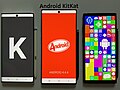 KitKat
 -
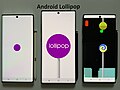 Lollipop
 -
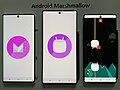 Marshmallow
 -
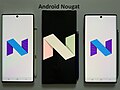 Nougat
 -
 Oreo
Oreo -
 Pie
Pie -
 Queen Cake


YouTube[edit | edit source]
- When liking a video at exactly 67 likes, confetti drops down and a little message comes down saying "🤷♂️ six seven"
- When searching videos related to Taylor Swift's album The Life of a Showgirl (2025), the progress bar is changed into a golden door.[citation needed]
- On a video published by Numberphile on June 22, 2012, titled "Why do YouTube views freeze at 301?Template:See it", the view count is intentionally frozen at 301,[36] referencing a bug that prevented the view counter from refreshing beyond 301 views.[199]
- Adding "&wadsworth=1" to a video URL would apply "Wadsworth's constant", skipping the first third of the video.[200]
- While viewing any video, typing "awesome" makes the progress bar and other player elements flash multicoloured. Typing "awesome" again stops it.[201] For some, this Easter Egg seems to currently be glitched.[citation needed]
- YouTube's robots.txt file at "Template:See it" states that it was "Created in the distant future (the year 2000) after the robotic uprising of the mid 1990s which wiped out all humans."[202] This is an ostensible reference to the song "Robots" by Flight of the Conchords.[203]
- In December 2011, a button was added that would overlay a falling snow effect over most YouTube videos.[204]
- The title for Adult Swim's "Too Many CooksTemplate:See it" short on YouTube is displayed in the same font and color as the title cards in the video are.[205]
- Videos by the official channel for Taylor Swift will have a hand heart as the progress bar if videos by the channel are watched on her 35th birthday, December 13, 2024. This works on PC, YouTube TV and Android.
- During the Happy YouTube anniversary event in 2025, watching the first video ever published to the site, "Me at the zoo," showed a cake instead of a red rewind point.
YouTube search[edit | edit source]
A YouTube search for:
- "technobladeTemplate:See it" will cause a prompt to show up under the search bar, which reads: "Did you mean: technoblade never dies" This is in tribute to Technoblade, a popular Minecraft Youtuber who died on June 30, 2022.[206]
- "seinfeld without peopleTemplate:See it" will show a titleless and descriptionless videoTemplate:See it about an episode of the show without any cast members.[dubious ]
Chrome[edit | edit source]

- If one tries to browse when offline, a message is shown that they are not connected to the Internet. An illustration of the "Lonely T-Rex" dinosaur is shown at the top, which blinks occasionally, designed by Sebastien Gabriel.[207][208][21] From September 2014, tapping the dinosaur (in Android or iOS) or pressing space or ↑ (on desktop) launches a browser game known as the Dinosaur Game in which the player controls a running dinosaur by tapping the screen (in Android or iOS) or pressing space, ↑ or ↓ (on desktop) to avoid obstacles, including cacti and, from June 2015, pterodactyls. In 2016, another feature was added to the game. When the player reaches 700 points the game begins to switch between day (white background, black lines and shapes) and night (black background, white lines and shapes). During September 2018, for Google Chrome's 10th birthday, a birthday cake causing the dinosaur to wear a birthday hat when collected was added.[209] Reaching a score of 900 will switch the color scheme back to day, and the switch back and forth will occur at further subsequent milestones.[208][210][211][212] The game is also available at the "chrome://network-error/-106" and "chrome://dino"[failed verification] pages.[213] The game's code is available on the Chromium site.[211]
ChromeOS[edit | edit source]

- In the Camera app, activating caps lock and typing "CRAZYPONY" would open the files app and prompt the user to select a video file. Users could then add filters and take screenshots of the video.[198]
- The keyboard shortcut ctrl+alt+⇧ Shift+refresh causes the current window to spin (Barrel Roll).[214] If the user has multiple tabs open in separate windows, only the current window the user is using will spin.
- After downloading a file, then deleting it in the files app, but leaving the notification; when clicking on the notification it will say "This file has wandered off somewhere".[citation needed]
- Inputting the Konami Code on a Chromebook Pixel causes the lights on an LED strip on the lid of the computer to blink rapidly.[215]
Other[edit | edit source]

- Navigating to a 404 page on google.com will result with the title the webpage having a 1 instead of an ! in "Error 404 (Not Found)!!1". This is most likely part of the "!1 Phenomenon".[216]
- Pressing Ctrl+⇧ Shift+Y in the Picasa desktop application will cause a teddy bear to appear on the screen. Note that the Picasa application no longer exists, as it was replaced by Google Photos.[217]
- In Google Glass, tapping Settings → Device info → View licenses, then tapping the touchpad 9 times, will show a Tap Meet Team option. Tapping again will show a photo of the Google Glass development team.[218]
- Any photograph with Christmas lights uploaded to Google+ would have been turned into an animated GIF, showing sparkling lights.[219]
- On the Google Play Store, clicking the search button with a blank search field will search "unicorns".[220]
- In Google's iPhone and iPod touch search application, swiping downwards (past About) repeatedly in the Settings interface brings up a hidden menu item, called Bells and Whistles, allowing customization of colors, sounds and more within the app.[221]
- The model numbers for the first generation Chromecast unit and its power adapter read H2G2-42 and MST3K-US, respectively.[222]
- The password for Google Fi Wireless data only SIM cards is "h2g2", another reference to The Hitchhiker's Guide to the Galaxy.[223]
- In Google Sheets, as to celebrate LGBT pride, typing "PRIDE" in cells A1-E1 with each individual letter in each cell will change the fill color of columns to make a rainbow. As of an unknown date the colors were changed to the colors that were seen in every pride flag.[224][225]
- On the iOS app of Google, opening the tabs page and scrolling down will open a pinball game.[226]
Discontinued Easter Eggs[edit | edit source]
General[edit | edit source]
The following have since been removed as of August 15, 2025:
- "2/22/22Template:See it" or "TwosdayTemplate:See it" would make confetti appear with number 2's and a phrase saying "Happy Twosday 2You!" on February 22, 2022.[227]
- "a long time ago in a galaxy far far away" resulted in the same tilted, scrolling style that the introductions to the original Star Wars movies were presented in.[228] This included the music,[228] which was muted but could be heard by clicking on or selecting the muted speaker icon on the page. This was discontinued on June 28, 2017.[229]
- "ascii art" showed the logo as if it were created with ASCII characters.[230]
- "baby yoda", "grogu", "the child", "the mandalorian" or "Din Grogu" brought up a Grogu (Baby Yoda) image button on the bottom right corner of the screen; when pressed, Grogu would use the force to pull off a result and throw it to the bottom of the screen. It was possible to press the button multiple times to remove more results. As of October 2, 2024, this has been discontinued.[231]
- "barbie", "ryan gosling", or " margot robbie", would show little rose fireworks and the interface would then change to a rose color, in promotion for the 2023 Barbie film. This has been discontinued as of August 28, 2023.[232]
- "binary", "hex", "hexadecimal" and "octal" showed the number of search results in the respective numeral system.[233][234] This has since been discontinued.[citation needed]
- "chappell roan"Template:See it would show "Did you mean: your favorite artist's favorite artist", and vice versa when searching "your favorite artist's favorite artist"Template:See it. This is in reference to Roan famously shouting the phrase during her 2024 Coachella performance, and its subsequent viral usage on social media platforms like TikTok. The quote is inspired by American drag queen Sasha Colby's own saying "I'm your favorite drag queen's favorite drag queen."[235]
- "ConnectionsTemplate:See it" would make a purple button with the NYT Connections logo pop up at the bottom, which would release confetti and Connections images from the top of the screen.
- "Elden RingTemplate:See it" made the phrase "⚔️ Arise again, Ye Tarnished ⚔️" drag across the screen.
- "fifaTemplate:See it" and "world cup", during FIFA World Cup 2010, caused the "Goooo...gle" page indicator at the bottom of every result page to read "Goooo...al!" instead.[236]
- "heartstopperTemplate:See it" would cause a trio of animated leaves to glide across the page.[237]
- "Indian Premier LeagueTemplate:See it" or "IPLTemplate:See it" would display yellow and blue fireworks in celebration of Chennai Super Kings victory over Kolkata Knight Riders during the 2021 Indian Premier League; this was discontinued on October 30, 2021.[citation needed]
- "Jawan" or "Shah Rukh Khan" showed a walkie talkie which clicked, would cover the screen with bandages and play an audio of Indian actor Shah Rukh Khan speaking "ready"; referencing his role as the vigilante character in the 2023 film.[238]
- "lunar new year", "chinese new year", or "year of the rabbit" caused fireworks to shoot up in the search page. Occasionally, a firework formed a rabbit silhouette; this was made to celebrate the Year of the Rabbit in Lunar New Year in 2023, but has since been removed. [citation needed]
- "nothing beats a Jet2 holiday" or "Jess Glynne Hold My Hand" would result in a plane emoji flying through the top-left corner and the words "...and right now, you can save 50£ per person. That's 200£ off for a family of four!" would scroll above the results, a reference to Jet2holidays and their frequent usage of "Hold My Hand" in their adverts, which became a viral meme.
- "Template:See it" caused a rat emoji and a crown emoji to move across the search results, as a reference to New York City's appointed director of rodent mitigation, referred to as the "Rat Czar"; this was removed as of August 28, 2024.
- "Sabrina Carpenter", "Espresso", "Taste" or "Please Please Please" would cause a button to appear which when clicked placed a lipstick mark on the screen and made a kissing noise.
- "ShaboozeyTemplate:See it", "tipsy", or any query that brought up the Knowledge Graph for "A Bar Song (Tipsy)" would cause the page to tip once left and right.
- "Snoop Dogg" showed the top scrolled emojis of a badminton racket and ball along with a comment by American rapper Snoop Dogg at the NBC during the 2024 Summer Olympic Games in Paris; this was discontinued after the Olympics.
- "Template:See it" around the time of the Super Bowl showed a Knowledge Graph for the Super Bowl, along with a games' information panel titled "Superb owl" with an image of an owl wearing a crown, in response to an ongoing joke amongst Redditors about the common misspelling of "Super Bowl".[2][239]
- "Winter Olympics", "Olympics", "Milano Cortina", or anything related to the 2026 Winter Olympics would show a wolfdog running across the screen, a reference to Nazgul, a wolfdog who ran to the finish line in the cross-country sprint finals; this was discontinued after the Olympics.[1][240]
- "wonderwall" or any lyrics related to the Oasis song showed a button which, when clicked, would sing the "cause maybe..." part in a loop until one stopped the audio and visuals by clicking the button again.
- "Template:See it" caused an army of Google Os to attack and destroy the search results, which could be defeated by clicking on them.[241] Once one got defeated (as victory is impossible[242]), the Os formed two Gs (GG), meaning "Good Game".[243][21] This appears to have been discontinued.[citation needed]
Knowledge Graph[edit | edit source]
- "gotham cityTemplate:See it", "batman", or "bruce wayne" would show the Bat-Signal next to the results. Tapping or clicking it showed a stormy night background on the search results, along with the glowing bat signal overlaid on top. After a few seconds, one would hear a grappling sound before seeing the shadow of Batman swinging across the screen. This was in honor of the release of The Batman in 2022, but was later removed in March 2023.[244]
- "thanos" and "infinity gauntlet" displayed a Knowledge Graph with the Infinity Gauntlet on it. Clicking it would cause its fingers to snap, disintegrating half of the links and images on the page, as well as counting down the number of results to half. This is a reference to Avengers: Infinity War, in which Thanos destroyed half of all life in the universe with the Gauntlet by snapping his fingers, and was added in celebration of its sequel, Avengers: Endgame. Clicking the gauntlet again restored the previously disintegrated results' content.[245][246][247] This was removed as of 2020.[248]
- "wizard of oz" would display a pair of ruby slippers in the Knowledge Graph. Clicking on them caused the page to spin in a tornado-like effect while an audio file of Judy Garland saying "There's no place like home" was heard. After the effect finished, the page would be seen in a sepia tone only. If the tornado was clicked, an audio file from the movie when the tornado hits would play, and the page would spin again and return to color.[249]
Image search[edit | edit source]
- A Google image search for "atari breakout" or just "breakout" would start a game of Breakout, using the gallery of image results as bricks. Once the bricks were destroyed, a random phrase was automatically searched, the player would get an extra ball, and the game restarted.[21] This was added in 2013 in celebration of the 37th anniversary of the original Atari game until May 2020.[250]
Google Subpages[edit | edit source]
- "www.google.com/killer-robots.txt" was a plain text file in robots.txt format that instructed the Terminator not to kill the company founders Larry Page and Sergey Brin, but has since been removed.[251]
Android Applications[edit | edit source]
- In Google+, if the device was shaken while viewing a photo, snow would fall; if the device was shaken again it would save an animated GIF of the image with falling snow to the pictures directory. Note that Google+ no longer exists, as it was replaced with a now defunct social app called Google Currents in 2019 after its shutdown.[252]
- Searching for "let's go caroling" or "let's go carolling" on Google Now resulted in an extra card which displayed a list of Christmas carols. The phone would play the music and show the words if one of them was selected.[219] Google Now is discontinued.
YouTube[edit | edit source]
- On YouTube for PlayStation 4, Xbox One, Nintendo Switch and on YouTube TV, holding rewind (left on a gamepad thumbstick, left ← or J on a keyboard) for a few seconds while at the beginning of a video, would cause an animated image of a small dog to run across the video's progress bar.[253][254]
- On December 12, 2015, in celebration of the release of Star Wars: The Force Awakens, the progress bar was changed in order to look like a Lightsaber. By signing up to a specially created page, users were able to follow the Light Side (which would change the progress bar to blue) or the Dark Side (which would change the progress bar to red). Account users had the option to return the effect to normal. Google later disabled it on February 1, 2016.[255]
- A Snake game could be activated in the Adobe Flash player by pressing a combination of arrow keys while videos were paused or playing. Once started, the snake could be controlled by further use of the arrow keys, directing it to "gobble up dots" to increase its size. If the snake hit the edges of the video window, the game would end.[256][257] This feature no longer works with the HTML video player.[258]
The Fidget Spinner that replaces the buffering icon - When watching a video with "fidget spinner" in the title, the buffering icon would change into a spinning fidget spinner.[259]
- In 2011, the Nyan Cat video on YouTube was updated to show a custom progress bar with an animated Nyan Cat and a rainbow trail;[260][261] this was later removed at an unknown date. [citation needed]

YouTube Search[edit | edit source]
- "beam me up scotty", a reference to Star Trek, would cause the search results to beam down onto the screen, as in Star Trek.[262]
- "doge meme" changed the font on the search result page to pastel color Comic Sans typical of the Doge meme, but has since been removed.[263][better source needed][264]Template:See it
- "do the harlem shake" would cause the Harlem Shake song to play and the results to dance around.[265]
- "use the Force luke" caused the results to levitate, as if by the Force mentioned in Star Wars.[241]Template:See it
- "webdriver torso" would return the results but with a red background and a blue rectangle around some videos. It also said "
aqua.flv – Slide 000[0–9]" at the bottom left of the page. Google has confirmed that this was a reference to the Webdriver Torso mystery; one of many test channels used by YouTube to ensure video quality.[266]
See also[edit | edit source]

- elgooG – a mirrored website of Google Search with horizontally flipped search results within which one can play some Google Easter eggs which were discontinued.
- Intelligence Quotient (IQ) and Browser Usage – a hoax study that claimed to have correlated the IQs of 100,000 internet users with which web browsers they used, claiming that users of Microsoft's Internet Explorer had lower IQs than users of other browsers
- List of Easter eggs in Microsoft products
- List of Easter eggs in Tesla products
References[edit | edit source]
- ↑ Hariom Choudhary (April 3, 2014). Being A Teen Hacker.: A Beginners Guide To Ethical Hacking & Computer Security Awareness. VOL-I. p. 95.
- ↑ 2.0 2.1 Schoon, Ben (January 31, 2019). "Google Search has a 'Superb Owl' Easter Egg for the Big Game". 9to5Google. Retrieved February 5, 2019.
- ↑ 3.0 3.1 Mitchell, Jon (October 5, 2012). "How A Google Engineer Built A Universe In An Easter Egg - ReadWrite". ReadWrite. Archived from the original on November 16, 2012. Retrieved December 22, 2017.
- ↑ Agarwal, Amit (July 15, 2012). "Perform Case Sensitive Search with Google". labnol.org. Retrieved October 21, 2018.
- ↑ Hartman, Avery (June 19, 2019). "Searching "askew" will turn the page slightly...askew". Business Insider. Retrieved August 24, 2019.
- ↑ Sherman, Chris (October 9, 2018). "Updated: The big list of Google Easter eggs". Search Engine Land. Retrieved August 24, 2019.
- ↑ "Hidden Google: 10 Fun Search Tricks". Time. Retrieved May 2, 2022.
- ↑ McNamara, Paul (February 24, 2014). "Google Easter Egg Leads to Story Behind 'Blink' Tag". Network World. Retrieved January 20, 2015.
- ↑ "Everybody clap your hands for the 'Cha Cha Slide' Google Easter Egg". USA Today. August 12, 2020.
- ↑ Munro, Danny (December 29, 2022). "What happens if you Google 'Chicxulub Crater'? We did it so you don't have to". The Focus. Retrieved January 8, 2022.
- ↑ "Google Christmas Decorations with Special Pagination Bar Now Update for Holidays". December 21, 2021.
- ↑ Feinn, Lily (December 6, 2016). "These Google Search Holiday Easter Eggs Are Making The Internet Super Festive". Bustle. Retrieved December 15, 2017.
- ↑ Gesenhues, Amy (December 5, 2017). "Google wraps Hanukkah, Festivus, Christmas & Kwanzaa searches in festive holiday decor". Search Engine Land. Retrieved December 16, 2017.
- ↑ "Will you bat for India or Pakistan? Play Google's cricket game on your phone ahead of World Cup clash; here's how". Khaleej Times. Retrieved October 28, 2023.
- ↑ "Google Easter Egg: Search "Conway's Game of Life"". searchenginewatch.com. July 13, 2012.
- ↑ "Amatic SC". Google Fonts. Retrieved July 18, 2024.
- ↑ "Diwali 2021: Googles new diya feature is here to brighten up the internet". August 6, 2023. Archived from the original on February 18, 2022. Retrieved February 16, 2022.
- ↑ 19.0 19.1 19.2 "17 amazing Google Easter eggs (1)". Retrieved July 20, 2015.
- ↑ 20.0 20.1 "The Definitive List of Google Search Easter Eggs". PCMAG. Retrieved December 19, 2016.
- ↑ 21.00 21.01 21.02 21.03 21.04 21.05 21.06 21.07 21.08 21.09 21.10 21.11 Azar Roshan. "15+ Best Google Easter Eggs & Google Tricks 2016". feedsyouneed.com. Archived from the original on August 5, 2017. Retrieved March 11, 2017.
- ↑ Marziah Karch (September 22, 2016). "Secret Google Easter Eggs". lifewire.com. Archived from the original on September 7, 2017. Retrieved October 23, 2018.
- ↑ "Google celebrates gay pride with rainbow-coloured Easter egg". nationalpost.com. June 24, 2013. Retrieved June 14, 2016.
- ↑ "The 16 Best Google Animations Unlocked with a Simple Search". Gizmodo. March 6, 2023. Retrieved September 16, 2023.
- ↑ Li, Abne r (May 12, 2021). "Google Search adds 'DVD screensaver' easter egg". 9to5Google. Retrieved May 13, 2021.
- ↑ Search results for "easter"
- ↑ "Google celebrates Festivus with 'Seinfeld'-inspired Easter Egg". ew.com.
- ↑ "Fireworks Easter Egg Takes over Google.com for July 4th". 9to5Google. July 2, 2019.
- ↑ "'Google in 1998' Easter egg takes you to Google.com as it looked 15 years ago". theverge.com.
- ↑ Schmeißer, Matthias (August 3, 2015). "The 42 best Google Easter Eggs and more..." seo-nerd. Archived from the original on February 5, 2017. Retrieved February 5, 2017.
- ↑ Nash, Anthony (December 13, 2025). "Google Releases Clever Easter Egg For John Cena". Yahoo. Retrieved December 14, 2025.
- ↑ 32.0 32.1 "A basketful of our favorite Google Easter eggs". The Daily Dot. March 29, 2013. Retrieved November 1, 2017.
- ↑ Styler, Will (2012). "FLICK BAD KERNING". ucsd.edu. Retrieved November 9, 2018.
- ↑ "Kerning, spacing, leading: the invisible art of typography". theconversation.com. November 28, 2013. Retrieved November 9, 2018.
- ↑ Schwartz, Barry (February 25, 2014). "The Marquee HTML Google Easter Egg". Search Engine Land. Retrieved March 20, 2017.
- ↑ 36.0 36.1 36.2 36.3 Memishaj, Bledi (September 19, 2017). "Google Tricks: The definitive list of Google Easter Eggs". Gadget Detected - Tech & Startup news. Retrieved November 3, 2017.
- ↑ Carpenter, Nicole (May 16, 2024). "You can now play Minecraft in Google — kind of". Polygon. Retrieved May 18, 2024.
- ↑ Limehouse, Jonathan (May 16, 2024). "Google rolls out Easter eggs for Minecraft's 15th anniversary: Use these keywords to find them". USA Today. Retrieved May 18, 2024.
- ↑ "Naruto Joins Google's Hidden Commands! Use the Search Bar for a Special Surprise! | NARUTO OFFICIAL SITE (NARUTO & BORUTO)". Naruto Joins Google's Hidden Commands! Use the Search Bar for a Special Surprise! | NARUTO OFFICIAL SITE (NARUTO & BORUTO). Retrieved February 28, 2025.
- ↑ Musil, Steven. "Google Celebrates NASA's Asteroid Collision With DART Easter Egg". CNET. Retrieved September 27, 2022.
- ↑ Lyons, Kim (March 14, 2021). "Pi Day is here and Google's calculator will test how well you know the mathematical constant". The Verge. Retrieved March 30, 2022.
- ↑ 42.0 42.1 Bradshaw, Kyle (June 15, 2022). "Google easter egg celebrates the 2022 Westminster Dog Show". 9to5Google. Retrieved December 21, 2022.
- ↑ "qibla - Google Search". Google Search. Archived from the original on November 26, 2022. Retrieved November 26, 2022.
- ↑ "eid al fitr - Google Search". Google Search. Archived from the original on November 26, 2022. Retrieved November 26, 2022.
- ↑ "eid'l fitr - Google Search". Google Search. Archived from the original on November 26, 2022. Retrieved November 26, 2022.
- ↑ "eid al-fitr - Google Search". Google Search. Archived from the original on November 26, 2022. Retrieved November 26, 2022.
- ↑ Pandey, Devasheesh (August 13, 2022). "Google introduces RRR animation for SS Rajamouli's period epic, fans surprised with search results". India TV. Retrieved September 25, 2022.
- ↑ Pratt, Kambrea (May 4, 2021). "Google Already Has An Adorable Easter Egg In Place When You Search "May the 4th"". Pirates & Princesses. ELITE CAFEMEDIA LIFESTYLE. Retrieved May 4, 2021.
- ↑ Al-Heeti, Abrar (March 30, 2021). "Google's Suez Canal Easter egg brings boatloads of fun". CNET. Retrieved March 31, 2021.
- ↑ Gartenberg, Chaim (March 30, 2021). "Google celebrates the unblocking of the Suez Canal with a small boat parade in search". The Verge. Retrieved March 31, 2021.
- ↑ THE RAP BATTLE [PARODY] (Video). June 25, 2013. Retrieved December 13, 2025 – via YouTube.
- ↑ Ingle, Dhairya (February 8, 2021). "Google Celebrates Tampa Bay Buccaneers' Win Over Kansas City Chiefs, 'Super Bowl 2021' Search Leads Users to Virtual Fireworks". Yahoo News. Retrieved February 4, 2022.
- ↑ Porter, Jon (October 1, 2018). "How to find and play Google.com's secret adventure game". theverge.com. Retrieved October 6, 2018.
- ↑ Jay, Castello (September 29, 2018). "Recently discovered Google easter egg is a browser-based text adventure game". rockpapershotgun.com. Retrieved October 6, 2018.
- ↑ Murphy, David (September 20, 2018). "How to Play Google's Text Adventure Easter Egg in Chrome". Lifehacker. Retrieved September 21, 2018.
- ↑ Li, Abner (January 23, 2023). "Google Search gets 'The Last of Us' easter egg". 9to5Google. Retrieved January 25, 2023.
- ↑ Spangler, Todd (October 6, 2022). "Google Celebrates 'Scooby-Doo's' Velma Coming Out as Lesbian With Gay Pride Easter Egg". Variety. Retrieved October 6, 2022.
- ↑ "Google and the accidental mystery of Webdriver Torso". engadget.com. July 19, 2019.
- ↑ Carpenter, Nicole (January 24, 2022). "Google has a cute little Wordle Easter egg". Polygon. Retrieved January 25, 2022.
- ↑ Mckaye, Jamie (February 3, 2022). "Google: The Fishing Easter Egg". Jamie Mckaye. Retrieved December 3, 2021.
- ↑ Eadicicco, Lisa. "Google's latest Eater egg is a 'Pong'-like tennis game cleverly hidden in search results for Wimbledon". Business Insider. Retrieved May 28, 2022.
- ↑ Bradshaw, Kyle (November 18, 2020). "Google Search honors Alex Trebek with Jeopardy easter egg". 9to5Google. Retrieved November 19, 2020.
- ↑ "Google's Anagram Easter egg". googlesystem.blogspot.ro. July 11, 2010.
- ↑ "Ten Google Easter Eggs You Missed Somehow". February 28, 2014. Retrieved August 19, 2016.
- ↑ Tejerina, Laura (April 13, 2016). "Los 10 trucos más divertidos que esconde el buscador de Google" [The 10 funniest tricks that Google's search engine hides]. tuexperto.com (in Spanish).
{{cite web}}: CS1 maint: unrecognized language (link) - ↑ Galante, Grace (December 11, 2025). "Michelle Yeoh's Viral 'Flip It Around' Meme Sparks a Surprising Response From Google". Parade.
- ↑ Gunnell, Marshall (September 26, 2020). "36 Hidden Google Search Games and Easter Eggs". How-To Geek.
- ↑ Dallas Thomas (January 13, 2017). "20 Google Home Easter Eggs & Fun Commands". gadgethacks.com. Retrieved August 7, 2017.
- ↑ Taylor Martin (March 8, 2017). "40 fun Google Home Easter eggs to try". cnet.com. CNET. Retrieved August 7, 2017.
- ↑ "Bletchley Park: Google easter egg wraps Enigma site's search results up in code". Independent. December 22, 2014.
- ↑ "BTS ARMY Day: Google Search Easter Egg Unlocks Audio From Band". Variety. July 8, 2022.
- ↑ Curtis, Charles (September 11, 2020). "'Fresh Prince of Bel-Air' fans will love the latest Google Easter Egg". USA Today. Retrieved March 31, 2021.
- ↑ Bradshaw, Kyle (September 10, 2020). "Google Search gains elaborate Fresh Prince of Bel-Air easter egg". 9to5Google. Retrieved March 31, 2021.
- ↑ Warren, Tom (September 20, 2019). "Google 'Phoebe Buffay' and she'll sing Smelly Cat to celebrate 25 years of Friends". The Verge. Retrieved October 7, 2019.
- ↑ Bucksbaum, Sydney (September 19, 2019). "'Pivot' over to Google to check out some hilarious Friends Easter eggs for 25th anniversary". Entertainment Weekly. Retrieved September 20, 2019.
- ↑ Foreman, Alison (September 19, 2019). "Google honors 'Friends' anniversary with 7 Easter eggs across search". Mashable. Retrieved September 20, 2019.
- ↑ Google lets nou join Holi fun with colorful easter egg. CNET.
- ↑ Simons, Hadlee (March 9, 2020). "Google easter egg lets you cover search results in color for Holi festival". Android Authority. Retrieved March 30, 2021.
- ↑ Li, Abner (March 9, 2020). "Google's Holi easter egg lets you throw color at Search results". 9to5Google. Retrieved March 30, 2021.
- ↑ "Celebrating Johann Sebastian Bach Doodle - Google Doodles".
- ↑ Bradshaw, Kyle (July 7, 2021). "Google Search gains 'Legally Blonde' Easter egg, turning the page pink". 9to5Google. Retrieved August 2, 2021.
- ↑ John, Daniel (February 19, 2021). "Google's Mars Perseverance celebration is delightfully extra". Creative Bloq. Retrieved April 29, 2021.
- ↑ "Confetti Surprise! Google Celebrates The Last Day Of 2020 With An Adorable Animated Doodle". India.com. December 31, 2020.
- ↑ @((Google)) (April 13, 2017). "Throwback to Pluto being one of the solar system's head honchos. #GoogleEasterEggs hint: still special in our book. goo.gl/LB0gax" (Tweet) – via Twitter.
{{cite web}}:|author=has generic name (help) - ↑ Espósito, Filipe (March 17, 2025). "Google adds Severance easter egg ahead of season two finale". 9to5Mac. Archived from the original on March 18, 2025. Retrieved April 7, 2025.
- ↑ "Google Celebrates Severance With a Mysterious and Important Easter Egg". Yahoo Tech. March 18, 2025. Retrieved April 7, 2025.Template:See it
- ↑ Finn, John (May 21, 2020). "Sonic The Hedgehog Google Search Easter Egg: How To Find & Unlock Super Sonic". Screenrant. Retrieved October 27, 2020.
- ↑ Dunn, Jeff (January 2, 2017). "21 Easter eggs hidden within your Google search bar". The Independent. Retrieved February 5, 2017.
- ↑ "Todos los secretos o Easter Eggs de Google". Batería Ilimitada (in español). July 18, 2017. Retrieved November 13, 2020.
- ↑ "Random: Google's Splatoon Easter Egg Lets You Ink Your Search Results". Nintendo Life. October 6, 2022. Retrieved October 6, 2022.
- ↑ "Google 'Super Mario Bros' to get access to surprise, coin-collecting Easter Egg". Independent. September 14, 2015.
- ↑ 92.0 92.1 Woollaston, Victoria. "Google birthday surprise spinner: The full list of 19 Doodle games (including Snake)". Alphr. Retrieved November 4, 2017.
- ↑ Reisinger, Don. "5 Awesome Doodle Games for Google's 19th Anniversary". Fortune. Retrieved February 28, 2018.
- ↑ Schwartz, Barry (December 16, 2015). "Google Provides An Interactive Bubble Level In Their Search Results". Search Engine Land. Retrieved December 16, 2017.
- ↑ Yu, Justin (October 10, 2016). "How to use Google search to convert RGB and hex color values". CNET. Retrieved February 28, 2018.
- ↑ Amy, Gesenhues (October 10, 2016). "Google puts RGB-Hex color converter in search results for "RGB to Hex" queries". Search Engine Land. Retrieved February 28, 2018.
- ↑ Joy, Anu (July 26, 2024). "Emoji kitchen: What it is and how to use it". Android Police. Archived from the original on May 27, 2025. Retrieved July 14, 2025.
- ↑ 98.0 98.1 98.2 98.3 98.4 98.5 "19 Easter eggs hidden within your Google search bar". Business Insider. Archived from the original on August 29, 2016. Retrieved August 29, 2016.
- ↑ "I'm Feeling Curious Google Trick: Fun Facts, Boredom Buster & More". I'm Feeling Curious Tech. Retrieved July 2, 2017.
- ↑ Ahmed, Rehan (September 1, 2015). "Google Unveils New Logo". TechJuice. Retrieved February 5, 2019.
- ↑ Schroeder, Stan (October 11, 2021). "Google Search now has a guitar tuner". Mashable. Retrieved November 12, 2021.
- ↑ Gesenhues, Amy (March 15, 2016). "Google metronome in search helps musicians keep a beat". Search Engine Land. Retrieved December 16, 2017.
- ↑ Summerson, Cameron (January 20, 2017). "Google's Best Hidden Games and "Easter Eggs"". How-To Geek. Retrieved November 15, 2017.
- ↑ Wichary, Marcin (May 21, 2010). "30th Anniversary of PAC-MAN". google.com. Retrieved December 17, 2018.
- ↑ Peters, Jay (August 11, 2021). "Google is adding an interactive periodic table to search". The Verge. Retrieved January 17, 2022.
- ↑ Gesenhues, Amy (December 9, 2015). "Google "Play Dreidel" Search Returns Digital Version Of Hanukkah Spinning Toy". Search Engine Land. Retrieved March 22, 2017.
- ↑ "Fun Google Easter Eggs | Do a Barrel Roll | Where is Chuck Norris". listcaboodle.com. October 12, 2017. Retrieved October 20, 2018.
- ↑ Farmer, Neko T. "Google Keeps It 100 | Google.com Easter Eggs - Eggabase". Eggabase. Retrieved November 6, 2017.
- ↑ Southern, Matt (August 16, 2019). "New Google Easter Eggs: Multi-Sided Dice". Search Engine Journal.
- ↑ Gesenhues, Amy (September 27, 2017). "Google's latest Easter Egg is a video game that shows up with searches for 'snake' & 'play snake'". Search Engine Land. Retrieved November 1, 2017.
- ↑ 111.0 111.1 Mix (June 20, 2017). "Google has hidden a virtual fidget spinner simulation in search". The Next Web. Retrieved June 27, 2017.
- ↑ Gesenhues, Amy (January 26, 2017). "Google "spinner" Easter Egg returns interactive spinning wheel at top of results". Search Engine Land. Retrieved March 21, 2017.
- ↑ Schwartz, Barry (November 11, 2015). "Google's New Stopwatch & Timer Search Feature". Search Engine Land. Retrieved January 12, 2018.
- ↑ "The Complete Google Easter Eggs List That Will Make You Go Wow". CognitiveSEO. May 28, 2020.
- ↑ Woollaston, Victoria. "You can now play Solitaire and Tic-Tac-Toe in Google search". WIRED UK. Retrieved December 3, 2016.
- ↑ Schwartz, Barry (November 19, 2020). "Google Search Thanksgiving Easter Egg - Translate Gobble". Search Engine Roundtable. Retrieved November 22, 2020.
- ↑ Bradshaw, Kyle (November 19, 2020). "Google Translate talks turkey with new Thanksgiving easter egg". 9to5Google. Retrieved November 22, 2020.
- ↑ "Google has a special 'turkey' Easter egg for Thanksgiving". Hindustan Times. November 21, 2020. Retrieved November 22, 2020.
- ↑ "Google Adds Graphical Math Calculator To Search Results". Searchengineland. December 5, 2011.
- ↑ "Go figure: Google adds calculator to search results". CNET.
- ↑ "Google introduces the biggest algorithm change in three years". The Guardian. September 27, 2013.
- ↑ "Natural Language Processing". Research at Google.
- ↑ "Google Tricks #25 Tricks which google can Do for you and you never knew". The Boundless Web. September 29, 2016. Archived from the original on October 9, 2016. Retrieved October 8, 2016.
- ↑ 124.0 124.1 "20 Random, Fun & Time-wasting Google Easter Eggs". berrytech2013.weebly.com. BerryTech. Retrieved February 28, 2017.
- ↑ 125.0 125.1 125.2 125.3 125.4 Moore, Matthew (September 17, 2009). "Google easter eggs: 15 best hidden jokes". London: Telegraph Media Group Limited. Retrieved November 7, 2011.
- ↑ "Google Easter Eggs: 10 Different Services, Lots of Secret Jokes". NBC Bay Area. November 24, 2010. Retrieved January 7, 2016.
- ↑ Li, Abner (March 13, 2021). "Open the Google Search calculator for a Pi Day easter egg". 9to5Google. Retrieved March 13, 2021.
- ↑ JamieKeene (January 2, 2012). "Morrissey easter egg found in Google Earth". theverge.com. Retrieved December 15, 2017.
- ↑ Felicity Morse (December 22, 2011). "Google Maps: 'Use Caution –One Does Not Simply Walk Into Mordor'". Huffington Post UK. Retrieved April 28, 2016.
- ↑ Alicia Melville-Smith (June 5, 2014). "Travelling from Snowdon to the Brecon Beacons? Google says DRAGON is the fastest way to go". walesonline.co.uk. Wales Online. Retrieved February 28, 2017.
- ↑ Metro.co.uk, Amy Willis for (June 3, 2014). "Google Maps Easter Eggs revealed: Hitch a ride on the Loch Ness monster". Metro. Retrieved August 1, 2017.
- ↑ "There's A Google Maps Easter Egg That Tells You To Travel By Dragon". BuzzFeed. Retrieved August 1, 2017.
- ↑ Schwartz, Barry (June 11, 2014). "Another New Easter Egg In Google Maps: Travel By Royal Carriage". Search Engine Land. Retrieved February 22, 2017.
- ↑ 134.0 134.1 "Cast a spell with Google and Warner Bros. Pictures". blog.google. November 2016.
- ↑ Hamill, Jasper (November 22, 2013). "Google puts Dr Who's Tardis onto Street View – and you can get INSIDE". The Register.
- ↑ Warren, Tom (August 14, 2013). "Google Maps Easter egg transports you inside the Doctor's TARDIS". The Verge. Retrieved March 19, 2017.
- ↑ Renfro, Kim (March 25, 2016). "You can explore the Dark Knight's Batcave from 'Batman v Superman' on Google Maps". business insider.
- ↑ "R'lyeh removed from Google Maps; some geek alternatives". geeknative.com. June 26, 2011.
- ↑ Fiona MacDonald (April 2015). "You can play Pac-Man in Google Maps right now". ScienceAlert.
- ↑ "Google Maps morphs into Ms. Pac-Man for April Fools' Day". The Verge. March 31, 2017. Retrieved April 1, 2017.
- ↑ "Fun Holiday – Mario Day". timeanddate.com. Retrieved November 3, 2018.
- ↑ "Mario invades Google Maps to help you avoid bananas while driving". The Verge. Retrieved April 3, 2018.
- ↑ "Chat With a Martian in Google Earth 5". Google system. February 3, 2009. Retrieved April 18, 2012.
- ↑ 144.0 144.1 Haines, Lester (July 20, 2005). "Google finds sense of humor on surface of Moon". The Register. United Kingdom. Retrieved April 18, 2012.
- ↑ "17 amazing Google Easter eggs". CBS News. May 7, 2015. Retrieved February 22, 2017.
- ↑ Svetlik, Joe (July 2, 2012). "Nexus Q has an easter egg! The 12 best Google secrets ever". Electricpig. Retrieved February 22, 2017.
- ↑ "Searching for Pegman". Six Ticks. July 24, 2017. Retrieved April 6, 2023.
- ↑ "Google's Top 17 Easter Eggs, Gags, and Hoaxes". ABC News. March 20, 2008.
- ↑ Brown, Susan (April 15, 2014). "Google Maps Easter Eggs". Learning Online Blog. Archived from the original on February 23, 2017. Retrieved February 22, 2017.
- ↑ Sharrock, Justine (April 11, 2013). "Pegman:Google's Weird Art Project Hidden in Plain Sight". www.buzzfeednews.com. BuzzFeed. Retrieved November 8, 2018.
- ↑ "Google Maps Includes a UFO Easter Egg at Area 51". laughingsquid.com. May 27, 2014.
- ↑ MicahSingleton (April 21, 2015). "Google Maps lets you search for the Loch Ness Monster from your couch". The Verge. Vox Media.
- ↑ "10 Crazy Google Easter Eggs You Never Knew Existed!". Best Of Smart Home Tech. March 3, 2020.
- ↑ Haysom, Sam (September 9, 2015). "Google introduces 'PegMa'am' to honour the Queen's 63-year reign". Mashable. Retrieved December 5, 2017.
- ↑ Parsons, Jeff (September 26, 2022). "Google Maps quietly removes much-loved feature after the Queen's death". Metro. Retrieved November 25, 2022.
- ↑ Akhil (December 3, 2015). "Complete List of Star Wars Easter Eggs on Google Products". gtricks.com. Retrieved February 28, 2017.
- ↑ McFerran, Damien (March 4, 2016). "The Legend of Zelda's Link is a guest star on Google Maps". Nintendo Life. Retrieved March 14, 2016.
- ↑ "Google Company: Our history in depth". google.co.uk. Retrieved June 13, 2016.
- ↑ Barry Schwartz (February 24, 2015). "Google Maps Pegman Dresses Up As A Birthday Cake For 10 Year Birthday". seroundtable.com. Search Engine Roundtable. Retrieved June 13, 2016.
- ↑ Mark Molloy (June 1, 2017). "Why does Google Street View's 'Pegman' have a party hat and balloons?". telegraph.co.uk. Retrieved June 1, 2017.
- ↑ Maine, Sammy (May 2014). "How Google Maps' Back to the Future Pegman was created". Creative Bloq. Retrieved February 22, 2017.
- ↑ 162.0 162.1 162.2 Spring, Tom (March 18, 2008). "Google's Top 17 Easter Eggs, Gags, and Hoaxes". PC World. Archived from the original on August 28, 2012. Retrieved April 18, 2012.
- ↑ "Find your way to BLACKPINK's world tour with Google Maps". Google. July 12, 2025. Retrieved July 18, 2025.
- ↑ Quigley, Robert (November 29, 2010). "How to Make Google Translate Beatbox". themarysue.com. Archived from the original on July 30, 2017. Retrieved December 23, 2018.
- ↑ Tsotsis, Alexia (November 30, 2010). "How To Turn Google Translate Into Google Beatbox". techcrunch.com. Archived from the original on December 17, 2017. Retrieved December 23, 2018.
- ↑ Aamoth, Doug (November 15, 2013). "Check Out This Google Translate Easter Egg". Time. Archived from the original on May 4, 2018. Retrieved December 23, 2018.
- ↑ Petsko, Emily (May 29, 2018). "Google Translate Error Accidentally Insults Flat-Earthers". Mental Floss. Retrieved September 4, 2018.
- ↑ Silva, Christianna (September 27, 2023). "Sing, hum or say 'Happy Birthday' to any Google product today. Thank us later". mashable.com. Archived from the original on September 27, 2023. Retrieved January 31, 2026.
- ↑ Schwartz, Barry (August 14, 2012). "I'm Feeling Doodly, Playful, Artistic: Google's "I'm Feeling Lucky" Button Gains New Choices". Search Engine Land. Retrieved May 6, 2017.
- ↑ "See what happens when you tell Google: I'm feeling curious". Expert Reviews. September 3, 2015. Retrieved May 6, 2017.
- ↑ Danny, Goodwin. "Google I'm Feeling Lucky Button Adds 8 New Options". Search Engine Watch. Archived from the original on July 11, 2018. Retrieved January 12, 2018.
- ↑ "Bork, Elmer and Other Hidden Google Language Interface". Gtricks. June 20, 2010. Retrieved March 25, 2017.
- ↑ Ken Perlin. "Heart to Heart". mrl.nyu.edu.
- ↑ Barry Schwartz (May 9, 2011). "Google's Human Text File: google.com/human.txt". searchengineland.com. Retrieved May 18, 2017.
- ↑ "New Google Easter Egg For SEO Geeks: Server Status 418, I'm A Teapot". Searchengineland. August 26, 2014.
- ↑ "Google Gravity, Anit-Gravity and Many More Google Search Tricks". TDW. The Digital Worm. Archived from the original on December 1, 2017.
- ↑ "4 Hidden Android Easter Eggs: From Gingerbread to Jelly Bean". August 7, 2012. Retrieved August 19, 2016.
- ↑ 178.0 178.1 178.2 Hindy, Joe (August 14, 2020). "Every Android Easter egg and how to find it". Android Authority. Retrieved September 2, 2021.
- ↑ "Configure on-device developer options | Android Studio". Android Developers. Retrieved September 15, 2023.
- ↑ "Hidden Secret Easter Eggs and Daydreams in Google Android Devices – AskVG". askvg. May 2, 2014. Retrieved February 22, 2017.
- ↑ "The Android 6.0 Marshmallow Easter egg is another Flappy Bird-style game, with a twist". Android Authority. October 6, 2015. Retrieved December 29, 2015.
- ↑ "A Guide to Android Daydream: How to Setup and Unlock Hidden Features". Techmunchie. Archived from the original on May 27, 2014. Retrieved May 12, 2014.
- ↑ Kellen (July 18, 2016). "There is More to This Android N DP5 Easter Egg and It Involves Catching Cats (Updated)". Droid Life. Retrieved April 22, 2017.
- ↑ John McCann (August 21, 2017). "Android Oreo: 10 things you need to know". TechRadar.
- ↑ Richard Gao (March 7, 2018). "Android P feature spotlight: The Easter egg is animated and way too colorful". AndroidPolice.
- ↑ Schoon, Ben (October 24, 2018). "Here's the drawing app Easter Egg on Android Pie on Google Pixel 3 [Video]". 9to5Google. Retrieved October 27, 2018.
- ↑ Wilde, Damien (September 3, 2019). "Hands-on with the Android 10 Nonogram Easter Egg". 9to5Google. Retrieved September 2, 2021.
- ↑ Fedewa, Joe (September 20, 2020). "How to Play Android 11's Hidden Easter Egg Game". How-To Geek.
- ↑ Li, Abner (July 26, 2021). "Here's the delightful and timely Android 12 Easter egg with Material You". 9to5Google. Retrieved September 2, 2021.
- ↑ Li, Abner (June 27, 2022). "Google hatches the Android 13 easter egg and it's literally all the emoji". 9to5Google. Retrieved November 21, 2022.
- ↑ "Android 15's space-themed Easter egg touches down on terra firma". 9to5Google. July 19, 2024. Retrieved July 19, 2024.
- ↑ "Android 16's updated Easter egg adds 'autopilot' with Live Updates [Gallery]". 9to5Google. March 13, 2025. Retrieved March 13, 2025.
- ↑ "Konami Code Easter Egg Discovered In Google Play Games". Androidpolice.com. July 25, 2013. Retrieved December 21, 2013.
- ↑ "Android's Stock Dialer App Is Hiding An Easter Egg From 'The IT Crowd'". androidpolice.com. March 27, 2016.
- ↑ Sims, Gary (March 28, 2016). "IT Crowd's 0118 999 881 999 119 725 3 Easter egg found in Google's dialer". Android Authority. Retrieved January 15, 2018.
- ↑ Brown, Aaron (March 29, 2016). "Fans of The IT Crowd will love Google's latest Android easter egg". Express.co.uk. Retrieved March 20, 2018.
- ↑ Cerdeña, Anjo. "YouTube Creator Studio – Different cats peek from... | Little Big Details". Little Big Details. Retrieved February 22, 2017.
- ↑ 198.0 198.1 198.2 198.3 Sneddon, Joey-Elijah (February 27, 2014). "Have You Played With These Google Chrome Easter Eggs?". OMG! Chrome!. Ohso Ltd.
- ↑ Kastrenakes, Jacob (August 5, 2015). "YouTube videos will no longer get stuck at 301+ views". The Verge.
- ↑ Whitson, Gordon (October 13, 2011). "Skip Past the Boring Intro on YouTube Videos with the Wadsworth Constant Bookmarklet". Lifehacker. Retrieved April 1, 2012.
- ↑ "Top 10 Youtube Tricks that you should know". Codegena. December 25, 2015.
- ↑ Ksenia Dobreva. "10 robots.txt files worth to have a look at". link-assistant.com.
- ↑ Ben Stevinson (June 5, 2014). "7 entertaining comments left in code". getflywheel.com. Retrieved May 18, 2017.
- ↑ June, Laura (December 22, 2011). "YouTube adds snow option to videos for a festive watching experience". The Verge. Retrieved March 25, 2022.
- ↑ "YouTube Secrets and Easter Eggs to Try RIGHT NOW (PART 1)". TutorialPlay. March 1, 2020. Retrieved March 25, 2022.
- ↑ Fairfax, Zackerie (October 28, 2022). "Technoblade fan discovers Easter egg on YouTube honoring late Minecraft creator". Dexerto. Archived from the original on April 27, 2023. Retrieved April 26, 2023.
- ↑ Tumblison, Craig (March 7, 2014). "Interview with Sebastien Gabriel, a Google Chrome Visual Designer". OMG Chrome.
- ↑ 208.0 208.1 Sneddon, Joey-Elijah (September 25, 2014). "This is Chrome's Newest Easter Egg. And It's Awesome". OMG Chrome.
- ↑ JC Torres (September 4, 2018). "Chrome T-Rex offline game parties with birthday hat, cake". slashgear.com. Retrieved September 16, 2018.
- ↑ Clinton Matos (May 20, 2016). "Google Chrome's offline "Dinosaur Game" now has a day-night cycle". htxt.co.za. Retrieved June 7, 2016.
- ↑ 211.0 211.1 Agarwal, Amit (October 26, 2015). "Play the Dinosaur Game Hidden inside your Google Chrome". Digital Inspiration.
- ↑ Sneddon, Joey-Elijah (June 18, 2015). "Chrome's Hidden Dinosaur Game Just Got Even Better". OMG Chrome.
- ↑ Biersdorfer, J. D. (November 14, 2017). "When Dinosaurs Roam in Chrome". The New York Times. Archived from the original on November 15, 2017. Retrieved October 12, 2021.
- ↑ Dinsan (February 29, 2020). "Make Your Chromebook Do A Barrel Roll – AWESOME!!". Chrome Story.
- ↑ Oliverez-Giles, Nathan (February 22, 2013). "Google's Pixel Chromebook Has a Konami Code Easter Egg". Wired.
- ↑ Chitu, Alex (May 1, 2013). "Error 404 (Not Found)!!1". Blogspot. Archived from the original on May 24, 2023. Retrieved May 23, 2023.
- ↑ "5 Must-See Google Easter Eggs". Mashable.com. March 13, 2010. Retrieved April 18, 2012.
- ↑ 开战时刻:2011年11月01日 00:00 (March 28, 2011). "Google Glass 内置彩蛋被发现,可观看整个眼镜团队全景照片 | 谷奥——探寻谷歌的奥秘" (in 中文). Guao.hk. Archived from the original on April 28, 2013. Retrieved September 9, 2013.
- ↑ 219.0 219.1 "Google Easter Egg Brings Christmas Carols to Mobile". gottabemobile.com. December 16, 2013. Retrieved December 17, 2013.
- ↑ "There's a bizarre Easter Egg hidden on the front page of Google's app store". Businessinsider.
- ↑ "Google Reveals Hidden Menu in iPhone App". Cult of Mac. January 2, 2009. Retrieved April 18, 2012.
- ↑ "Googe Chromecast's Geeky Easter Eggs". Retrieved January 12, 2015.
- ↑ "Use Project Fi with tablets & other compatible devices - Project Fi Help". Retrieved March 27, 2018.
- ↑ Lopez, Napier (June 26, 2017). "Google Easter egg celebrates Pride in your spreadsheets". The Next Web.
- ↑ Cakebread, Caroline. "Google added an Easter egg that turns your spreadsheets into rainbows — here's how it works". Business Insider.
- ↑ Wolinski, Peter (October 26, 2022). "There's a secret pinball game buried in your iPhone - here's how to play it". Tom's Guide.
- ↑ "Google celebrates Twosday with Easter egg, but won't do the most obvious joke". Android Police. February 22, 2022. Retrieved March 30, 2022.
- ↑ 228.0 228.1 Taylor, Chris (November 24, 2015). "Spectacular Google easter egg pays homage to Star Wars opening crawl". Mashable. Retrieved December 29, 2015.
- ↑ "Google Groups". productforums.google.com. Retrieved June 27, 2017.
- ↑ "Google's ASCII Easter Egg". The Christian Science Monitor. August 28, 2009.
- ↑ Schoon, Ben (March 2, 2023). "Grogu plays with Google results in Mandalorian Easter egg". 9to5Google. Retrieved March 3, 2023.
- ↑ Yeo, Amanda (July 18, 2023). "Google has a 'Barbie' Easter egg on searches for Greta Gerwig, Margot Robbie, or Ryan Gosling". Mashable.
- ↑ Schwartz, Barry (March 12, 2012). "Google's Easter Eggs For Binary, Octal & Hexadecimal". searchengineland.com. Retrieved March 20, 2019.
- ↑ Schwartz, Barry (June 27, 2013). "Google's Search About Number Of Results Easter Egg". seroundtable.com. Retrieved March 20, 2019.
- ↑ "What to know about Chappell Roan, 'your favorite artist's favorite artist'". TODAY.com. June 21, 2024. Retrieved August 2, 2025.
- ↑ Chan, John (June 9, 2010). "Google celebrates World Cup with Gooooooooooal!". CNET Asia. Archived from the original on March 20, 2012. Retrieved May 18, 2011.
- ↑ Parkel, Inga (May 18, 2022). "Heartstopper fans spot 'adorable' Google easter egg". The Independent. Retrieved May 19, 2022.
- ↑ "SRK Will Now Talk to You on a Walkie Talkie With Google's 'Easter Egg' For 'Jawan'". News18. September 8, 2023. Retrieved September 9, 2023.
- ↑ Molina, Brett. "'Superb owl' always trends ahead of the big game. Here's why". USA Today. Retrieved February 5, 2019.
- ↑ "Google Search". www.google.com. Retrieved February 22, 2026.
- ↑ 241.0 241.1 "The best Google "easter eggs" hidden in plain sight (pictures)". ZDNet. Archived from the original on April 5, 2015.
- ↑ Kee, Edwin. "Zerg Rush decimates Google search". Ubergizmo. Retrieved May 8, 2017.
- ↑ Doug Gross (April 27, 2012). "'Zerg rush' chews up Google search results". cnn.com. CNN. Retrieved May 3, 2016.
- ↑ "Batman - Google Easter egg". Retrieved December 6, 2024.
- ↑ Ricker, Thomas (April 26, 2019). "Stop what you're doing and Google 'Thanos' for an Avengers Easter egg". The Verge. Retrieved April 26, 2019.
- ↑ Lisa Respers France (April 26, 2019). "Google the name 'Thanos' from 'Avengers: Endgame' for a special treat". CNN. Retrieved April 26, 2019.
- ↑ "Google 'Thanos,' click the Infinity Gauntlet icon right now". Dhaka Tribune. April 27, 2019. Archived from the original on November 5, 2019. Retrieved August 29, 2021.
If you Google Thanos, or the Infinity Gauntlet, the search results shows a preview of the Wikipedia page on the Titan as always. But unlike other search results, a small graphic image of Infinity Gauntlet has been added next to Thanos and Infinity Gauntlet on the preview of Wikipedia page.
- ↑ Finn, John (May 13, 2020). "How To Find The Avengers 'Thanos Snap' Google Search Easter Egg". ScreenRant. Retrieved November 3, 2022.
- ↑ Finn, John (May 6, 2020). "The Wizard Of Oz Google Search Easter Egg: Here's How To Find It". ScreenRant.
- ↑ Finn, John (May 16, 2020). "How To Find & Play Atari Breakout Easter Egg On Google Search". Screen Rant. Retrieved July 16, 2020.
Although you used to be able to access the game by searching through the Images section of Google Search, that's no longer the case
- ↑ Lily Hay Newman (July 3, 2014). "Is This a Google Easter Egg or Proof That Skynet Is Actually Plotting World Domination?". Slate.
- ↑ "Google+ Turns Your Smartphone Into a Snow Globe". gottabemobile.com. December 12, 2013. Retrieved December 17, 2013.
- ↑ Rosenberg, Adam (January 19, 2019). "There's a secret dog hidden in your YouTube video timeline". mashable.com. Retrieved February 5, 2019.
- ↑ "YouTube Easter egg shows a cute Corgi for gamers". hindustantimes.com. January 21, 2019. Retrieved February 5, 2019.
- ↑ James Vincent (November 23, 2015). "Google's Star Wars makeover gives you apps fit for a Jedi (or a Sith)". theverge.com. Retrieved April 28, 2016.
- ↑ Angus Kidman (August 2, 2010). "Best Google Search Tricks And Easter Eggs". lifehacker.com.au. Retrieved August 14, 2017.
- ↑ Samuel Axon (July 24, 2010). "YouTube Easter Egg: Play "Snake" Game While Watching a Video". mashable.com. Retrieved August 14, 2017.
- ↑ Kidman, Angus (July 14, 2011). "How To Get YouTube's Snake Easter Egg Working Again". Lifehacker Australia. Retrieved November 8, 2017.
- ↑ Paul Tamburro (August 1, 2017). "YouTube Has a Fidget Spinner Easter Egg That No One Has Noticed". craveonline.com. Retrieved August 4, 2017.
- ↑ "YouTube adds crazy loading bar to Nyan cat viral video". VentureBeat. June 17, 2011. Retrieved March 25, 2022.
- ↑ "YouTube Made a Custom Progress Bar for Nyan Cat". Tubefilter. June 18, 2011.
- ↑ Yohana Desta (February 24, 2014). "12 YouTube Easter Eggs Worth the Distraction". mashable.com. MashableUK. Retrieved June 8, 2016.
- ↑ "You Can Have RAINBOW SEARCH RESULTS On YouTube! (Doge Easter Egg!)". YouTube. January 7, 2022.
- ↑ Chitu, Alex (November 20, 2013). "YouTube Easter Egg for Doge Meme". Googlesystem.blogspot.com. Retrieved December 21, 2013.
- ↑ "YouTube's Hidden Secret Easter Eggs – AskVG". www.askvg.com. June 3, 2014. Retrieved May 12, 2018.
- ↑ Jane Wakefield (June 10, 2014). "Google behind Webdriver Torso mystery". BBC News. Retrieved May 12, 2018.